



Milanote vs Storyflow
Side-by-side comparison of features, pricing, ratings, and alternatives.
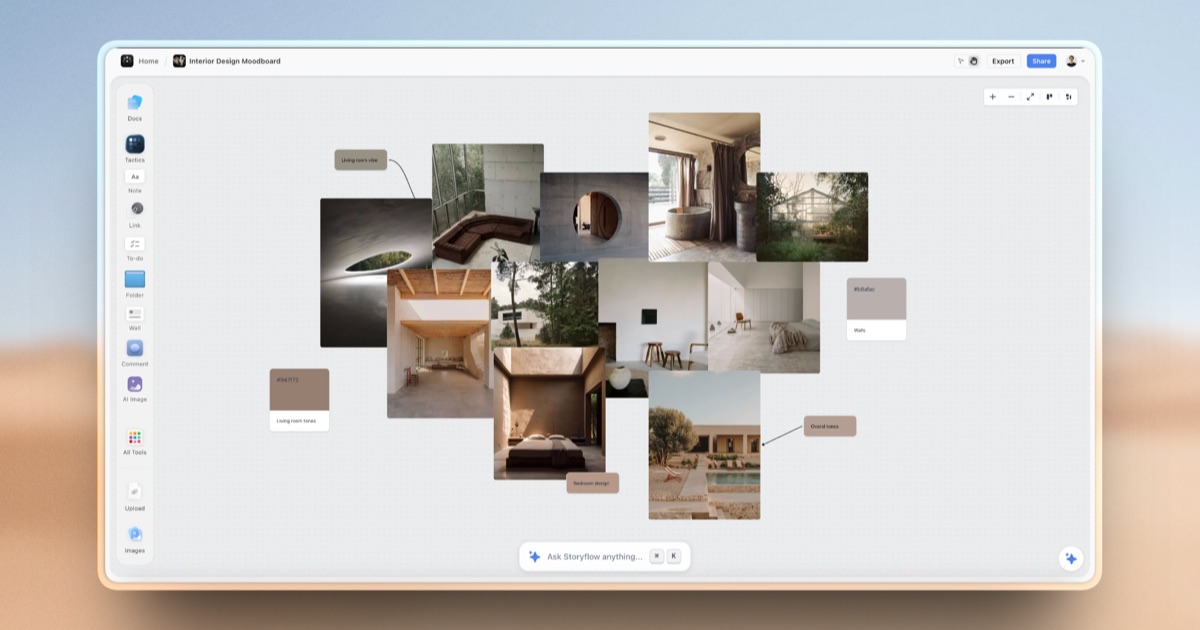
Milanote is a visual workspace where creative professionals can gather notes, images, links, and files onto flexible drag-and-drop boards, then arrange them freely alongside sketches and to-do lists. It is built for early-stage creative work such as moodboards, storyboards, content planning, and project research rather than rigid spreadsheets or documents.
Storyflow is an AI-powered visual workspace built on an infinite canvas where notes, mind maps, project briefs, and creative frameworks live side by side. Unlike chat-based AI tools that forget context between sessions, Storyflow's AI assistant reads everything on the canvas at once, so it can answer questions and generate content with full awareness of a project's notes, structure, and history.
- Free plan has no time limit, unlike many trial-based competitors
- Available across web, Mac, Windows, iOS, and Android
- Web clipper makes it fast to collect inspiration from other sites
- Used by well-known creative teams such as Nike, Netflix, and IDEO according to the vendor
- AI has full project context instead of re-explaining each session
- Combines several separate tools (boards, notes, storyboards) into one canvas
- Generous free tier with unlimited boards and objects
- 200+ ready-made templates speed up project setup
- Free plan is capped at only 100 notes/images/links and 10 file uploads
- Enterprise pricing is not published and requires contacting sales
- No Linux desktop app is offered
- Free plan AI usage is limited to trial-level access
- Newer product with a smaller track record than established note apps
- No listed native desktop or mobile apps, browser-only
More alternatives & similar tools
Alternatives to Milanote
View all →

Alternatives to Storyflow
View all →
Data-first digital whiteboard that turns brainstorms into structured, exportable data.

The Verdict
AI-generated from listing dataMilanote offers a mature, multi‑platform visual board tool with a limited free tier, while Storyflow adds AI context and unlimited free boards but lacks native apps.
Key differences
- •Milanote provides desktop (Mac/Windows) and mobile apps; Storyflow is browser‑only.
- •Storyflow’s AI can read the entire canvas and offers 200+ templates; Milanote has no AI features.
- •Milanote’s free plan caps notes/images at 100 and file uploads at 10; Storyflow’s free tier allows unlimited boards and objects (AI limited).
- •Milanote includes a web‑clipper extension for easy content capture; Storyflow only mentions file uploads.
- •Milanote lists well‑known customers (Nike, Netflix, IDEO); Storyflow has no disclosed enterprise references.
Pricing & value
Both are freemium, but Storyflow’s free tier offers unlimited boards/objects, giving more value than Milanote’s 100‑item cap.
Ease of use / learning curve
Milanote has native desktop and mobile apps plus a web clipper, making onboarding intuitive across devices.
Features & depth
Storyflow includes AI that reads the whole canvas and 200+ templates, providing deeper functionality than Milanote’s basic drag‑drop.
Integrations & ecosystem
Milanote offers a browser extension for clipping; Storyflow only lists generic file uploads.
Collaboration
Both allow shared boards with collaborators; Milanote offers editing/commenting, Storyflow allows free invited collaborators on all plans.
Scalability
Storyflow’s unlimited free objects and AI memory in higher tiers scale better for growing teams than Milanote’s capped free tier.
Support
Milanote specifies email support; Storyflow provides no support details.
Choose Milanote if…
Creative professionals needing offline/desktop access and quick web clipping.
Choose Storyflow if…
Teams that want AI‑enhanced context, unlimited free boards, and template libraries.
Common questions
Can I use the tool on Linux or without a browser?
Milanote offers Mac, Windows, iOS, Android apps but no Linux or native Linux desktop app; Storyflow is browser‑only.
What are the limits of the free plans?
Milanote limits free users to 100 notes/images/links and 10 file uploads; Storyflow’s free tier has unlimited boards and objects, but AI usage is limited.
Does either product provide AI assistance for brainstorming?
Storyflow includes an AI assistant that reads the entire canvas and offers image generation in higher tiers; Milanote has no AI features.