



Milanote vs Miro
Side-by-side comparison of features, pricing, ratings, and alternatives.

Milanote is a visual workspace where creative professionals can gather notes, images, links, and files onto flexible drag-and-drop boards, then arrange them freely alongside sketches and to-do lists. It is built for early-stage creative work such as moodboards, storyboards, content planning, and project research rather than rigid spreadsheets or documents.
Miro is a cloud‑based visual collaboration platform that lets teams create, share, and iterate on ideas using an infinite canvas. It supports real‑time editing, sticky notes, diagrams, and a rich library of templates to accelerate brainstorming, planning, and design sessions. The platform integrates with popular productivity tools, offers native mobile apps, and provides granular permission controls, making it suitable for remote teams, educators, and enterprises seeking a unified visual workspace.
- Free plan has no time limit, unlike many trial-based competitors
- Available across web, Mac, Windows, iOS, and Android
- Web clipper makes it fast to collect inspiration from other sites
- Used by well-known creative teams such as Nike, Netflix, and IDEO according to the vendor
- Intuitive drag‑and‑drop interface
- Extensive template library
- Strong integrations with popular SaaS tools
- Real‑time collaboration across devices
- Free plan is capped at only 100 notes/images/links and 10 file uploads
- Enterprise pricing is not published and requires contacting sales
- No Linux desktop app is offered
- Performance can lag on very large boards
- Advanced features require paid subscription
- Limited offline functionality
More alternatives & similar tools
Alternatives to Milanote
View all →
Alternatives to Miro
View all →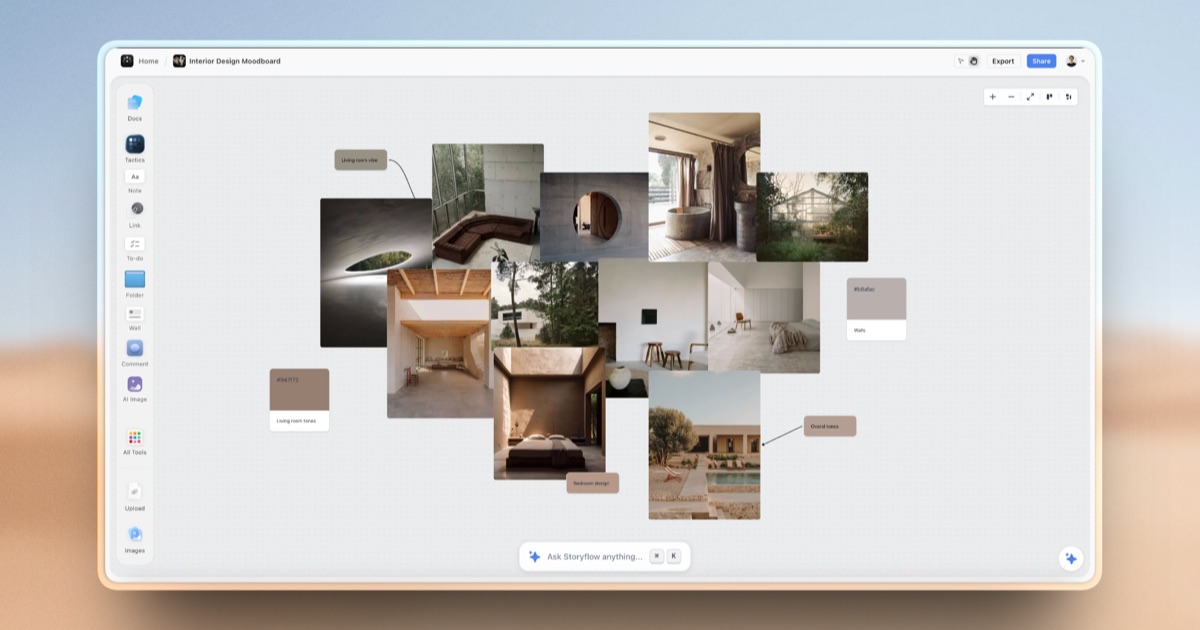


The Verdict
AI-generated from listing dataMilanote excels for visual, inspiration‑driven solo or small creative teams, while Miro offers a richer, real‑time collaborative whiteboard with stronger integrations and API access.
Key differences
- •Milanote limits free content to 100 items and 10 uploads; Miro’s free tier has unlimited canvas items.
- •Miro provides an API and extensive SaaS integrations (Slack, Jira, etc.); Milanote only has a web‑clipper extension.
- •Miro supports live cursor presence, chat, and video calls; Milanote’s collaboration is limited to editing/commenting without built‑in chat.
- •Milanote offers native desktop apps for Mac/Windows and mobile apps; Miro is primarily web‑based with limited offline support.
- •Support options: Milanote only email; Miro adds live chat, help center, and community forum.
Pricing & value
Miro’s free plan has unlimited canvas items, whereas Milanote caps free content at 100 notes/images/links.
Ease of use / learning curve
Milanote’s drag‑and‑drop board layout is simple for visual brainstorming; Miro’s extensive features can be more complex.
Features & depth
Miro includes templates, live cursor, chat, video, and zoomable infinite canvas; Milanote focuses on basic board organization.
Integrations & ecosystem
Miro lists multiple integrations (Slack, Jira, Confluence, Teams, Google Drive, Notion) and an API; Milanote only offers a browser clipper.
Collaboration
Miro provides real‑time presence, chat, video, and granular permissions; Milanote offers editing/commenting without built‑in communication tools.
Support
Miro offers email, live chat, help center, and community forum; Milanote provides email support only.
Security & privacy
Both are cloud SaaS with no open‑source code; enterprise pricing and detailed security info not specified for either.
Choose Milanote if…
Creative freelancers or small teams needing simple visual boards and offline desktop apps.
Choose Miro if…
Distributed teams that require robust real‑time collaboration, integrations, and API access.
Common questions
Can I use the free version of either tool without time limits?
Yes. Both have freemium plans with no expiration; Milanote caps content, Miro does not.
Which tool integrates with my existing SaaS stack (Slack, Jira, etc.)?
Miro lists integrations with Slack, Jira, Confluence, Microsoft Teams, Google Drive, Notion; Milanote only offers a web‑clipper extension.
Do either of these provide an API for custom automation?
Miro offers an API; Milanote does not.