



Creately vs Storyflow
Side-by-side comparison of features, pricing, ratings, and alternatives.

Creately is a visual collaboration and diagramming platform that combines an infinite canvas with data-linked visual apps, letting teams build flowcharts, org charts, mind maps, and wireframes while also tracking project data on the same board. It positions itself as covering the full path "from idea to execution" rather than just static diagramming.
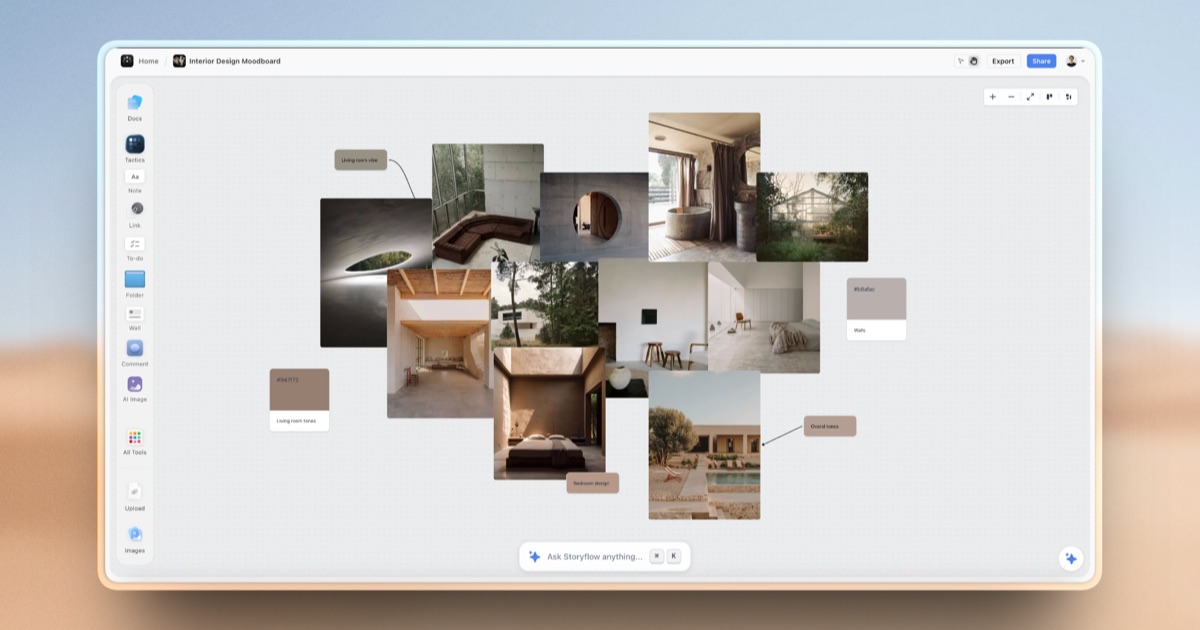
Storyflow is an AI-powered visual workspace built on an infinite canvas where notes, mind maps, project briefs, and creative frameworks live side by side. Unlike chat-based AI tools that forget context between sessions, Storyflow's AI assistant reads everything on the canvas at once, so it can answer questions and generate content with full awareness of a project's notes, structure, and history.
- Free plan supports unlimited canvases and collaborators, not just a capped trial
- Combines diagramming with lightweight data/project tracking on the same board
- Large template library across many team functions
- Enterprise-grade security certifications (ISO 27001, SOC 2 Type 2)
- AI has full project context instead of re-explaining each session
- Combines several separate tools (boards, notes, storyboards) into one canvas
- Generous free tier with unlimited boards and objects
- 200+ ready-made templates speed up project setup
- Mid-tier plan pricing (Starter, Team, Business) isn't shown in exact numbers on the pricing page
- Free plan caps items per canvas at 45, which is limiting for complex diagrams
- Feature breadth (diagrams plus project management) may be more than users who just want simple diagramming need
- Free plan AI usage is limited to trial-level access
- Newer product with a smaller track record than established note apps
- No listed native desktop or mobile apps, browser-only
More alternatives & similar tools
Alternatives to Creately
View all →
Alternatives to Storyflow
View all →

Data-first digital whiteboard that turns brainstorms into structured, exportable data.
The Verdict
AI-generated from listing dataCreately is the safer choice for teams that need robust diagramming, data‑linked visuals, and enterprise‑grade security, while Storyflow excels for creative teams that want AI‑enhanced storyboards and unlimited free boards.
Key differences
- •Creately offers 1,000+ templates and data‑linked visual apps; Storyflow provides 200+ AI‑driven creative templates.
- •Enterprise security certifications (ISO 27001, SOC 2) are listed only for Creately.
- •Storyflow’s AI reads the whole canvas and offers AI image generation; Creately has no AI features.
- •Creately integrates with Confluence, Microsoft Teams, and Slack; Storyflow lists only generic file uploads.
- •Free plan limits: Creately caps items per canvas at 45; Storyflow imposes no object limits but restricts AI usage.
Pricing & value
Storyflow’s free tier offers unlimited boards and objects, whereas Creately’s free tier caps items per canvas at 45.
Ease of use / learning curve
Both provide an infinite canvas with real‑time collaboration; no clear advantage in the provided facts.
Features & depth
Creately includes diagramming, data‑linked apps, and 1,000+ templates; Storyflow focuses on AI‑assisted storyboards with 200 templates.
Integrations & ecosystem
Creately lists integrations with Confluence, Microsoft Teams, and Slack; Storyflow only mentions generic file uploads.
Collaboration
Both allow unlimited collaborators on free plans and real‑time co‑editing.
Security & privacy
Creately’s enterprise plans include ISO 27001 and SOC 2 Type 2 certifications; Storyflow provides no security certifications.
Choose Creately if…
Product, IT, or cross‑functional teams needing detailed diagrams, data linking, and enterprise security.
Choose Storyflow if…
Creative or filmmaking teams that want AI‑driven storyboards and unlimited free boards.
Common questions
Can I use the free plan for large, complex diagrams?
Creately’s free plan caps items per canvas at 45, which limits complex diagrams; Storyflow’s free plan has no object limit.
What security certifications are available?
Creately offers ISO 27001 and SOC 2 Type 2 certifications on its enterprise plans; Storyflow lists none.
Do either tools integrate with my existing collaboration software?
Creately integrates with Confluence, Microsoft Teams, and Slack; Storyflow only mentions generic file uploads.