




Tyndall AI
AI-native toolkit for creating images, videos, and more instantly
Best for
Creators who need fast, browser‑based AI images and videos
Skip if
Skip if you require offline work or full-featured paid tools
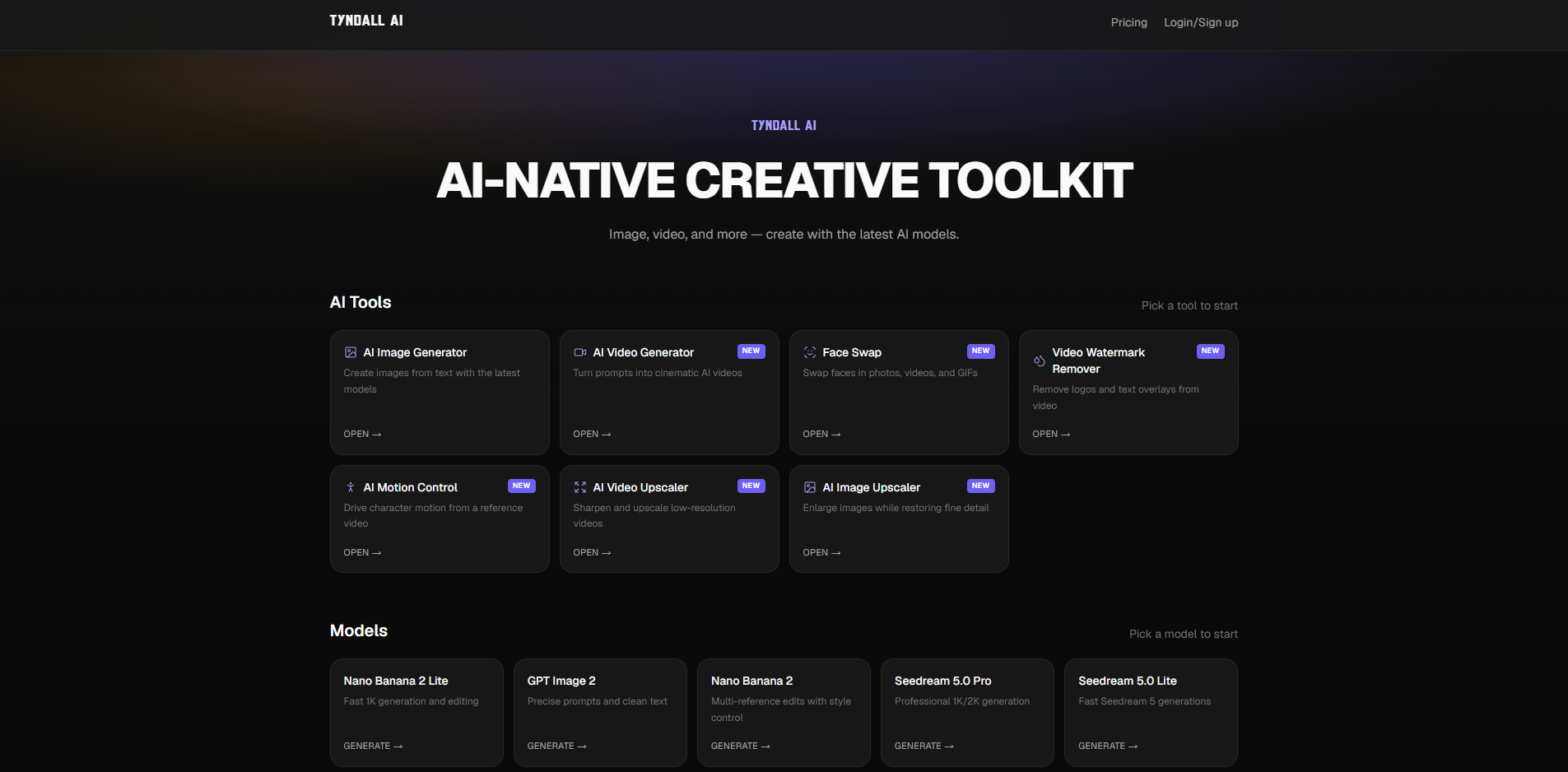
What is Tyndall AI?
Tyndall AI is a web‑based creative toolkit that lets creators generate high‑quality images and videos using the latest AI models. Its intuitive interface requires no coding, making AI‑driven content creation accessible to designers, marketers, and anyone looking to produce visual media quickly. The platform offers a range of generation options, from simple prompts to advanced style controls, enabling users to experiment and iterate in real time. With built‑in export tools, creators can download assets in multiple formats ready for social media, advertising, or personal projects.
SpecificationsAI-estimated
Key Features of Tyndall AI
Use Cases for Tyndall AI
Social Media Content
Quickly produce eye‑catching images and videos for posts and ads.
Marketing Campaigns
Generate custom visuals tailored to brand guidelines without a photographer.
Design Prototyping
Create concept art and mockups to iterate on design ideas faster.
Educational Materials
Produce illustrative graphics and explainer videos for learning resources.
How to use Tyndall AI?
Choose a tool
Select a tool from the available options to start creating.
Select a model
Pick an AI model that fits your creative needs from the model list.
Create content
Generate images, videos, or other creative content using the chosen model.
Pros & Cons of Tyndall AI
Pros
- No coding required
- Runs entirely in the browser
- Fast generation with real‑time previews
- Wide range of export formats
Cons
- Limited offline capability
- Advanced features locked behind paid tier
- Model outputs can be inconsistent without refined prompts
Frequently Asked Questions
Do I need to install anything to use Tyndall AI?
No, Tyndall AI runs completely in the web browser; just visit the website and start creating.
Is there a free version available?
Yes, Tyndall AI offers a free tier with basic generation limits; paid plans unlock higher quotas and premium models.
Can I export videos in different resolutions?
Yes, you can choose from several resolution options when exporting video clips, including HD and 4K where supported.
Does Tyndall AI support collaboration?
You can share generated assets and prompt settings via shareable links, allowing others to view or remix the content.
Pricing Overview
View full pricing →Three monthly plans available with discounted pricing.
Reviews & Ratings0.0
No reviews yet. Be the first to write one!
Top Alternatives & Similar Software
View all alternatives & similar software→



People also viewed


Best For
Related searches
About the Product
Is this your tool?
Claim this page to update details, reply to user reviews, and drive more traffic to your product.
Claim this Product →
Explore Related Topics
Keep up with Tyndall AI alternatives
New alternatives, pricing changes and the week's biggest movers - one email every Tuesday.