




InteriorAID
Turn Sketches & Renders into Photorealistic Interiors, Videos & 3D Scenes

What is InteriorAID?
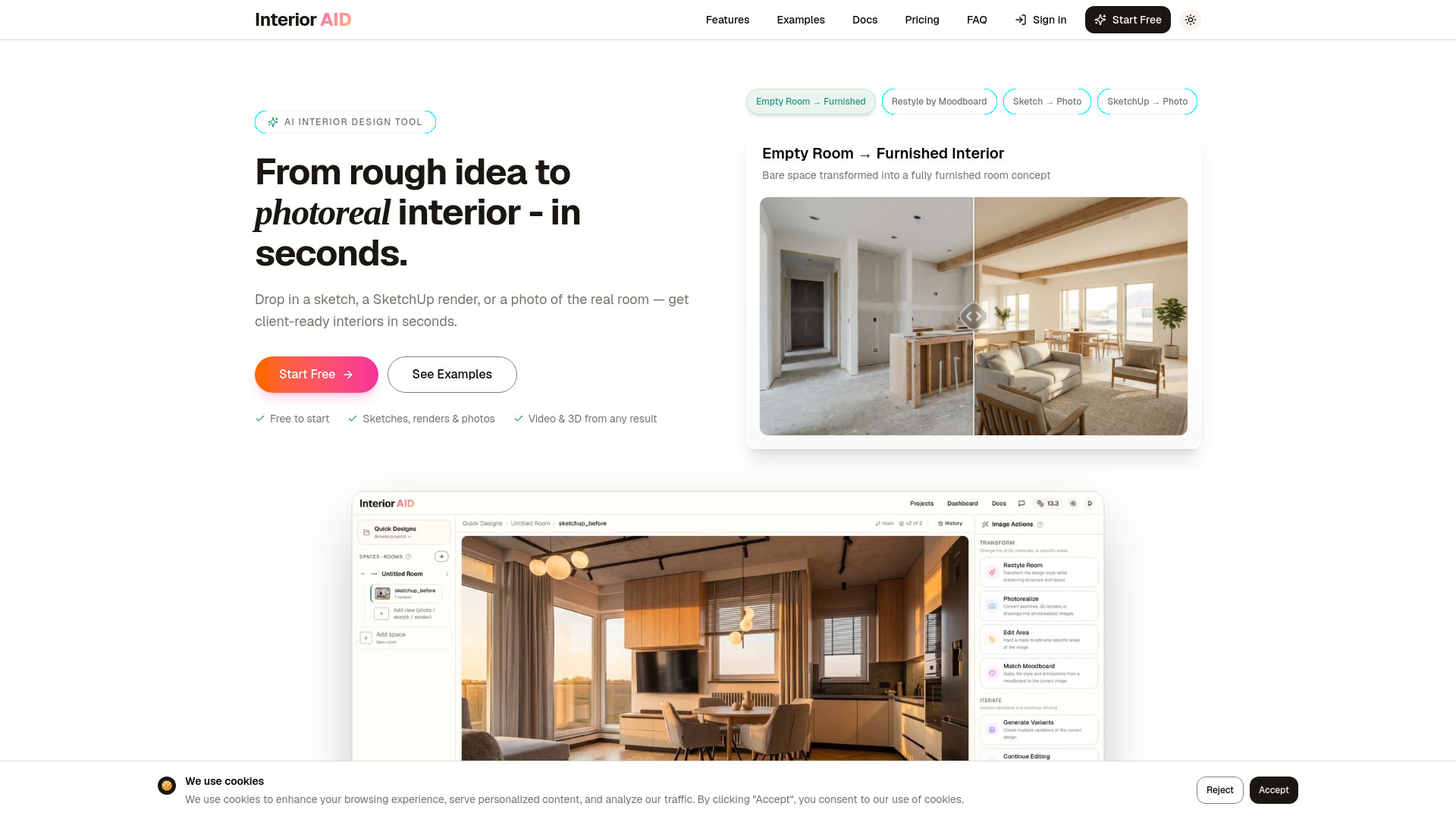
InteriorAID is an AI-powered interior design platform that transforms sketches, renders, and room photos into photorealistic interiors, videos, and explorable 3D scenes. It offers project-based workflows, style transfer, inpainting, and AI-assisted planning for designers, architects, visualizers, and homeowners.
SpecificationsAI-estimated
Key Features of InteriorAID
Use Cases for InteriorAID
For Interior Designers
Rapidly produce multiple concept options for clients and explore alternate directions before committing to a design.
For Architects
Turn early interior visualizations and rough renders into presentation-ready concepts without spending time on full rendering.
For 3D Visualizers
Speed up ideation, style exploration, and approval rounds before final production work in rendering tools.
For Homeowners & Renovators
Test room styles, furniture arrangements, and redesign ideas before making real-world decisions.
How to use InteriorAID?
Upload Your Input
Upload your input (room photo, SketchUp render, hand sketch, or 3D model file).
Generate Photorealistic Interior
The AI transforms your input into a realistic room concept. Create multiple variants and explore different directions.
Continue from a Selected Result
Pick a version you like, then turn it into a cinematic video or an explorable 3D scene—all from the same workspace.
Pros & Cons of InteriorAID
Pros
- Fast transformation of rough sketches and renders into polished, photorealistic images
- Generates not only still images but also videos and 3D scenes, enhancing presentation capabilities
- Supports project-based organization with version history and branching
- AI Assistant helps maintain consistency across multiple rooms and briefs
- User-friendly interface suitable for both professionals and homeowners
- Token-based system offers flexibility and cost control
Cons
- Do not cover diet apps as they are out of scope.
- Do not cover muscle gain apps as they fall under fitness, not weight loss.
- Do not cover meal replacement shakes.
- Do not cover weight-loss drugs.
- The platforms must be apps or web-based platforms, not physical services.
- Only include platforms that primarily focus on weight loss, excluding general exercise tracking apps.
- Do not cover calorie tracking apps if they are not specifically focused on weight loss.
- Do not cover apps that are only available in specific regions without broader accessibility.
- Do not include the same platform twice in the list.
- Each recommendation must include the name, description, and a link.
Frequently Asked Questions
Is InteriorAID free to use?
Yes, all plans include full access to the AI design tools, but the free plan has a one-time token allowance (20 tokens) and watermarked outputs. Paid plans unlock more tokens, secure storage, and advanced editing features like inpainting and object removal.
How do tokens work?
Tokens are used for image transformations, video generation, 3D scenes, edits, and upscales. Free plan gives 20 one-time tokens; Hobbyist gives 400 tokens/month; Pro gives 1600 tokens/month. Additional tokens can be purchased as one-time packs.
What input formats are supported?
InteriorAID supports room photos, SketchUp renders, hand sketches, inspiration images, and 3D model files (FBX, GLB, OBJ).
Can I generate videos and 3D scenes?
Yes, after generating an interior image, you can turn it into a cinematic walkthrough video or create an explorable 3D scene using Gaussian Splatting.
Can the AI handle multi-room projects?
Yes, the AI Assistant can plan across multiple rooms and respects your brief, style guide, palette, and exclusions. You can review and run each step manually or switch to automatic mode.
Is there image storage limitations?
The free plan stores up to 20 images (inputs+outputs). Hobbyist stores 200 images, Pro stores 800 images. All paid plans include secure project storage.
Pricing Overview
View full pricing →No pricing data found in the provided content.
Detailed plans are not listed. Visit the official website for pricing information.
Reviews & Ratings0.0
No reviews yet. Be the first to write one!
Top Alternatives & Similar Software
View all alternatives & similar software→

People also viewed


Related searches
About the Product
Is this your tool?
Claim this page to update details, reply to user reviews, and drive more traffic to your product.
Claim this Product →
Tags
Explore Related Topics
Keep up with InteriorAID alternatives
New alternatives, pricing changes and the week's biggest movers - one email every Tuesday.