




ArchyBase
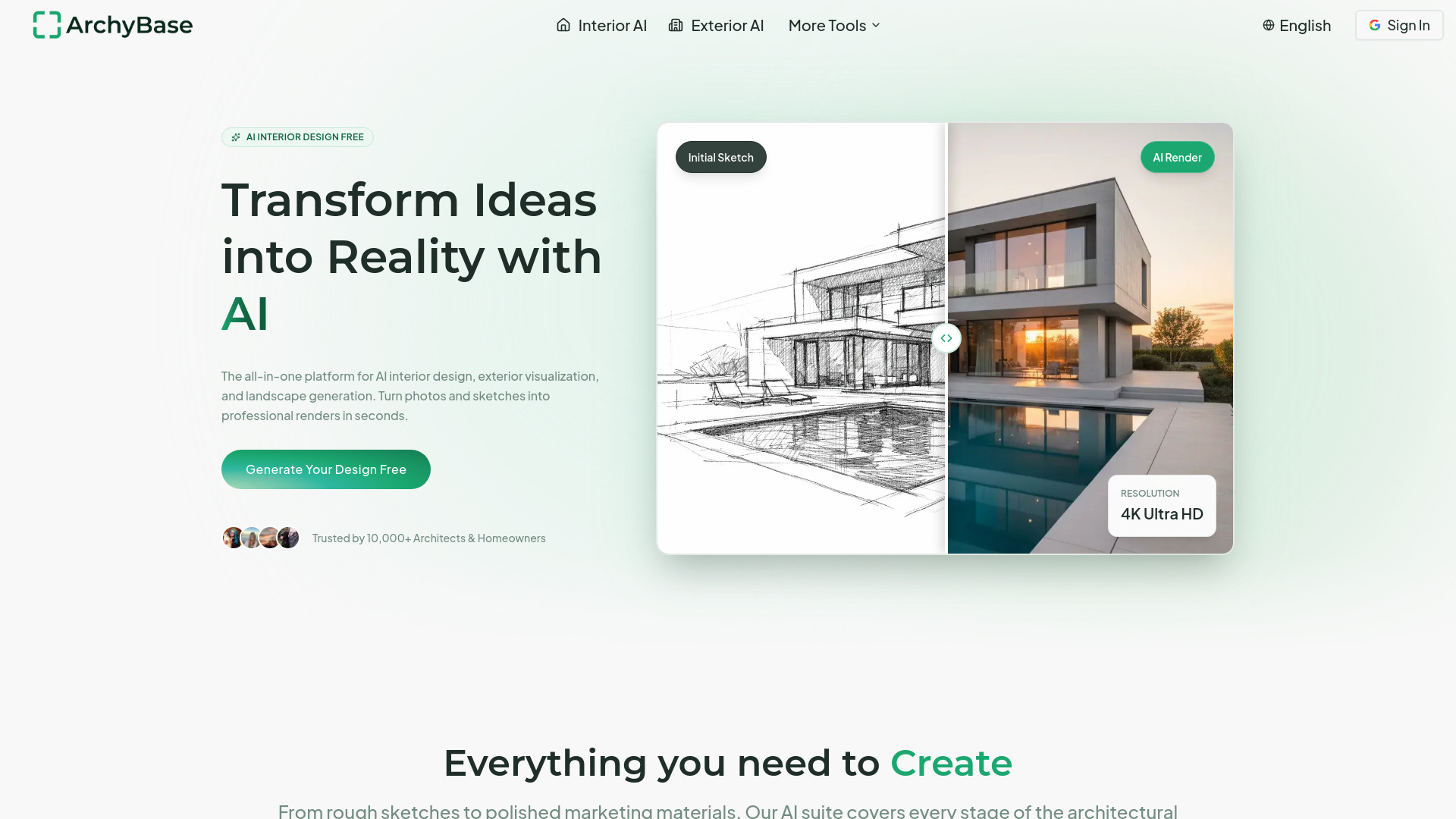
Turn photos, sketches, and floor plans into photorealistic 4K renders in seconds with the all-in-one AI design suite for interiors, exteriors, and landscapes.


What is ArchyBase?
ArchyBase is an all-in-one AI design platform that turns photos, sketches, and floor plans into photorealistic interior, exterior, and landscape visuals in seconds. Instead of juggling separate tools for rendering, staging, and floor planning, ArchyBase bundles everything into a single web-based suite — from AI interior and exterior design to landscape visualization, floor plan generation, and instant 2D-to-3D conversion. With a rendering engine that respects lighting, materials, and spatial depth, it delivers crisp 4K outputs that are suitable for client presentations, marketing materials, and printed portfolios.
SpecificationsAI-estimated
Key Features of ArchyBase
Use Cases for ArchyBase
Interior Remodeling
Visualize new furniture, colors, and layouts in an existing room by uploading a photo and choosing a style.
Real Estate Virtual Staging
Fill empty rooms with modern furniture in seconds to help buyers see a property's potential.
Client Presentations
Generate multiple design variations quickly to show clients options during meetings.
Landscape Backyard Planning
Picture pools, patios, gardens, and complete outdoor transformations before calling a landscaper.
Exterior Home Renovation
Experiment with siding, paint colors, roofing, and architectural styles without scaffolding or mock-ups.
Floor Plan Drafting
Generate clean, properly proportioned 2D floor plans from a description or rough layout.
Sketch-to-Render Conceptualization
Turn rough napkin sketches into presentation-ready renders with materials, lighting, and depth.
2D-to-3D Visualization
Rebuild flat floor plans into furnished 3D models to understand room flow and spatial connections.
How to use ArchyBase?
Upload your image
Take a photo of a room, house, exterior, or landscape, or upload a sketch or floor plan.
Choose a design style
Pick from 35+ architectural styles such as Scandinavian Minimalist, Industrial Chic, or Art Deco.
Generate render
Let the AI engine read lighting, materials, and spatial depth and produce a photorealistic 4K result in under 10 seconds.
Refine and iterate
Adjust the prompt or settings, regenerate variations, and compare options side by side.
Download or share
Download your full-resolution, watermark-free render for presentations, portfolios, or decision-making.
Pros & Cons of ArchyBase
Pros
- Renders photorealistic 4K images in under 10 seconds
- All-in-one suite for interior, exterior, landscape, floor plan, and 2D-to-3D
- Free to try without a credit card
- Supports 35+ architectural styles
- Watermark-free downloads and commercial use even on the free plan
Cons
- Free plan is limited to only 4 AI design generations, which may not be enough for extensive testing.
- Higher-volume paid plans can become costly for frequent professional use.
- Requires a reliable internet connection as it is a web-based service with no offline desktop app.
- AI interpretation may need manual fine-tuning to perfectly preserve architectural details from complex sketches or floor plans.
Frequently Asked Questions
Is there a free AI interior design app?
Yes, ArchyBase offers a free plan that includes 4 AI design generations, full resolution downloads, and access to core tools without needing a credit card.
How does the Sketch to Render AI work?
Upload a line drawing, napkin sketch, or exported linework from SketchUp/Revit; ArchyBase fills in materials, lighting, and depth while keeping your original lines faithful.
Can I use this for AI landscape design?
Absolutely. Upload a photo of your outdoor space to visualize gardens, pools, patios, and complete landscape transformations.
Is this suitable for exterior home design?
Yes, the exterior facade redesign tool lets you test new siding, paint colors, roofing, and architectural styles in seconds.
Do you support floor plans?
Yes, ArchyBase includes an AI floor plan generator that turns descriptions or rough layouts into clean 2D plans, and can convert plans into furnished 3D models.
What image formats do you support?
The platform supports standard image uploads (photos, screenshots, sketches) and outputs high-resolution 4K renders; the specific format list is available in-app.
How long does it take to generate a design?
Renders are generated in under 10 seconds thanks to an optimized GPU engine, with no rendering queues or long waits.
Can I use the generated images commercially?
Yes, the free plan already includes commercial use, and paid plans offer more generations and unlimited 2K/4K upscaling.
What makes ArchyBase different from other AI design tools?
ArchyBase combines speed, 4K photorealistic quality, and an all-in-one suite covering interior, exterior, landscape, floor plan, and 2D-to-3D workflows.
Reviews & Ratings0.0
No reviews yet. Be the first to write one!
Top Alternatives & Similar Software
View all alternatives & similar software→

People also viewed


Related searches
Is this your tool?
Claim this page to update details, reply to user reviews, and drive more traffic to your product.
Claim this Product →
Tags
Keep up with ArchyBase alternatives
New alternatives, pricing changes and the week's biggest movers - one email every Tuesday.