



Microsoft Flight Simulator 1.0 vs Microsoft Flight Simulator 4.0
Side-by-side comparison of features, pricing, ratings, and alternatives.
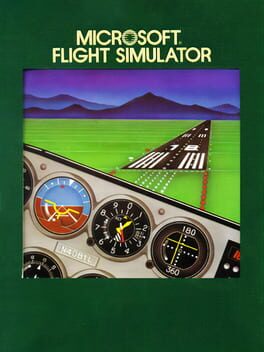
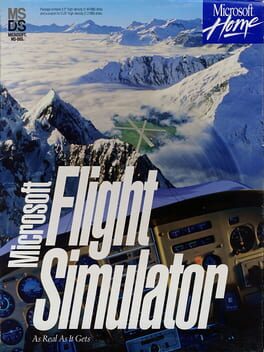
Microsoft Flight Simulator 1.0, released in 1982, was the first flight simulation from Microsoft and set a high bar for realism by meeting FAA regulations. It gives players full control of the aircraft's instrument panel, offering an authentic piloting experience. The game includes over 20 airports with varied terrain and is fully configurable for any skill level, making it accessible to both beginners and seasoned aviators seeking a nostalgic simulation.
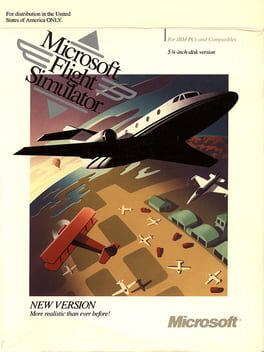
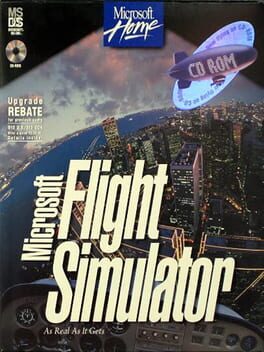
Microsoft Flight Simulator 4.0 brings early digital aviation to life with detailed scenery for five major U.S. cities, including New York and Los Angeles. It supports CGA through VGA graphics and offers multi-user play for shared experiences. The version also integrates add‑on support such as Microsoft's Aircraft & Scenery Designer and Sublogic's USA scenery series, expanding the simulation's depth for hobbyists and aspiring pilots.
- FAA‑level instrument realism
- Wide selection of airports
- Highly configurable difficulty
- Historical significance
- Authentic retro graphics and sound.
- Rich city scenery for five major locations.
- Extensible with add‑ons and custom content.
- Supports both single-player and multi-user modes.
- Graphics are primitive by modern standards
- Limited to single-player only
- Runs only on legacy PC hardware
- Limited to DOS/PC hardware of its time.
- No modern graphics or VR support.
- Multiplayer requires manual setup.
More alternatives & similar tools
Alternatives to Microsoft Flight Simulator 1.0
View all →
A pioneering 1984 flight sim with expanded hardware support and deeper realism.
Classic DOS flight sim with SVGA graphics and new European scenery.
Alternatives to Microsoft Flight Simulator 4.0
View all →A pioneering 1984 flight sim with expanded hardware support and deeper realism.
Classic DOS flight sim with SVGA graphics and new European scenery.
Experience realistic flight with satellite scenery and dynamic weather on classic DOS.
The Verdict
AI-generated from listing dataFlight Simulator 4.0 offers richer scenery, VGA graphics, and optional multiplayer, while 1.0 provides more airports and stricter FAA‑level instrument realism but with primitive graphics.
Key differences
- •Graphics: 4.0 supports CGA‑VGA (EGA) vs 1.0 primitive 1982 graphics.
- •Content scope: 1.0 has >20 airports; 4.0 focuses on five major city airports plus add‑on support.
- •Multiplayer: 4.0 includes multi‑user sessions; 1.0 is single‑player only.
- •Instrument realism: 1.0 emphasizes FAA‑level instrument panel; 4.0 offers realistic physics but less detailed instrumentation.
- •Extensibility: 4.0 compatible with Aircraft & Scenery Designer and Sublogic USA scenery; 1.0 has no noted add‑on framework.
Gameplay & fun factor
4.0 adds city scenery and multiplayer, giving more varied play experiences than 1.0's airport‑only solo flights.
Platform availability
Both run only on legacy IBM PC/DOS hardware of their era; no modern platform support for either.
Price & value
Both are one‑time paid titles; no price details differ in the provided facts.
Multiplayer / co‑op
4.0 explicitly offers multi‑user play; 1.0 is single‑player only.
Content & replayability
1.0 includes >20 distinct airports and configurable instrument sensitivity, offering broader solo content.
Difficulty & accessibility
1.0 provides highly configurable difficulty and instrument sensitivity, catering to both novices and experts.
Graphics & performance
4.0 supports VGA/EGA graphics, far superior visual fidelity than 1.0's primitive 1982 graphics.
Choose Microsoft Flight Simulator 1.0 if…
Ideal for purists seeking FAA‑level instrument detail and many airports, and who don’t need multiplayer.
Choose Microsoft Flight Simulator 4.0 if…
Best for players wanting better graphics, city scenery, and optional multiplayer on vintage PC hardware.
Common questions
Which version has better graphics?
Flight Simulator 4.0 supports CGA up to VGA/EGA, while 1.0 uses primitive early‑1980s graphics.
Can I play with friends?
Only 4.0 offers multi‑user play; 1.0 is single‑player only.
Which provides more airports or locations?
1.0 includes more than 20 distinct airports; 4.0 focuses on five major city airports but can be expanded with add‑ons.