




Recast Studio
Turn long videos into daily growth.
What is Recast Studio?
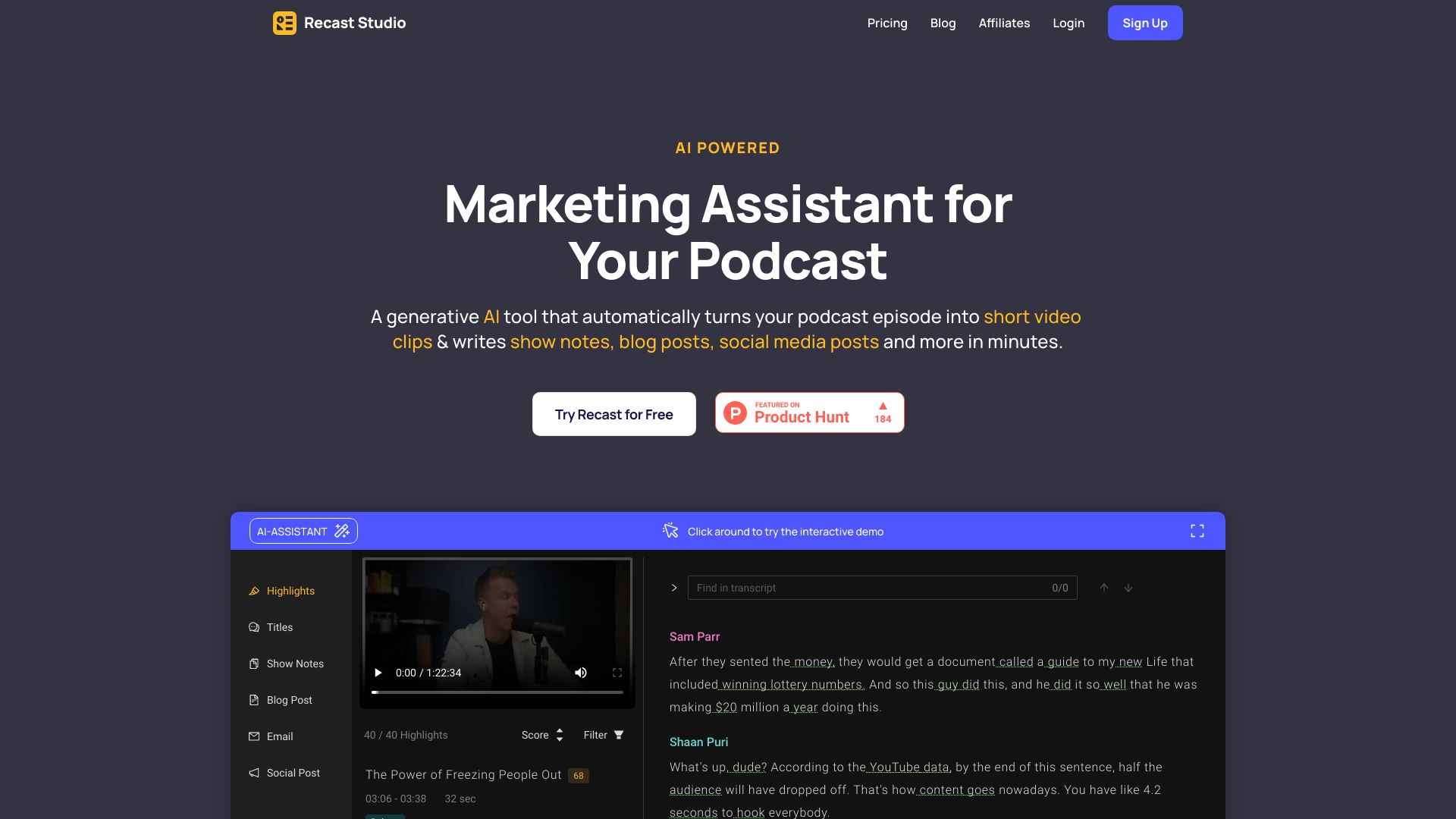
Recast Studio is an AI-powered video editing and content repurposing platform that turns long-form videos such as webinars, podcasts, and live events into short clips, audiograms, captions, and written content, with built-in publishing and scheduling to multiple social channels.
SpecificationsAI-estimated
Key Features of Recast Studio
Use Cases for Recast Studio
Content repurposing
Convert webinar and podcast recordings into engaging social media clips, captions, and written posts.
Rapid video editing
Edit videos by removing fillers and pauses automatically to produce polished short clips.
Social media distribution
Schedule and publish repurposed content directly to multiple social platforms from one workflow.
How to use Recast Studio?
Upload your video
Upload a long video such as a podcast, webinar, or live event to Recast Studio.
Edit by text
Use the AI transcript to find highlights, then edit by selecting or deleting text to trim the video.
Enhance with AI
Let AI remove filler words, pauses, and reframe the video for different platforms.
Create assets
Generate captions, audiograms, blog drafts, show notes, LinkedIn posts, and email copy from the same content.
Publish and schedule
Publish or schedule directly to TikTok, Instagram, YouTube, Facebook, LinkedIn, Twitter, and more.
Pros & Cons of Recast Studio
Pros
- Saves hours by automating video repurposing
- Easy text-based editing for non-editors
- Generates multiple content formats from one recording
- Includes publishing and scheduling, reducing manual work
- AI features like filler removal and auto-reframe improve quality
Pricing Overview
View full pricing →Recast Studio offers a free plan and three paid tiers (Starter, Professional, Studio) with monthly and annual billing options. Annual plans provide a discounted monthly equivalent.
Reviews & Ratings0.0
No reviews yet. Be the first to write one!
Top Alternatives & Similar Software
View all alternatives & similar software→




People also viewed



Related searches
Is this your tool?
Claim this page to update details, reply to user reviews, and drive more traffic to your product.
Claim this Product →
Tags
Explore Related Topics
Keep up with Recast Studio alternatives
New alternatives, pricing changes and the week's biggest movers - one email every Tuesday.