




Generor
One web app to generate, manage, and remix AI creations across 109 generators and 309 models.
What is Generor?
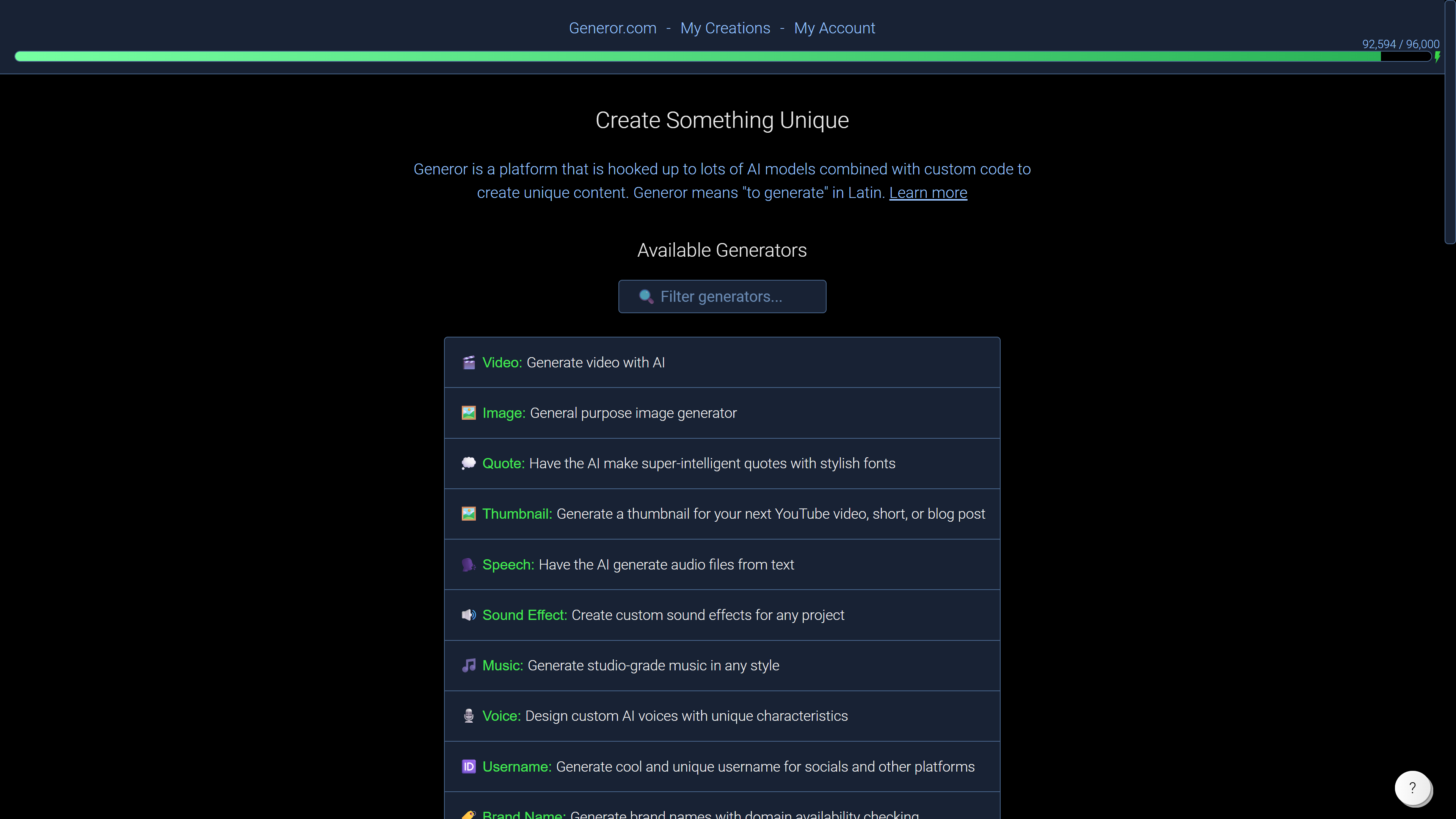
Generor is an all-in-one AI creation hub that promises to generate and manage almost anything with AI. It bundles 109 distinct generators and provides access to 309 different AI models in a single browser-based workspace, allowing users to jump between text, image, video, and speech tools without juggling multiple subscriptions or apps. More than just a collection of generators, Generor is designed as a collaborative platform. Users can build on each other's creations, combine ideas with different AI models, and remix outputs into unique content that would be difficult to produce with a single-purpose tool. This community-driven approach makes it stand out from conventional AI apps. Because Generor runs entirely in the browser, it works on any device with a web connection. The platform is also supported by a blog covering AI model releases, practical guides, and AI affiliate programs, keeping users informed about the latest developments in the AI space.
SpecificationsAI-estimated
Key Features of Generor
Use Cases for Generor
Text generation and drafting
Generate written content quickly using text-based AI models available through the platform.
Image generation and editing
Create or edit images with AI, including photo editing tasks like changing clothes in a photo as covered in Generor's blog.
Video creation
Use video AI models to produce or experiment with AI-generated video content.
Speech and audio generation
Tap into speech AI models for voiceovers, audio generation, or speech-based experiments.
Exploring new AI models
Test and compare the latest AI models as they are added to Generor's growing library.
Collaborative remixing
Build on creations shared by other users, mix different ideas, and produce unique collaborative output.
One-stop creative experimentation
Keep all of your AI experiments and finished creations organized in one central workspace.
How to use Generor?
Open Generor in your browser
Navigate to generor.com in any modern web browser. No installation or desktop app is needed.
Pick a generator
Choose from 109 generators based on the type of AI creation you want to make, such as text, image, video, or speech.
Select an AI model and create
Select one of the 309 available AI models, enter your prompt or settings, and generate your creation.
Manage, share, and collaborate
Save and organize your outputs, share them with others, or build upon creations made by other Generor users.
Pros & Cons of Generor
Pros
- 109 generators and 309 AI models available in one place
- No installation needed; works on any device with a browser
- Collaborative tools let you build on and remix community creations
- Broad coverage of AI content types including text, image, video, and speech
- Companion blog helps users stay current with new AI model releases
Cons
- No detailed pricing or free-tier information is available on the landing page.
- The large number of generators and models can feel overwhelming for first-time users.
- Requires a stable internet connection and a modern browser; no offline mode.
- Users must consider responsible-use and rights issues when applying AI output.
Frequently Asked Questions
What is Generor?
Generor is an all-in-one web platform for generating and managing AI creations, featuring 109 generators powered by 309 AI models.
What kinds of AI creations can I make with Generor?
Generor says it can generate "almost anything" with AI. Its blog covers text, image, video, and speech AI model releases, and examples include photo editing like changing a person's clothes in an image.
Do I need to install software to use Generor?
No. Generor is a web app that works on any device with a browser, so no installation is required.
Can I collaborate with other users on Generor?
Yes. Generor emphasizes collaboration, letting users build on each other's creations and combine ideas with different AI models.
Is Generor affiliated with the third-party brands mentioned on the site?
No. The site states that third-party brand names and trademarks are used for identification purposes only, and Generor is not affiliated with or endorsed by any listed company.
What devices are supported by Generor?
Since it is browser-based, Generor works on all devices with a browser, including desktops, laptops, tablets, and phones.
What are the terms of use for Generor?
The site states that the terms from alexiuz.com apply, and AI-generated content is original and should be used responsibly.
Reviews & Ratings0.0
No reviews yet. Be the first to write one!
Top Alternatives & Similar Software
View all alternatives & similar software→


People also viewed



Related searches
Is this your tool?
Claim this page to update details, reply to user reviews, and drive more traffic to your product.
Claim this Product →
Tags
Explore Related Topics
Keep up with Generor alternatives
New alternatives, pricing changes and the week's biggest movers - one email every Tuesday.