




FLUX 3 Video
Create short AI videos from text in seconds
Best for
Social media creators needing 10‑second AI videos fast
Skip if
Anyone requiring HD, longer or offline video generation
What is FLUX 3 Video?
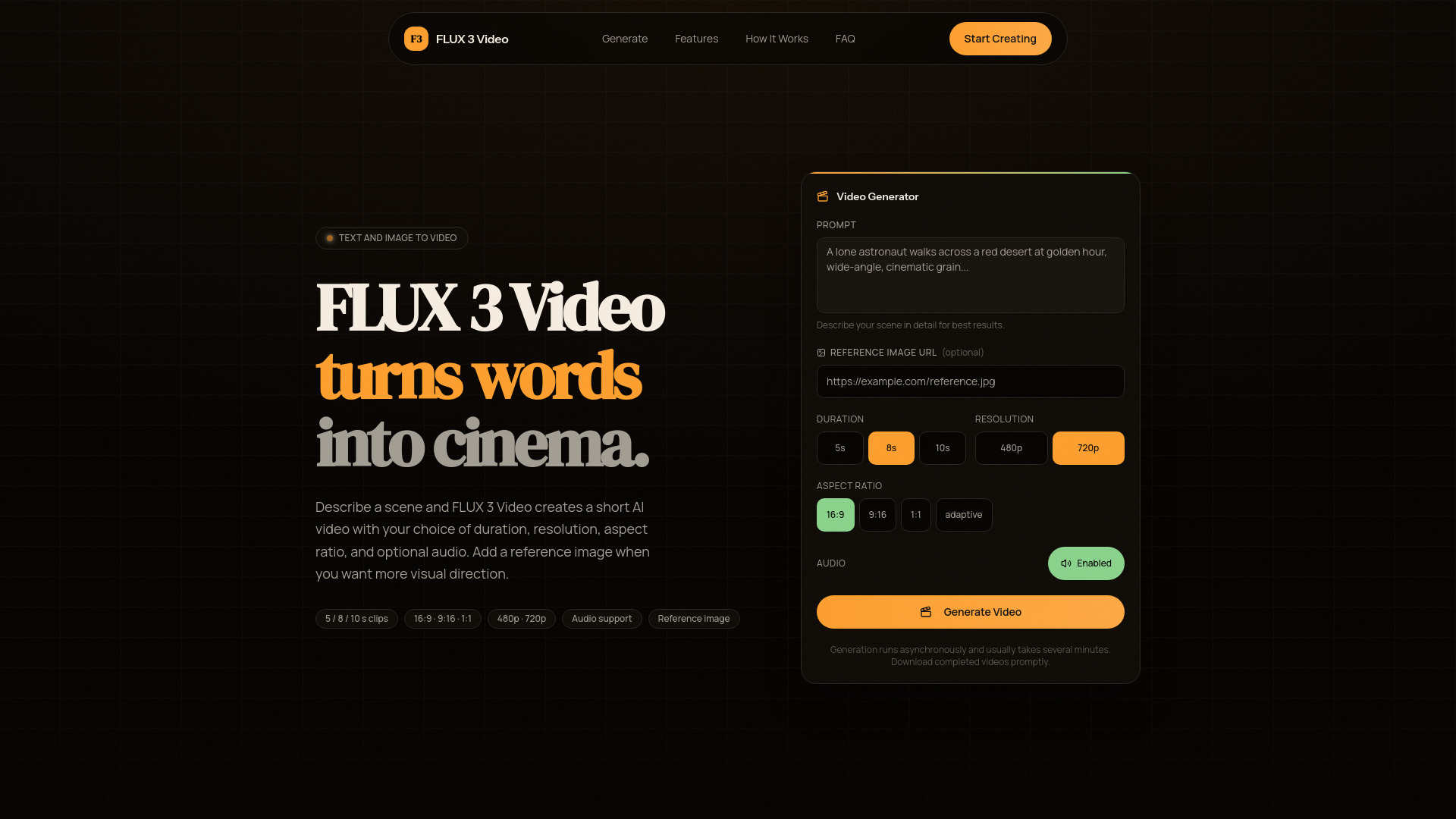
FLUX 3 Video is a browser‑based AI video generator that transforms written prompts into short, shareable clips. Users can set duration, resolution, aspect ratio, and add a reference image to steer the visual style. The service runs tasks asynchronously, letting you monitor progress and download the final video once it’s ready, with optional audio generation for a complete multimedia experience.
SpecificationsAI-estimated
Key Features of FLUX 3 Video
Use Cases for FLUX 3 Video
Social Media Content
Create eye‑catching 5‑second clips for TikTok, Instagram Reels, or YouTube Shorts.
Marketing Campaigns
Produce quick promotional videos to embed in ads or email newsletters.
Educational Snippets
Generate short explanatory videos for lessons, quizzes, or micro‑learning modules.
Artistic Storyboarding
Visualize concepts by turning narrative text into animated storyboards.
How to use FLUX 3 Video?
Write Your Prompt
Describe the scene you have in mind — camera angle, lighting, subject, mood, and pacing.
Configure the Output
Select duration (5, 8, or 10 seconds), aspect ratio, resolution, and optionally enable audio or upload a reference image.
Download Your Clip
Click Generate, wait for the asynchronous processing to finish, then preview or download the final video.
Pros & Cons of FLUX 3 Video
Pros
- No installation required – runs entirely in the browser.
- Fast generation of short videos with configurable settings.
- Reference image upload lets you guide visual style.
- Optional audio generation adds a complete media layer.
Cons
- Limited to short durations (max 10 seconds).
- Resolution capped at 720p, not suitable for high‑definition needs.
- No native desktop or mobile apps; requires internet access.
Frequently Asked Questions
Can I generate longer videos than 10 seconds?
Currently FLUX 3 Video supports only 5, 8, or 10‑second clips.
Is there a free tier available?
Yes, a free tier allows limited daily renders; paid plans unlock higher quotas and priority processing.
Do I need to upload a reference image?
No, the reference image is optional; the AI can generate visuals based solely on the text prompt.
Can I export the video with custom audio tracks?
You can choose AI‑generated audio or keep the video silent; custom audio must be added after download.
Pricing Overview
View full pricing →Detailed plans are not listed. Visit the official website for pricing information.
Reviews & Ratings0.0
No reviews yet. Be the first to write one!
Top Alternatives & Similar Software
View all alternatives & similar software→




People also viewed



Best For
Related searches
About the Product
Is this your tool?
Claim this page to update details, reply to user reviews, and drive more traffic to your product.
Claim this Product →
Tags
Explore Related Topics
Keep up with FLUX 3 Video alternatives
New alternatives, pricing changes and the week's biggest movers - one email every Tuesday.