




Flux 3
Create Images & Videos with Leading AI Models
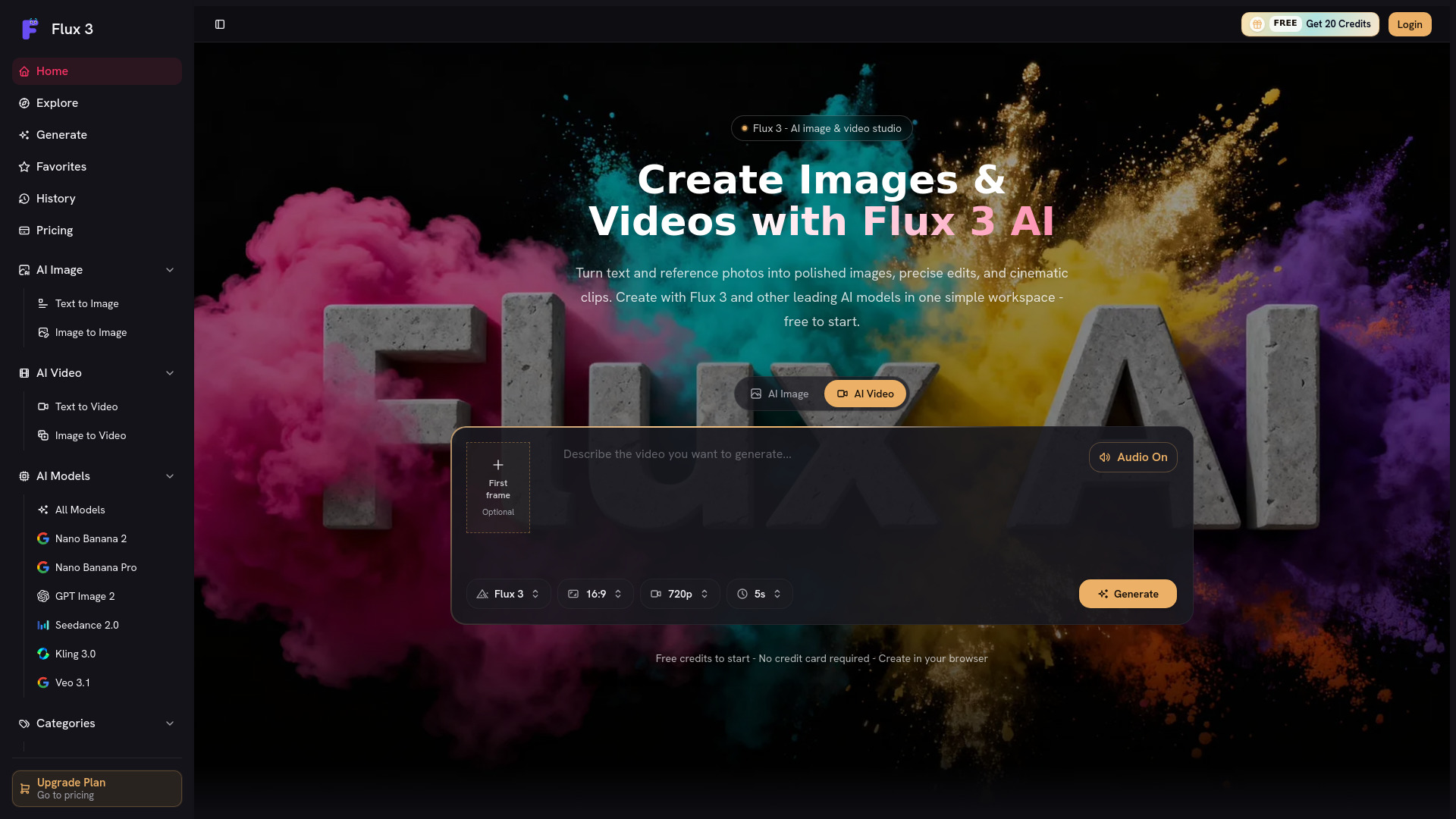
What is Flux 3?
Flux 3 is a unified AI image and video studio. It combines text-to-image, image-to-image, text-to-video, and image-to-video workflows with access to multiple leading models including Flux 2, GPT Image, Nano Banana, Veo, Kling, and Seedance under one shared credit balance. Users can start with free credits, upgrade to subscription plans, or buy pay-as-you-go packs. The platform is designed for creators, marketers, and teams that want to move from idea to finished asset quickly.
SpecificationsAI-estimated
Key Features of Flux 3
Use Cases for Flux 3
Marketing & Ad Creative
Turn text prompts into polished images for campaigns, ad creatives, product shots, posters, and brand assets.
Social Media Content
Create social-first images and short video clips quickly with multiple AI models.
Video Storytelling
Edit or transform still images and turn them into cinematic short videos.
Creative Ideation
Explore different models and styles before committing to a final visual direction.
Brand & Client Work
Generate commercial-ready assets across design and client projects using eligible models and plans.
How to use Flux 3?
Sign up
Sign up to receive free credits and access the Flux 3 workspace.
Choose generation mode
Choose either AI Image or AI Video generation mode.
Add your prompt or reference
Enter a text prompt or upload a reference photo.
Choose model and settings
Select the model, aspect ratio, resolution, duration, and other settings.
Generate and export
Generate the image or video, review the output, and download or reuse the prompt.
Pros & Cons of Flux 3
Pros
- Access multiple cutting-edge models in one tool
- Fast image-to-video and text-to-video workflows
- Unified credit system simplifies budgeting
- Free credits to evaluate before paying
- No watermark and commercial license on paid plans
- Flexible plans and one-time credit packs
Cons
- Automatic credit consumption can add up for video generation
- Credit purchases are generally non-refundable
- Commercial use depends on each model's terms
- May have less granular control than dedicated single-model tools
- No standalone offline editing suite
Frequently Asked Questions
Can I use Flux 3 for free?
Yes. New Flux 3 accounts receive free credits so you can try AI image generation before paying.
What can I do with Flux 3?
Flux 3 supports image generation, image editing, text-to-video, image-to-video, and multi-model switching from one workspace.
Do credits expire?
Subscription credits refresh each billing cycle, while pay-as-you-go credits you purchase separately never expire.
Can I upgrade, downgrade, or cancel anytime?
Yes. Plans can be upgraded, downgraded, or cancelled anytime with no long-term contracts.
Can I use Flux 3 creations commercially?
Commercial use depends on the terms of the model and plan used for generation. Paid plans include commercial usage rights subject to model-specific terms.
Pricing Overview
View full pricing →Free credits to start, no credit card required. Get 20 Credits.
Reviews & Ratings0.0
No reviews yet. Be the first to write one!
Top Alternatives & Similar Software
View all alternatives & similar software→

People also viewed



Related searches
About the Product
Is this your tool?
Claim this page to update details, reply to user reviews, and drive more traffic to your product.
Claim this Product →
Explore Related Topics
Keep up with Flux 3 alternatives
New alternatives, pricing changes and the week's biggest movers - one email every Tuesday.