



Clumi AI
AI-powered vocal remover and stem separator for instant instrumentals and karaoke.
Best for
Music producers, DJs, and karaoke fans needing fast online stems
Skip if
Users requiring unlimited daily processing or offline software


What is Clumi AI?
Clumi AI is an AI-driven vocal remover and stem separation service that lets you extract vocals, drums, bass, and other stems from any song or video. The browser-based platform delivers high‑quality instrumental tracks, acapellas, and isolated stems in seconds, without installing software. Designed for music producers, DJs, karaoke fans, students, and content creators, Clumi AI supports multiple audio formats and offers free usage with optional premium upgrades for higher limits and faster processing.
SpecificationsAI-estimated
Key Features of Clumi AI
Use Cases for Clumi AI
Karaoke Creation
Generate vocal‑free tracks for personal karaoke sessions or public venues.
Remix Production
Isolate drums or bass lines to build new remixes or mashups.
Music Education
Provide students with isolated instrument tracks for practice and analysis.
Content Creation
Create background music for videos, podcasts, or livestreams without vocal interference.
How to use Clumi AI?
Upload Audio File
Click the Upload file button or drag your file into the homepage. Supports MP3, WAV, MP4, MOV, etc.
Wait for Processing
The AI analyzes the audio and isolates vocals within a short time.
Download Audio
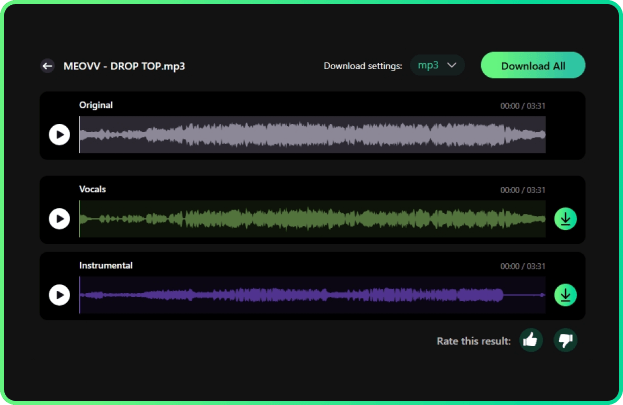
Preview the isolated vocals and instrumental track, then download high-quality WAV files (24-bit depth).
Pros & Cons of Clumi AI
Pros
- Fast, browser‑based processing
- High‑quality stem separation
- Free tier available
- No software installation required
Cons
- Limited daily usage on free tier
- Processing speed depends on internet connection
- Advanced features require paid subscription
Frequently Asked Questions
What file formats does Clumi AI support?
Clumi AI accepts MP3, WAV, FLAC, and MP4 files for both input and output.
Is there a limit to how many songs I can process for free?
The free tier allows up to three tracks per day; premium users enjoy unlimited processing.
Do I need to install any software?
No, Clumi AI runs entirely in the web browser.
Can I export multiple stems at once?
Yes, you can batch export selected stems and download them as a ZIP archive.
Pricing Overview
View full pricing →Clumi AI is offered as a free vocal remover tool; no paid plans or pricing are listed on this page.
Detailed plans are not listed. Visit the official website for pricing information.
Reviews & Ratings0.0
No reviews yet. Be the first to write one!
Top Alternatives & Similar Software
View all alternatives & similar software→


People also viewed



Best For
Related searches
About the Product
Is this your tool?
Claim this page to update details, reply to user reviews, and drive more traffic to your product.
Claim this Product →
Tags
Explore Related Topics
Keep up with Clumi AI alternatives
New alternatives, pricing changes and the week's biggest movers - one email every Tuesday.