



EaseUS Vocal Remover
Free AI-powered vocal remover that separates voice and music from any song online without a download.


What is EaseUS Vocal Remover?
EaseUS Vocal Remover is a cloud-based audio separation tool that lets users remove vocals from songs and videos directly in the browser. Powered by advanced AI models, it automatically detects and extracts human voices from music tracks, leaving clean instrumental versions for karaoke, remixes, covers, and content creation. No software installation or high-end hardware is required, and the service works across web, Android, and iOS. With support for popular formats like MP3, WAV, M4A, FLAC, MP4, and MOV, the tool handles both uploaded files and online sources such as YouTube and SoundCloud by simply pasting a link. The AI processes files quickly, and the company reports an 80% improvement in separation with its latest models and double the pace in audio extraction. Users can audition the separated tracks before exporting them, making it easy to produce karaoke versions, background music, or acapella clips. EaseUS Vocal Remover is designed for musicians, content creators, karaoke enthusiasts, podcasters, and anyone who needs quick vocal isolation without technical expertise. It offers a free trial tier, with premium membership options for longer files, larger uploads, unlimited processing, and enhanced audio quality. The platform has already served over 500,000 users and processed over 4 million minutes of audio.
SpecificationsAI-estimated
Key Features of EaseUS Vocal Remover
Use Cases for EaseUS Vocal Remover
Karaoke creation
Remove vocals from any song to create an instrumental backing track for karaoke performances.
Remixing
Isolate vocals, instruments, or drums to remix songs and create new arrangements.
Cover songs
Extract the instrumental track so you can record your own vocal cover.
Background music for videos
Get clean instrumental versions without vocals for use in videos, streams, and presentations.
Acapella extraction
Separate the vocal stem to obtain acapella samples for mashups and music production.
Online audio separation
Paste a YouTube or SoundCloud link to extract vocals or instrumentals directly from web content.
Audio cleanup
Remove unwanted vocals from a mixed track to produce cleaner audio for podcasting or editing.
How to use EaseUS Vocal Remover?
Upload audio or video file
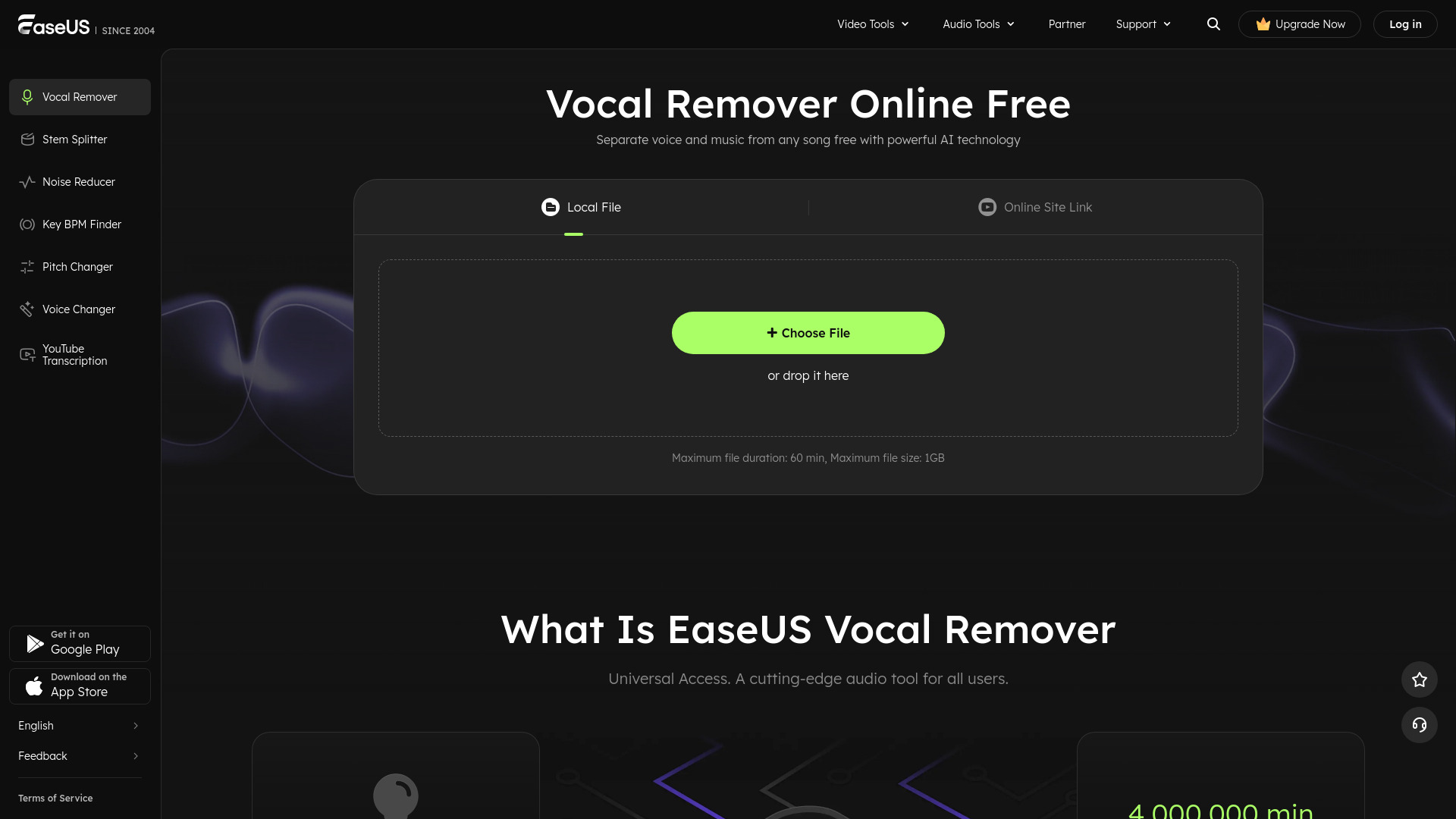
Click the Get Started button, select Choose File, and upload your audio or video file. You can also paste a URL from an online site. MP3, WAV, M4A, FLAC, and more formats are supported up to 60 minutes and 1GB.
Remove vocals from music
The AI algorithm automatically detects all vocals in the audio and separates them from the music in seconds.
Download files
Preview the extracted karaoke, instrumental, or background music, then download the result. The current output format is MP3.
Pros & Cons of EaseUS Vocal Remover
Pros
- Advanced AI separation delivers clean vocals and instrumentals with minimal artifacts.
- Works entirely online without downloads or high-spec hardware.
- Supports both direct file uploads and URL extraction from YouTube and SoundCloud.
- Available on web, Android, and iOS with cloud-based history sync.
- Simple three-step workflow makes it accessible to beginners.
Cons
- Free access is restricted, with daily processing limits that can be very limited.
- Output is currently limited to MP3 format only.
- Uploading files to the cloud may raise privacy concerns for sensitive or unreleased audio.
- Large files and premium features require a paid Pro membership.
Frequently Asked Questions
What is the best voice remover?
A good vocal remover should balance accurate vocal removal, audio quality, handling of complex mixes, format compatibility, processing speed, and ease of use. EaseUS online vocal remover is beginner-friendly, supports 1000+ audio and video formats, and uses advanced AI to get results in seconds without artifacts or distortion.
How do I completely remove vocals from a song?
Visit the EaseUS online vocal remover webpage, choose the audio file to import, let the AI analyze it, and then export the music accompaniment. The process is simple and done entirely online.
What is the AI that splits songs?
The AI that splits songs is known as source separation or audio source separation. It analyzes audio signals using machine learning models to separate them into vocals, instruments, drums, and other components. EaseUS Vocal Remover uses this technology with advanced AI to split songs quickly and with high quality.
Is AI generated music legal?
It depends. If AI-generated music is based on original compositions created by AI or uses copyright-free materials, it is generally considered legal. If it includes copyrighted elements without proper authorization or infringes on intellectual property, it may be considered illegal.
How does EaseUS Vocal Remover calculate the minutes from my account?
Each time you upload an audio or video file, the length of that file is subtracted from your purchased minutes upon upload. Multiple uploads of the same file are counted and deducted accordingly.
What APP can separate vocals from music?
There are several tools such as Audacity, Adobe Audition, EaseUS Vocal Remover, and Spleeter. EaseUS Vocal Remover is one of the top picks because it removes vocals from video or audio files without downloading an app and can also extract music from videos in high quality.
Can I remove the vocal from a YouTube video?
Yes. EaseUS Vocal Remover uses artificial intelligence to extract or remove vocals from YouTube videos. You can also use it to take music and vocals out of audio files or video files.
What output formats of audio files are supported?
For now only MP3 format is supported when you export audio files. More output formats will be available in later versions.
Reviews & Ratings0.0
No reviews yet. Be the first to write one!
Top Alternatives & Similar Software
View all alternatives & similar software→People also viewed



Related searches
About the Product
Is this your tool?
Claim this page to update details, reply to user reviews, and drive more traffic to your product.
Claim this Product →
Tags
Explore Related Topics
Keep up with EaseUS Vocal Remover alternatives
New alternatives, pricing changes and the week's biggest movers - one email every Tuesday.