

FindAlternative
Back to Home
DryVocal

DryVocal

Extract clean vocals and dialogue from any audio with AI-powered separation and noise reduction

softwareAI Audio & Voiceaudio-toolsvocal-extractionnoise-reduction
Our Verdict

Best for

Podcasters and video editors who need fast browser‑based vocal extraction

Skip if

Users requiring offline or unlimited free processing
What is DryVocal?

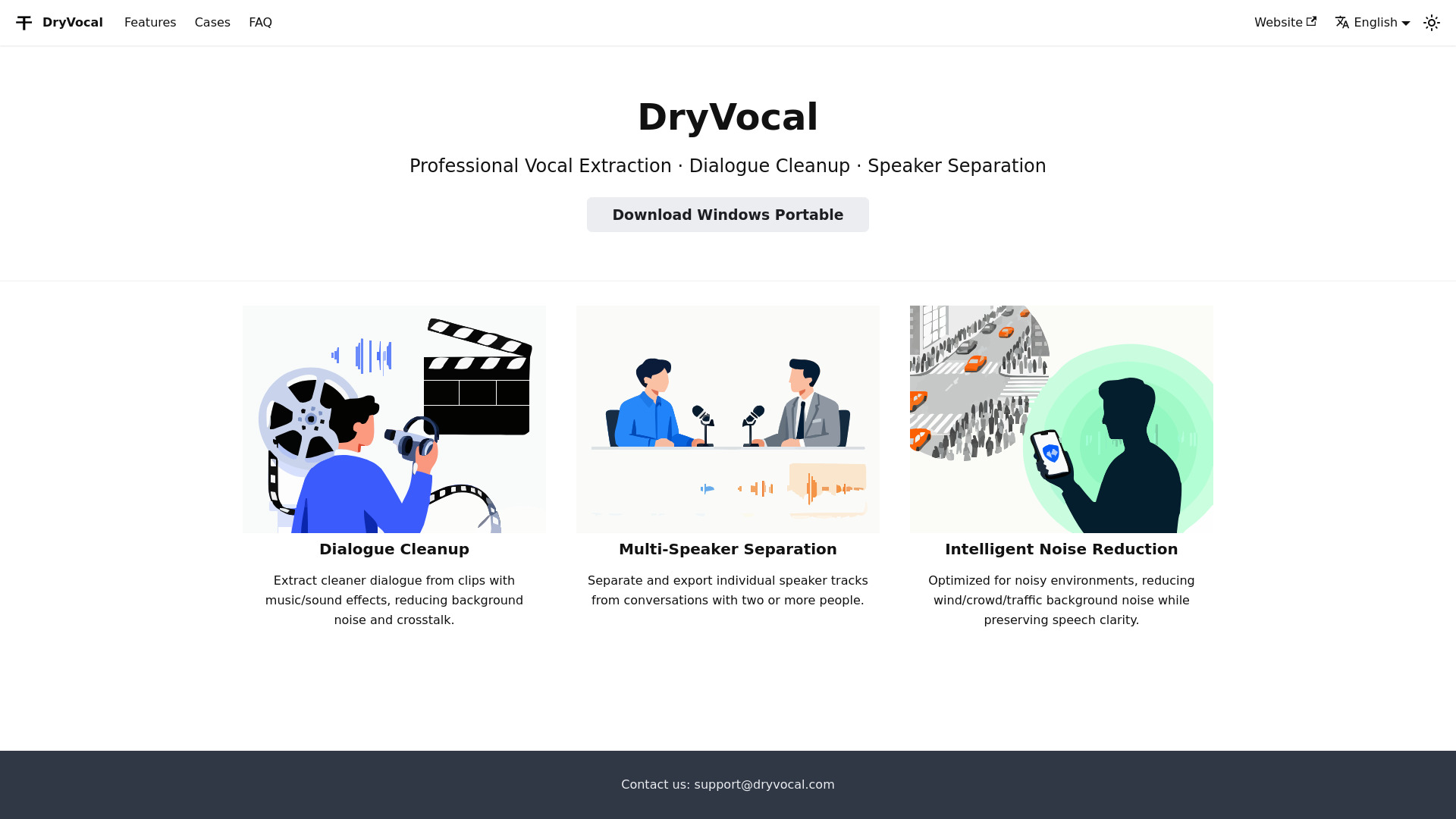
DryVocal is a professional audio processing service that lets you isolate vocals, clean up dialogue, and separate multiple speakers from mixed recordings. Using advanced AI algorithms, it removes background noise while preserving speech clarity, making it ideal for podcasts, video editing, and post‑production work. The platform works directly in the browser, requiring no installation, and supports batch processing for large projects. Whether you need to pull a voice track out of a music‑laden clip or separate each participant in a conference call, DryVocal delivers fast, high‑quality results.

SpecificationsAI-estimated

deploymentCloud/SaaS
open source❌ No
api available❌ No
support optionsEmail, Knowledge Base

Key Features of DryVocal

Automatically extracts vocal tracks from audio clips that contain music or sound effects.
Cleans up dialogue by reducing wind, crowd, traffic, and other background noises while keeping speech intelligible.
Separates individual speaker tracks from multi‑person conversations for easier editing and mixing.
Processes multiple files at once with batch upload and queue management.
Provides adjustable strength controls for noise reduction and separation to fine‑tune results.
Delivers processed audio in common formats such as WAV and MP3 for seamless integration into editing workflows.
Runs entirely in the browser, eliminating the need for local installation or powerful hardware.
Offers a preview mode so users can compare original and processed audio before downloading.

Use Cases for DryVocal

1

Podcast Production

Remove background chatter and isolate host voices for crystal‑clear episodes.

2

Video Post‑Production

Extract clean dialogue from scenes with music or sound effects for dubbing or subtitles.

3

Interview Editing

Separate each interviewee’s track to adjust levels and remove cross‑talk.

4

Live Stream Cleanup

Reduce ambient noise in recorded streams to improve listener experience.

Pros & Cons of DryVocal

Pros

  • High‑quality vocal extraction without manual filtering
  • No software installation required; works in any modern browser
  • Batch processing saves time on large projects
  • Adjustable settings give users control over output quality

Cons

  • Requires an internet connection for processing
  • Free tier limits the number of minutes per month
  • Advanced features may need a paid subscription

Frequently Asked Questions

What audio formats does DryVocal support?

DryVocal accepts common formats such as MP3, WAV, AAC, and FLAC for both input and output.

Is there a limit to the length of audio I can upload?

The free tier allows up to 10 minutes per file; paid plans increase this limit and also raise the monthly processing quota.

Can I use DryVocal on a mobile device?

Yes, the web interface is responsive and works on smartphones and tablets through any modern mobile browser.

Do you offer an API for automated processing?

Currently DryVocal does not provide a public API; all processing is done through the web UI.

Pricing Overview

View full pricing →
Freemium

Detailed plans are not listed. Visit the official website for pricing information.

No reviews yet. Be the first to write one!

Top Alternatives & Similar Software

View all alternatives & similar software→
Voice Isolator

Voice Isolator

AI-suggested

Voice Isolator is an AI-powered web application that removes background noise and isolates vocals from audio files. Instead of manually editing waveforms or applying traditional filters, the service uses deep-learning algorithms to identify the human voice and separate it from music, ambient sound, and other unwanted noise in one pass. Users upload an audio file, wait a few seconds for cloud processing, and download clean vocal or instrumental results for further editing or publishing. The workflow is intentionally minimal: drag and drop or browse to choose an MP3, WAV, M4A, AAC, FLAC, or OGG file, and the platform's AI processing engine handles the rest. The site reports support for high-resolution audio up to 192 kHz and says most vocal isolation tasks finish in seconds. A real-time preview lets users check the cleaned audio before exporting. Access is credit-based—each second of audio consumes one credit—and new users who sign in receive 60 free credits. Paid plans provide 500 to 6,000 credits per billing cycle. Voice Isolator is aimed at podcasters, music producers, content creators, audio engineers, broadcasters, and even karaoke operators who need fast, professional-sounding vocal separation. It positions itself as a privacy-conscious service: audio files are encrypted during transmission and processing and automatically deleted afterward. With more than 2.5 million audio files processed and over 500 million minutes of background noise removed, the tool is designed for users who want broadcast-ready audio without investing in complex desktop software.

People also viewed

Best For

Related searches

About the Product

Unclaimed Listing
Socials
Platforms
Target AudienceContent creators, podcasters, video editors, post-production professionals, and anyone needing clean audio extraction or separation.

Is this your tool?

Claim this page to update details, reply to user reviews, and drive more traffic to your product.

Claim this Product →

Show you’re listed

DryVocal on FindAlternative

Add this badge to your website. It links back to this page.

Get your badge →

Tags

audio-toolsvocal-extractionnoise-reductionspeaker-separationdialogue-cleanup

Keep up with DryVocal alternatives

New alternatives, pricing changes and the week's biggest movers - one email every Tuesday.

Weekly, free, unsubscribe in one click.


