




ChordChord
Create inspiring chord progressions with a drag-and-drop generator and smart audio engine.
What is ChordChord?
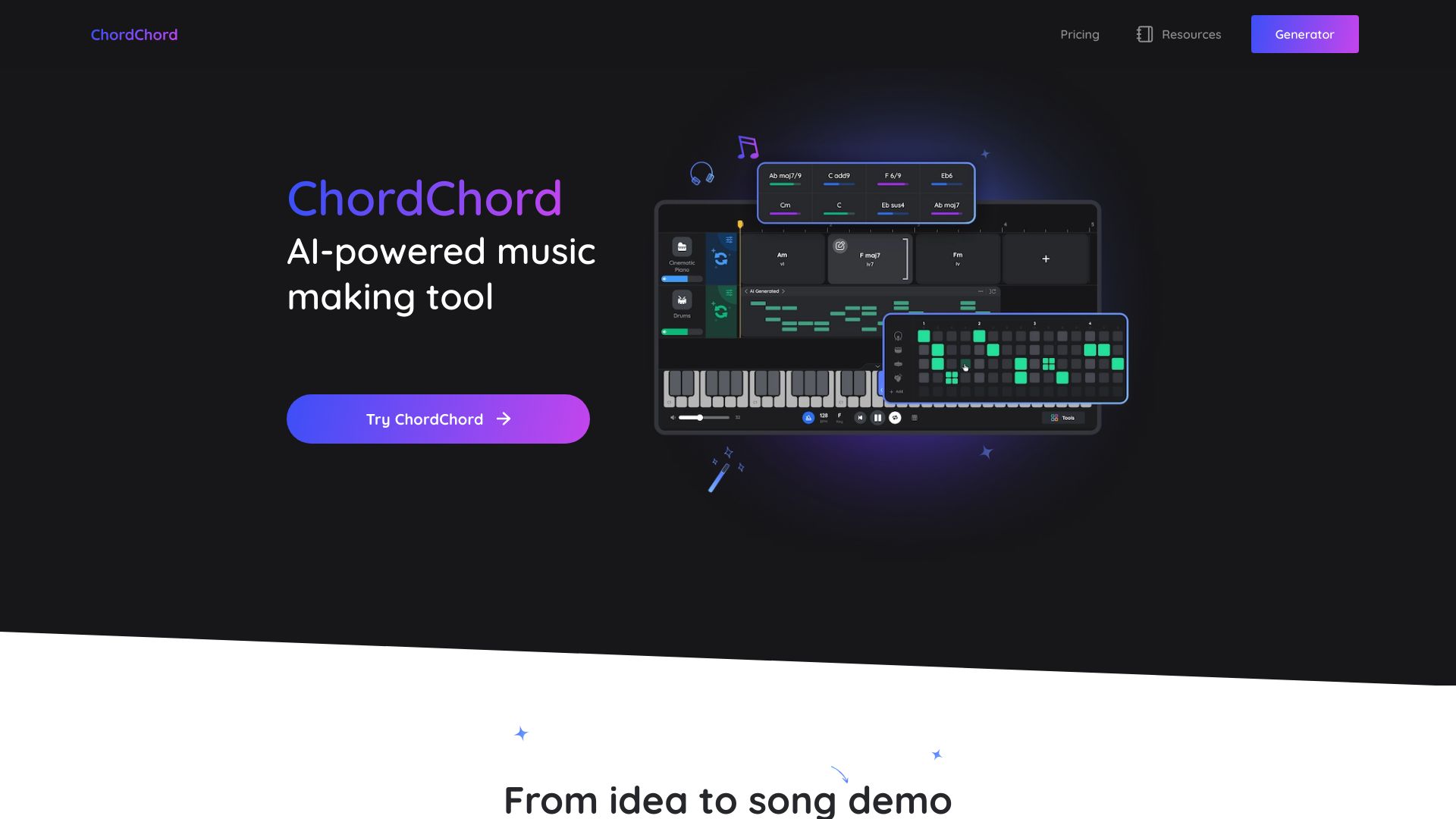
ChordChord is a web-based chord progression generator designed to help music makers, producers, and songwriters quickly create professional-sounding chord progressions and musical accompaniments. It offers an intuitive visual interface with a 'Chord Studio' where users can build progressions by dragging and dropping chords, selecting from a range of genres, and instantly hearing their ideas through a built-in audio engine. The platform also includes pre-designed templates to jump-start creativity, along with a newly added track separation tool that enables users to isolate and work with individual elements of a track. Aimed at both beginners and experienced musicians, ChordChord transforms the often complex task of harmonic arrangement into a streamlined, accessible workflow, allowing users to focus on melody and song structure without getting bogged down in music theory. Its approachable design makes it a valuable tool for prototyping ideas, creating backing tracks, and exploring new musical directions, whether for a full production or a quick songwriting session.
SpecificationsAI-estimated
Key Features of ChordChord
Use Cases for ChordChord
Songwriting
Quickly explore and refine chord progressions for new songs.
Music Production
Create backing tracks or chord beds as the foundation for full productions.
Learning Music Theory
Experiment with chord relationships and see how progressions work.
Live Performance
Generate accompaniment on the fly for performance or practice.
Beat Making
Build harmonic structures to complement drum patterns and melodies.
Remixing and Editing
Use track separation to isolate and re-harmonize elements of existing tracks.
How to use ChordChord?
Sign Up or Log In
Visit ChordChord.com and create an account or log in to access the full features.
Choose a Template or Start Blank
Select a genre-based template from the library or start with a blank canvas in the Chord Studio.
Build Your Progression
Drag and drop chords onto the timeline; adjust rhythm, voicing, and structure as needed.
Listen and Refine
Play back your progression in real-time, tweak chords and settings until it sounds right.
Export or Share
Export your progression as audio or MIDI, or share it with collaborators directly.
Pros & Cons of ChordChord
Pros
- Intuitive drag-and-drop chord builder with instant audio playback
- Includes a growing library of genre templates and presets
- New track separation feature expands creative possibilities
- Accessibility: web-based, no installation required, works across devices
- Helps users without deep music theory knowledge create professional-sounding progressions
Cons
- Free tier may be limited in features and require a subscription for full access
- Requires an internet connection to use the web app
- Advanced features like track separation may be restricted to paid plans
- Not a full-fledged DAW; limited to chord progression creation and arrangement
Frequently Asked Questions
Do I need to know music theory to use ChordChord?
No, the interface is designed to be intuitive, allowing you to experiment with chords without deep theory knowledge.
Can I use ChordChord on my phone or tablet?
Yes, it's a web-based app that works in most modern browsers, so you can use it on any device with internet access.
Is there a free version?
Yes, ChordChord offers a free tier with basic features, but some advanced functions may require a subscription.
Can I export my progressions to a DAW?
Yes, you can typically export as MIDI or audio files that can be imported into most DAWs.
What is the track separation feature?
It's a new AI-powered tool that lets you isolate individual elements (e.g., vocals, drums, chords) from a track, which you can then use or modify.
Does ChordChord include templates for different genres?
Yes, it provides a range of genre-specific templates to help you start quickly, such as pop, hip-hop, and more.
Reviews & Ratings0.0
No reviews yet. Be the first to write one!
Top Alternatives & Similar Software
View all alternatives & similar software→
People also viewed




Related searches
About the Product
Is this your tool?
Claim this page to update details, reply to user reviews, and drive more traffic to your product.
Claim this Product →
Tags
Explore Related Topics
Keep up with ChordChord alternatives
New alternatives, pricing changes and the week's biggest movers - one email every Tuesday.