



ChordCreate
Use AI to Generate Chords with Ease and Shape Your Musical Ideas.



What is ChordCreate?
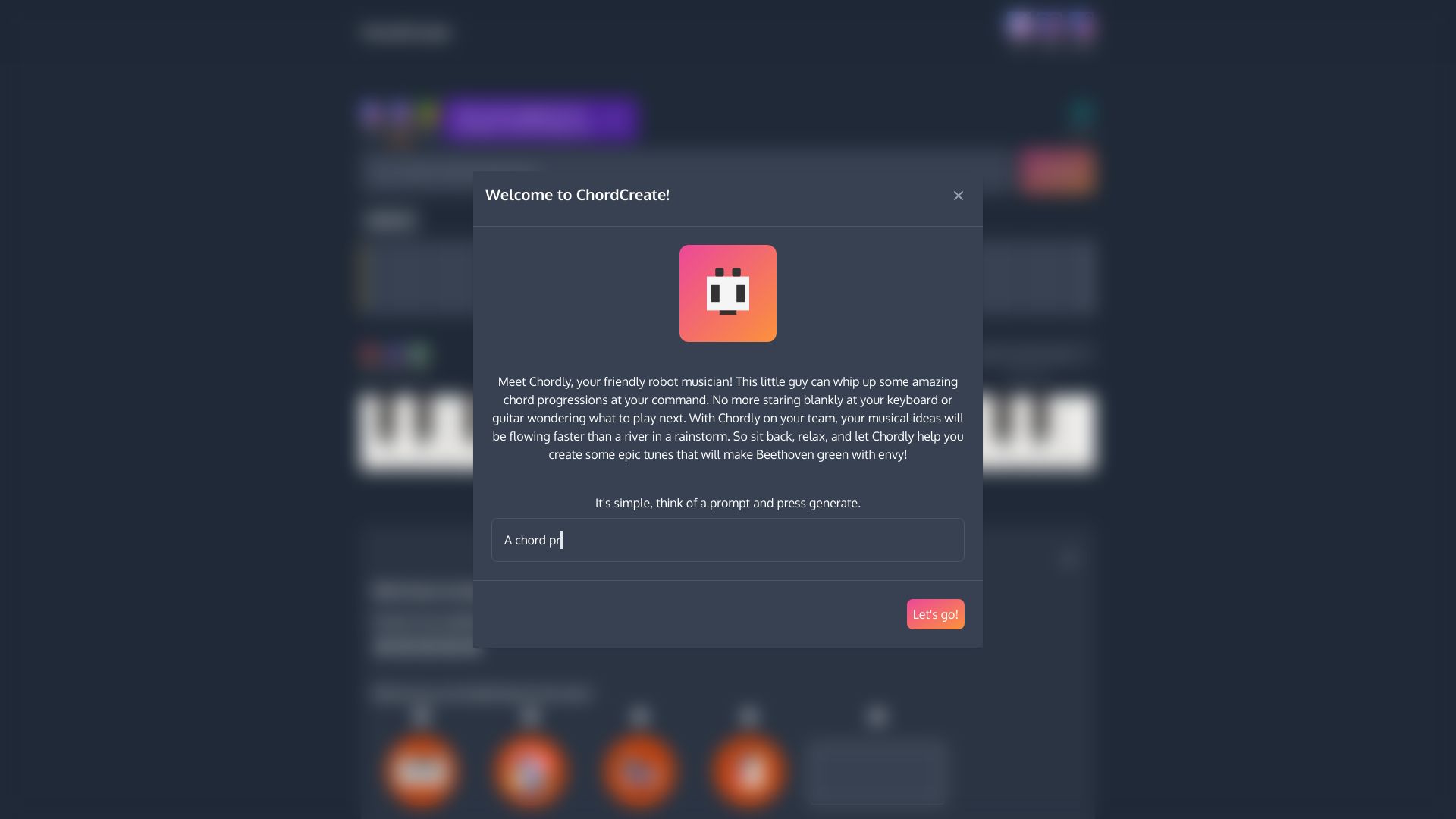
ChordCreate is a digital music notepad designed to empower musicians and producers in their creative process. Leveraging AI, it assists in generating unique chord progressions, acting as a dynamic tool for brainstorming and idea shaping. The platform aims to streamline the workflow for music creation, offering a user-friendly interface for exploring harmonic possibilities. This tool is built to spark inspiration and help artists overcome creative blocks by providing a rapid way to generate and experiment with chord sequences. Whether crafting a new track or looking to add depth to an existing piece, ChordCreate offers a blend of AI-driven suggestions and customizable settings to fit various musical styles and project needs. ChordCreate positions itself as an essential companion for songwriters, producers, and anyone involved in music composition. Its focus on ease of use and AI assistance makes it accessible to both beginners seeking to learn about chord structures and experienced musicians looking for new avenues of sonic exploration.
SpecificationsAI-estimated
Key Features of ChordCreate
Use Cases for ChordCreate
Songwriting Inspiration
Generate novel chord progressions to overcome writer's block and discover new harmonic ideas for songs.
Music Production
Quickly create backing chord sequences for electronic music, pop, or other genres by describing the desired mood and style.
Learning Harmony
Explore different chord voicings and progressions to deepen understanding of music theory and harmonic structure.
Sound Design
Experiment with unique chord combinations to create specific sonic textures and atmospheres for tracks.
Arrangement Assistance
Use generated progressions as a foundation for arranging melodies, basslines, and other instrumental parts.
Prototyping Musical Ideas
Rapidly test and iterate on harmonic concepts for new musical projects.
How to use ChordCreate?
Input Your Prompt
Describe the type of chord progression you want, including genre, mood, key, and specific characteristics (e.g., 'dreamy melodic house' or 'catchy pop in G major with 7th chords').
Adjust Sequence Settings
Optionally, fine-tune parameters like sequence length, humanization, and instrument (default is Kawai Grand Piano).
Generate and Review
Click the 'Generate' button to receive AI-powered chord progression suggestions. Use playback controls (loop, play, stop) to listen and evaluate.
Export Your Progression
Utilize the 'fast export' feature to quickly integrate the generated chord progression into your music production software or workflow.
Pros & Cons of ChordCreate
Pros
- AI-powered chord progression generation
- User-friendly interface for quick idea exploration
- Customizable sequence settings for tailored results
- Fast export feature for seamless integration into workflows
Cons
- Limited information on advanced editing capabilities
- Details on specific AI algorithms used are not provided
- No mention of offline functionality or desktop applications
Frequently Asked Questions
What is ChordCreate?
ChordCreate is a web-based tool that uses AI to help users generate and explore chord progressions for music creation.
How does the AI work?
Users can input descriptive prompts, and the AI generates chord progressions based on those descriptions, aiming to match the desired musical style and character.
Can I customize the generated chords?
Yes, you can adjust sequence settings such as length and humanization, and select different instruments like the Kawai Grand Piano. The prompt itself also allows for specific requests.
What musical styles can ChordCreate generate progressions for?
The tool is designed to generate progressions for a variety of styles, including pop, melodic house, and others, based on the user's textual prompts.
Is there a way to export the generated progressions?
Yes, ChordCreate offers a 'fast export' feature to easily integrate generated progressions into your music production workflow.
Can I listen to the chord progressions?
Yes, you can listen to the generated progressions using the playback controls. Silent mode can be disabled to enable audio.
What instrument is used by default?
The default instrument for playback is a Kawai Grand Piano.
Pricing Overview
View full pricing →ChordCreate offers a free day pass for users to explore its features.
Reviews & Ratings0.0
No reviews yet. Be the first to write one!
Top Alternatives & Similar Software
View all alternatives & similar software→

People also viewed



Related searches
Is this your tool?
Claim this page to update details, reply to user reviews, and drive more traffic to your product.
Claim this Product →
Tags
Explore Related Topics
Keep up with ChordCreate alternatives
New alternatives, pricing changes and the week's biggest movers - one email every Tuesday.