



Build Visuals
Stop restarting. Finish images in Build Visuals.
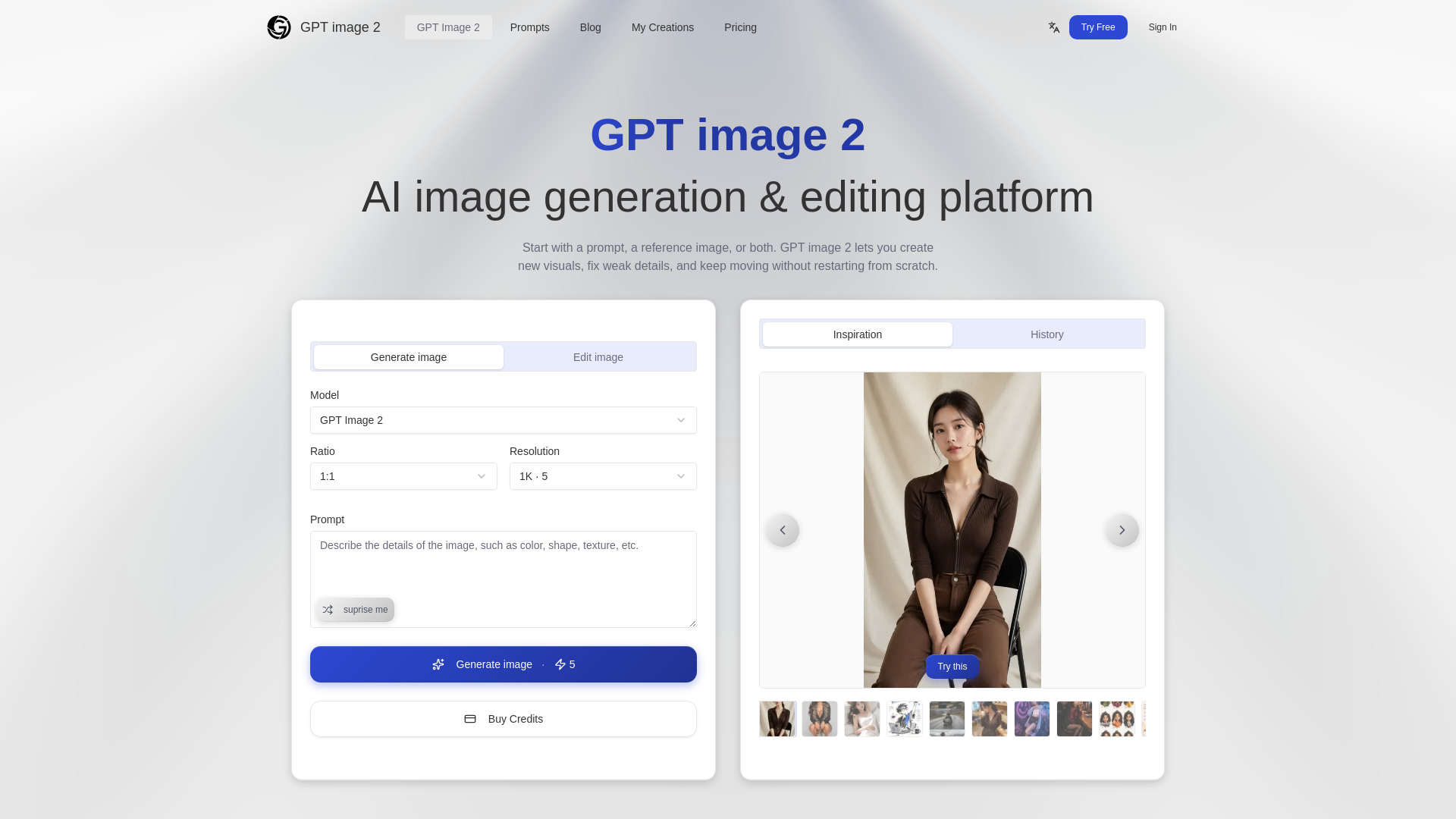
What is Build Visuals?
Build Visuals is an AI-powered image generation and editing platform that lets creators create new images, edit existing ones, and refine details in a single visual workspace. It combines text-to-image generation, reference-image guidance, targeted edits, and iterative refinement so users can finish usable visuals without switching between multiple tools.
SpecificationsAI-estimated
Key Features of Build Visuals
Use Cases for Build Visuals
Social media content
Create carousels, posts, and story visuals without switching between multiple apps.
Ad creatives
Generate and iterate on ad variations, including A/B testing batches in one session.
Product visuals
Create product shots, hero images, and promotional banners with consistent style.
Thumbnails and blog images
Quickly produce YouTube thumbnails, blog illustrations, and presentation graphics.
How to use Build Visuals?
Start with what you want to see
Describe the subject, scene, and feel. You don't need perfect prompt wording.
Drop in a reference if you have one
Use a style frame, sketch, or old image to make the result closer to your vision from the start.
Keep editing the closest result
Change the background, fix details, or push the style further without starting over every time.
Pros & Cons of Build Visuals
Pros
- Combines generation, editing, and refinement in one workflow
- Allows targeted edits without regenerating the whole image
- Supports reference images and blending multiple inputs
- Maintains style and visual direction across iterations
- Batch generation and HD download available on paid plans
- Designed for practical output like ads, thumbnails, product shots, and social posts
Cons
- Credit-based pricing may be confusing for casual users
- No clearly stated free tier on the pricing page
- Brand is relatively new and less established than competitors
- Independent platform not affiliated with major AI model providers, which may raise trust questions for some users
Frequently Asked Questions
What is Build Visuals?
Build Visuals is an AI visual creation platform for generating and editing images in one workflow.
Can I edit part of an image without regenerating the whole thing?
Yes. You can describe what you want to change, and only that part gets updated while the rest of the image remains unchanged.
Do I need a prompt and a reference image together?
No. You can start with just a text prompt, just a reference image, or both.
What kinds of images can I make?
Social media posts, ad creatives, thumbnails, product photos, landing page visuals, blog illustrations, and presentation graphics.
How do credits work?
Each generation consumes credits based on the model and mode you choose. Subscription credits provide the best price per credit.
Pricing Overview
View full pricing →No pricing information was found in the provided content. The page mentions "Try Free" and "Buy Credits" as actions, but no specific prices, plan names (e.g., Free, Starter, Pro, Business, Enterprise), or billing terms are listed.
Detailed plans are not listed. Visit the official website for pricing information.
Reviews & Ratings0.0
No reviews yet. Be the first to write one!
Top Alternatives & Similar Software
View all alternatives & similar software→People also viewed


Related searches
About the Product
Is this your tool?
Claim this page to update details, reply to user reviews, and drive more traffic to your product.
Claim this Product →
Tags
Explore Related Topics
Keep up with Build Visuals alternatives
New alternatives, pricing changes and the week's biggest movers - one email every Tuesday.