




Adobe Podcast
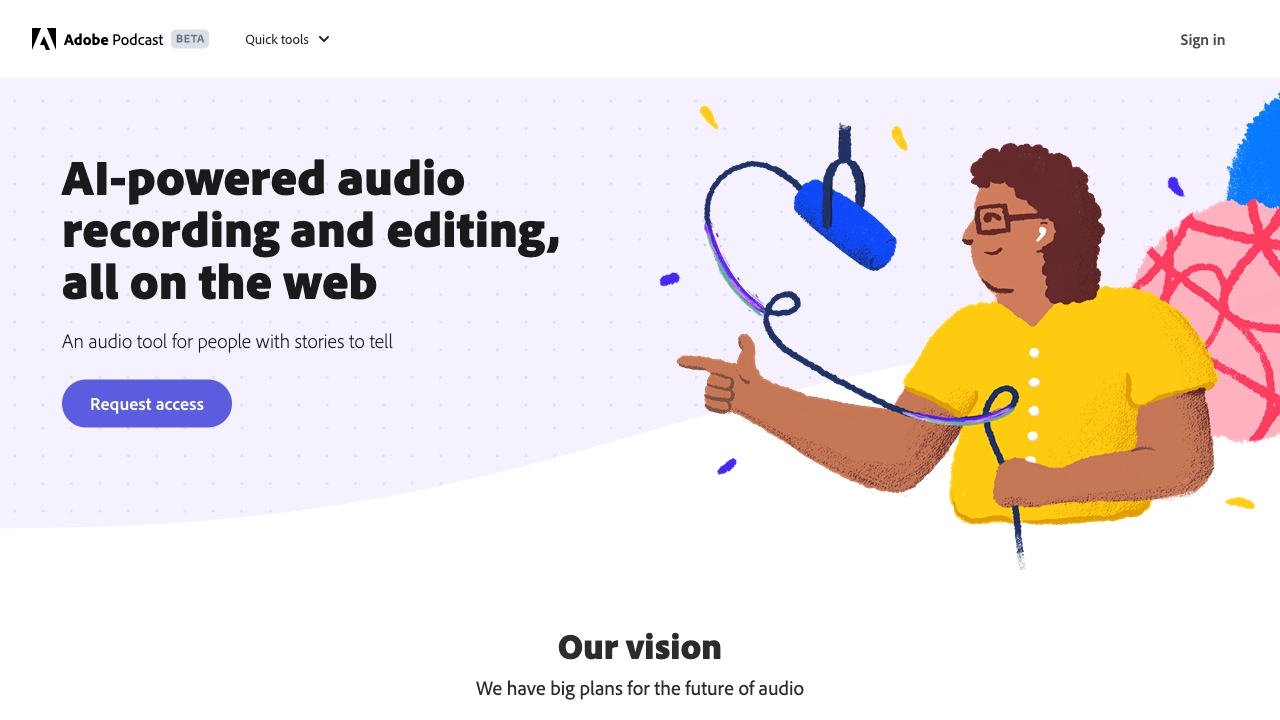
Record, edit, and enhance AI-powered professional audio and video right in your browser.






What is Adobe Podcast?
Adobe Podcast is a web-based, AI-powered audio and video production suite that brings professional studio-quality sound to podcasters, educators, and content creators without requiring any software downloads. The platform is built around a set of core tools: Enhance Speech, Studio, Caption video, Remove music, transcription, recording, and editing. With Enhance Speech, users can clean up poor-quality recordings by removing background noise and echo, making even dictaphone-style recordings sound studio-grade. The Studio feature allows you to record solo or with remote guests, capturing each speaker as an individual 16-bit 48k WAV track, and then edit the audio like a text document because every word is automatically transcribed. Beyond its editing and enhancement capabilities, Adobe Podcast offers a rich creative ecosystem. It integrates a comprehensive audio editor for cutting and composing stories, a music library with pre-edited, royalty-free tracks, and a tool for adding captions to videos for social media. The platform also offers sample projects like a true crime podcast, class lecture, and fashion podcast, enabling users to jump straight into a project and explore the interface. With a focus on simplicity, the platform reduces the technical barriers of podcasting, allowing users to focus on storytelling. Adobe Podcast is deeply integrated with Adobe Firefly Pro, a generative AI platform that unlocks premium features. Subscribers get unlimited Enhance Speech (up to 4 hours a day, files up to 1 GB), no download limits on Studio projects, access to original speaker-separated recordings, customizable audiograms and captions, and 4,000 generative credits per month for image generation. This makes it a versatile choice for professionals, educators, and hobbyists alike, combining podcasting power with AI-driven creativity in a seamless web interface.
SpecificationsAI-estimated
Key Features of Adobe Podcast
Use Cases for Adobe Podcast
Podcast Recording
Record high-quality solo episodes or interviews with remote guests, capturing individual audio tracks.
Audio Enhancement
Clean up subpar recordings by removing background noise and echo with a single click.
Social Media Captions
Generate accurate captions for video content to increase engagement on social platforms.
Music Removal
Upload videos with background music and remove it to isolate speech or create new soundtracks.
Education and Lectures
Transcribe class lectures for easy study and reference, enhancing clarity and accessibility.
Audio Editing
Edit podcast episodes by cutting, copying, and pasting text in the transcription, saving time.
Video Editing
Cut and compose video content alongside audio editing, with support for MP4, MOV, and more.
Content Creation
Use customizable audiograms and captions to promote podcast episodes on social media.
How to use Adobe Podcast?
Create an Adobe account
Visit podcast.adobe.com and sign up for a free Adobe account to access the platform.
Choose a tool or project
Select from options like Enhance Speech, Studio, Caption video, or Remove music, or pick a sample project to explore.
Upload or record audio
For Enhance Speech, upload an audio file or record directly; for Studio, start a new project and record solo or invite guests.
Enhance and edit
Use the AI tools to remove noise, transcribe, and edit your audio like a text document.
Export and share
Download your finished audio or video file, or generate audiograms and captions for social media.
Pros & Cons of Adobe Podcast
Pros
- Enhance Speech AI removes background noise and echo for studio-quality sound.
- Professional recording with individual tracks for remote guests.
- Edit audio like a text document with transcription.
- No software download required, fully web-based.
- Integrates with Adobe Firefly Pro for AI image generation.
Cons
- Advanced features require a paid Adobe Firefly Pro subscription.
- Limited free tier with daily upload limits for Enhance Speech.
- Requires stable internet connection for cloud-based processing.
Frequently Asked Questions
Is Adobe Podcast free to use?
Adobe Podcast offers a free tier with basic features, but advanced tools like unlimited Enhance Speech, no download limits, and Firefly Pro credits require a subscription.
What file formats are supported for video?
Adobe Podcast supports MP4, MOV, and other common video formats for enhancement, captioning, and music removal.
Can I record with remote guests?
Yes, Adobe Podcast Studio allows you to record solo or with remote guests, capturing each speaker as an individual track.
How does the Enhance Speech feature work?
Enhance Speech uses AI to remove background noise and echo from voice recordings, making them sound professional. It can process up to 4 hours of audio per day (Pro plan) and files up to 1 GB.
Does Adobe Podcast transcribe audio?
Yes, the platform transcribes every word using industry-leading technology, same as Adobe Premiere Pro, enabling text-based editing.
Can I use my own music for my podcast?
Adobe Podcast provides a library of pre-edited royalty-free music, but you can also upload custom backgrounds for audiograms and use your own audio files.
Is software download required?
No, Adobe Podcast runs entirely in your web browser, requiring no downloads.
What is included in the Firefly Pro plan with Podcast Premium?
The plan includes unlimited Enhance Speech (up to 4 hours/day), no download limits on Studio, customizable audiograms, custom backgrounds, and 4,000 generative credits per month for image generation.
Reviews & Ratings0.0
No reviews yet. Be the first to write one!
Top Alternatives & Similar Software
View all alternatives & similar software→
.png)

People also viewed

Related searches
About the Product
Is this your tool?
Claim this page to update details, reply to user reviews, and drive more traffic to your product.
Claim this Product →
Tags
Explore Related Topics
Keep up with Adobe Podcast alternatives
New alternatives, pricing changes and the week's biggest movers - one email every Tuesday.