



.png)
Shanda Studio
Podcasting made easy, from recording to publishing with AI-powered enhancements.


What is Shanda Studio?
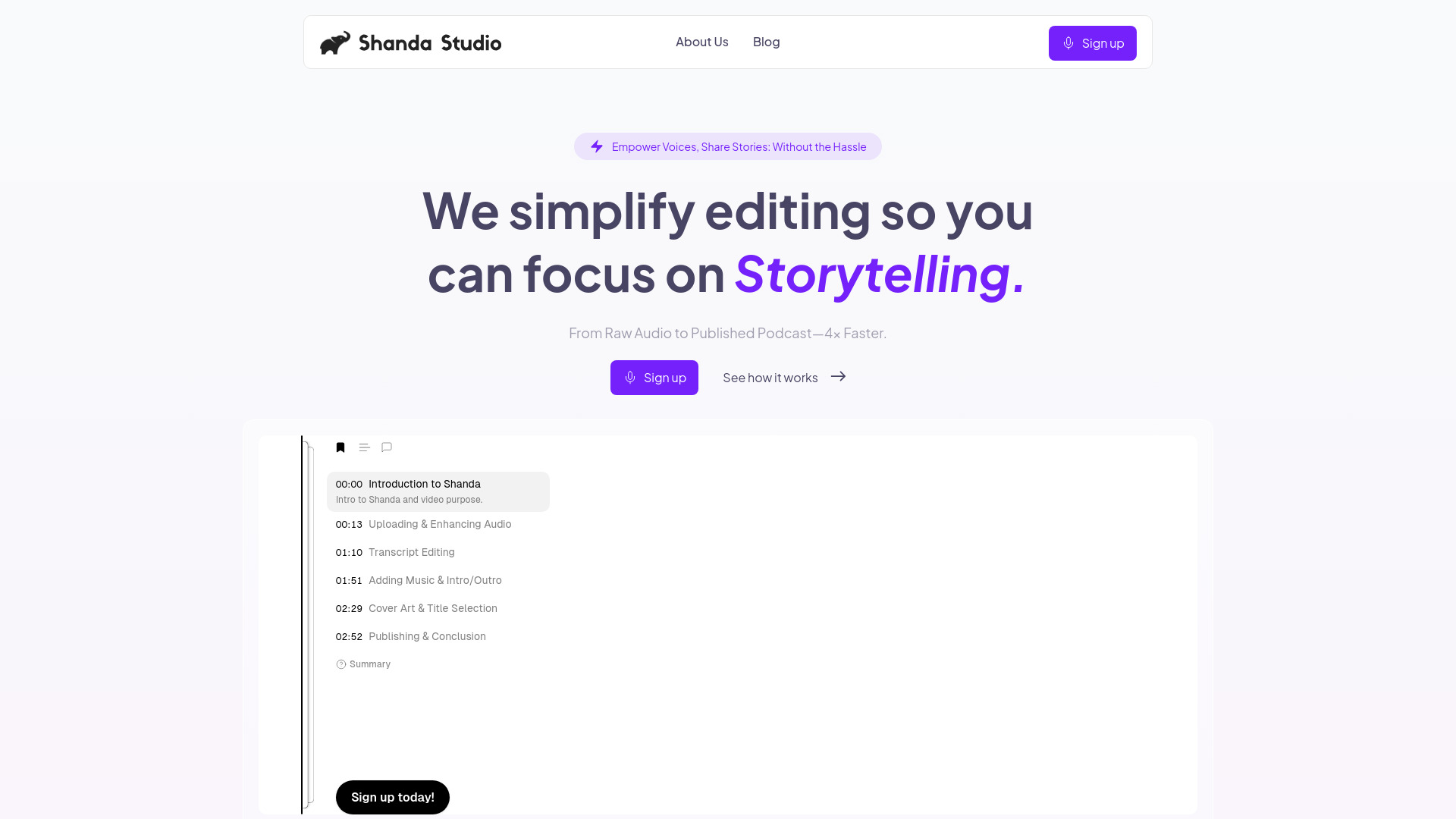
Shanda Studio is a comprehensive platform designed to simplify the podcasting process for creators of all levels. It aims to eliminate the technical hurdles that often prevent new podcasts from launching, allowing users to go from raw recording to published episode in as little as a week. The service provides an end-to-end solution, starting with an intuitive upload and text-based editing interface. Users can easily trim and refine their audio content by making edits directly in the transcript. Following the editing phase, Shanda Studio's AI-powered technology enhances the audio by removing background noise, balancing levels, and ensuring a professional, studio-quality sound without requiring specialized equipment or expertise. Further customization is available through the integration of royalty-free intro and outro music from a provided library. Once the episode is polished, Shanda Studio offers one-click publishing to all major podcast platforms, including Spotify and Apple Podcasts, and provides analytics to track listener engagement. The platform offers a free tier to get started, with paid plans that scale to accommodate growing needs, making professional podcast production accessible and affordable.
SpecificationsAI-estimated
Key Features of Shanda Studio
Use Cases for Shanda Studio
New Podcasters Launching
Enables individuals with no prior technical or audio editing experience to launch their podcast quickly and professionally.
Content Creators Streamlining Workflow
Saves time for creators by automating editing, enhancement, and publishing processes, allowing more focus on content creation.
Budget-Conscious Podcasters
Offers a cost-effective alternative to hiring professional editors, providing similar quality at a fraction of the price.
Interview-Based Podcasts
Simplifies the editing of long interview recordings by allowing users to cut and refine directly from the transcript.
Enhancing Audio Quality
Improves the sound of raw recordings by removing background noise and ensuring clear voice clarity without requiring expensive equipment.
Multi-Platform Distribution
Effortlessly distributes episodes to all major podcast directories with a single click, eliminating manual submission processes.
How to use Shanda Studio?
Upload & Edit
Upload your audio recording and use the simple text-based editor to make cuts and refine your message.
Enhance Audio
Let Shanda Studio's AI automatically remove background noise and balance audio levels for a professional studio sound.
Add Music
Select intro and outro music from the provided royalty-free library to set the mood for your episode.
Publish Everywhere
Publish your finished episode with one click to Spotify, Apple Podcasts, and all other major podcast platforms.
Pros & Cons of Shanda Studio
Pros
- Streamlines the entire podcast production workflow from editing to publishing.
- AI-powered audio enhancement ensures professional sound quality with minimal effort.
- Text-based editing simplifies audio manipulation for beginners.
- One-click publishing to major podcast platforms saves significant time.
- Offers a free tier for users to try the service risk-free.
Cons
- Editing hours are limited in the Pro tier.
- Storage is limited in the Pro tier.
- Some advanced features like unlimited editing are exclusive to the Business tier.
Frequently Asked Questions
I've never edited audio...
No problem! Just upload your recording, and we’ll handle the tech.
Will it sound professional?
Yes. We guarantee pro-quality sound, and you can listen to sample episodes to verify.
What if I don’t like how I sound?
We offer a 30-day money-back guarantee, and less than 1% of users have asked for refunds over two years.
Can I get on Spotify and Apple Podcasts easily?
Yes. We automatically submit your podcast to all major platforms; no RSS feeds or waiting are required.
How long does it take to launch a podcast?
You can potentially launch your podcast within a week, by uploading your recording and following the simple steps.
What editing features are available?
Shanda Studio offers text-based editing, waveform editing, AI transcription, and AI-powered audio enhancement.
Can I use my own music?
The platform provides a library of royalty-free music for intros and outros, though it doesn't explicitly mention uploading custom music.
Pricing Overview
View full pricing →Monthly and annual billing available.
Reviews & Ratings0.0
No reviews yet. Be the first to write one!
Top Alternatives & Similar Software
View all alternatives & similar software→



People also viewed


Related searches
Is this your tool?
Claim this page to update details, reply to user reviews, and drive more traffic to your product.
Claim this Product →
Tags
Explore Related Topics
Keep up with Shanda Studio alternatives
New alternatives, pricing changes and the week's biggest movers - one email every Tuesday.