



Core Temp vs HWiNFO
Side-by-side comparison of features, pricing, ratings, and alternatives.
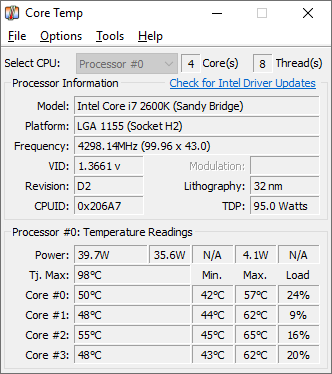
Core Temp is a compact monitoring utility focused on displaying real-time temperature readings for each individual processor core. It supports Intel, AMD, and VIA x86 processors and is designed to be motherboard-agnostic.
HWiNFO is a powerful hardware analysis, monitoring, and diagnostic tool designed to provide in-depth information about your computer's components. It delivers real-time sensor monitoring to track voltages, temperatures, fan speeds, and power usage across the CPU, GPU, motherboard, and drives. Widely utilized by PC enthusiasts, overclockers, and IT professionals, HWiNFO helps users diagnose hardware instability, verify component specifications, and monitor system health under heavy workloads. Its extensive logging capabilities and customizable user interface make it an industry standard for hardware analysis.
- Very lightweight and focused specifically on accurate core temperature readings
- Free to use with no paid tier required
- Motherboard-agnostic, so it works across a wide range of systems
- Plugin platform allows extending functionality
- Extensive and accurate hardware component database
- Comprehensive real-time sensor monitoring
- Free for personal use with no artificial feature locks
- Low system resource footprint while running
- Windows-only, with no native Mac or Linux support
- Interface and feature set are narrower than full multi-sensor tools like HWMonitor
- Installer has historically bundled optional third-party offers, so users should watch installation steps carefully
- User interface can feel overwhelming for casual users
- Windows-only operating system support
- Advanced remote features require setup
More alternatives & similar tools
Alternatives to Core Temp
View all →

Alternatives to HWiNFO
View all →

The Verdict
AI-generated from listing dataHWiNFO offers a full‑suite, free system‑wide monitoring solution, while Core Temp is a lightweight, CPU‑only temperature tool; choose based on breadth vs simplicity.
Key differences
- •Scope of monitoring: HWiNFO tracks CPU, GPU, motherboard, power, fans, etc.; Core Temp tracks only per‑core CPU temps.
- •Data logging & analysis: HWiNFO can export CSV/HTML logs for historical analysis; Core Temp lacks built‑in logging.
- •Integrations: HWiNFO integrates with RTSS and Rainmeter and offers an API; Core Temp has no API or official integrations.
- •Customization: HWiNFO provides on‑screen displays and tray icons; Core Temp offers limited tray notifications only.
- •Extensibility: Core Temp has a plugin platform for add‑ons; HWiNFO does not support plugins.
Pricing & value
Both are free for personal use with no paid tiers.
Ease of use / learning curve
Core Temp’s narrow focus makes it simpler for casual users; HWiNFO’s extensive UI can overwhelm.
Features & depth
HWiNFO provides comprehensive sensor coverage, benchmarks, alerts, and logging; Core Temp limits to CPU temps.
Integrations & ecosystem
HWiNFO lists API availability and integrations with RTSS and Rainmeter; Core Temp has no API or listed integrations.
Support
HWiNFO offers forum support; Core Temp provides no support details in the facts.
Scalability
HWiNFO’s multi‑sensor logging scales to full system monitoring; Core Temp scales only to CPU cores.
Security & privacy
Neither product mentions security or privacy features; no data provided.
Choose Core Temp if…
Users who only need lightweight, per‑core CPU temperature monitoring with minimal UI.
Choose HWiNFO if…
Enthusiasts or professionals needing full system diagnostics, logging, and integration with other tools.
Common questions
Is there any cost to use either tool?
Both HWiNFO and Core Temp are free for personal use with no paid tiers.
Can I export sensor data for later analysis?
HWiNFO can generate CSV or HTML logs; Core Temp does not provide built‑in export functionality.
Do either of these tools work on operating systems other than Windows?
Both are Windows‑only; no macOS or Linux support is mentioned.