



Voicemaker
AI Text to Speech Converter — Ultra-Realistic AI Voices
What is Voicemaker?
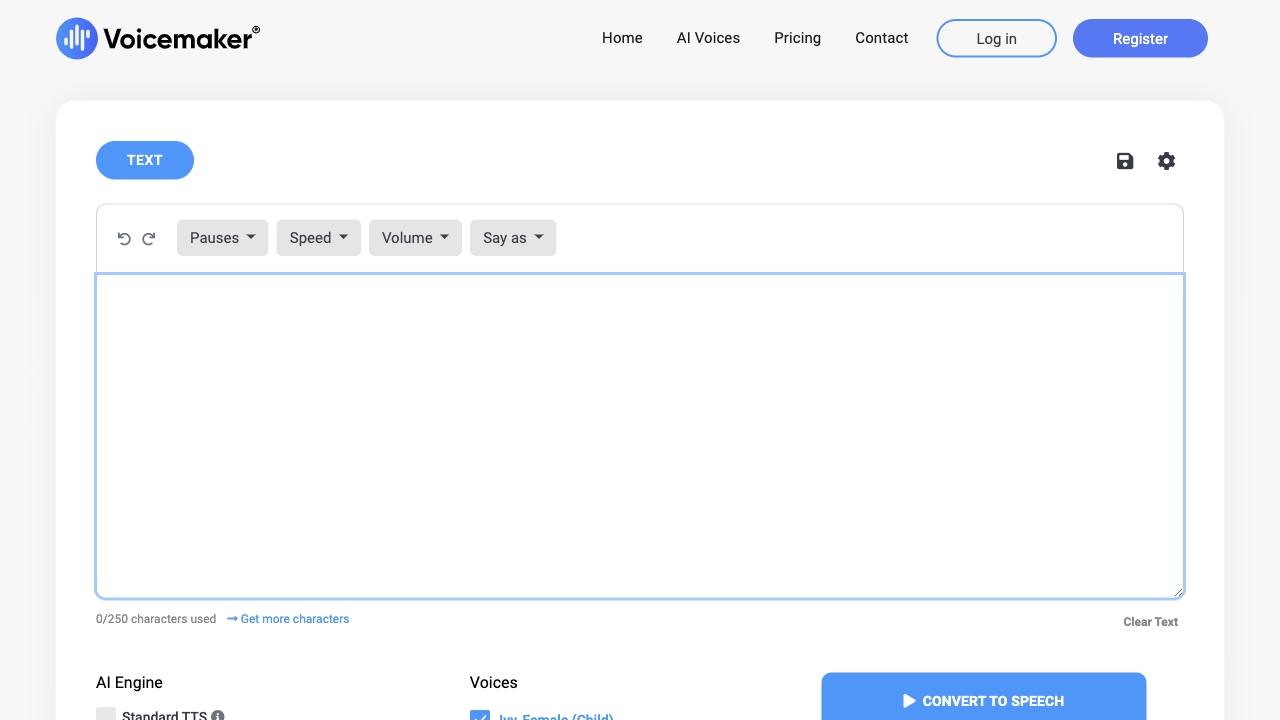
Voicemaker is a web-based AI text-to-speech and voice generation platform that creates ultra-realistic voiceovers in 70+ languages. It offers a wide range of default, pro, and cloned voices, with advanced controls for pronunciation, pauses, pitch, speed, volume, and emotional effects. The platform also includes SuperTTS for cinematic audio generation, speech-to-speech, speech-to-text, voice cloning, projects, and VoxStudio.
SpecificationsAI-estimated
Key Features of Voicemaker
Use Cases for Voicemaker
Voiceovers
Create professional voiceovers for videos, explainers, and ads.
Audiobooks
Use expressive and high-res voices for long-form narration.
Podcasts
Generate podcast intros and multi-speaker dialogues.
Songs and Music
Use Mercury 1.0 to generate singing, music scores, and BGM.
IVR and Phone Menus
Create efficient voice prompts for business phone systems.
Social Media Content
Generate short-form voice content for TikTok, Reels, and YouTube.
How to use Voicemaker?
Select a voice
Choose from Default, Pro, or Cloned voices and set the language/region.
Enter text or prompt
Type or upload text, or use a SuperTTS prompt to describe an audio scene.
Adjust voice settings
Fine-tune speed, pitch, volume, pauses, emphasis, and effects.
Generate and download
Convert to speech, preview, and download the audio file.
Pros & Cons of Voicemaker
Pros
- Supports 70+ languages and regional accents
- Multiple voice types: Default, Pro, Cloned
- SuperTTS generates full audio scenes with voices, sound effects, and music from one prompt
- Advanced voice controls: pitch, speed, volume, pauses, emphasis, and emotional effects
- Includes pronunciation editor, subtitles, and MP3 metadata tags
- Offers voice cloning and speech-to-speech conversion
- Studio-grade stitching improves long-form audio quality
- Built-in prompt templates for ads, podcasts, audiobooks, songs, and more
Cons
- Advanced features like pronunciation editor and voice profiles require paid plans
- Some language and model combinations are not supported
- Exact pricing is not clearly shown in the scraped content
- Credit-based system may limit heavy usage on free tier
Frequently Asked Questions
Is Voicemaker free to use?
Voicemaker appears to offer freemium access, but many advanced features require paid plans and credits.
What languages does Voicemaker support?
It supports 70+ languages including multilingual voices, regional accents, and locale-specific TTS voices.
Can I clone my own voice?
Yes, the platform includes a Voice Cloning feature, and cloned voices are available as a voice category.
Pricing Overview
View full pricing →No pricing data was explicitly found in the provided content.
Detailed plans are not listed. Visit the official website for pricing information.
Reviews & Ratings0.0
No reviews yet. Be the first to write one!
Top Alternatives & Similar Software
View all alternatives & similar software→

People also viewed



Related searches
About the Product
Is this your tool?
Claim this page to update details, reply to user reviews, and drive more traffic to your product.
Claim this Product →
Tags
Explore Related Topics
Keep up with Voicemaker alternatives
New alternatives, pricing changes and the week's biggest movers - one email every Tuesday.