




TryH3
AI-powered 2K video clips with synced audio in seconds
Best for
Creators needing 2K, sub‑15‑second videos instantly in browser
Skip if
Anyone requiring longer clips or native desktop/mobile apps
What is TryH3?
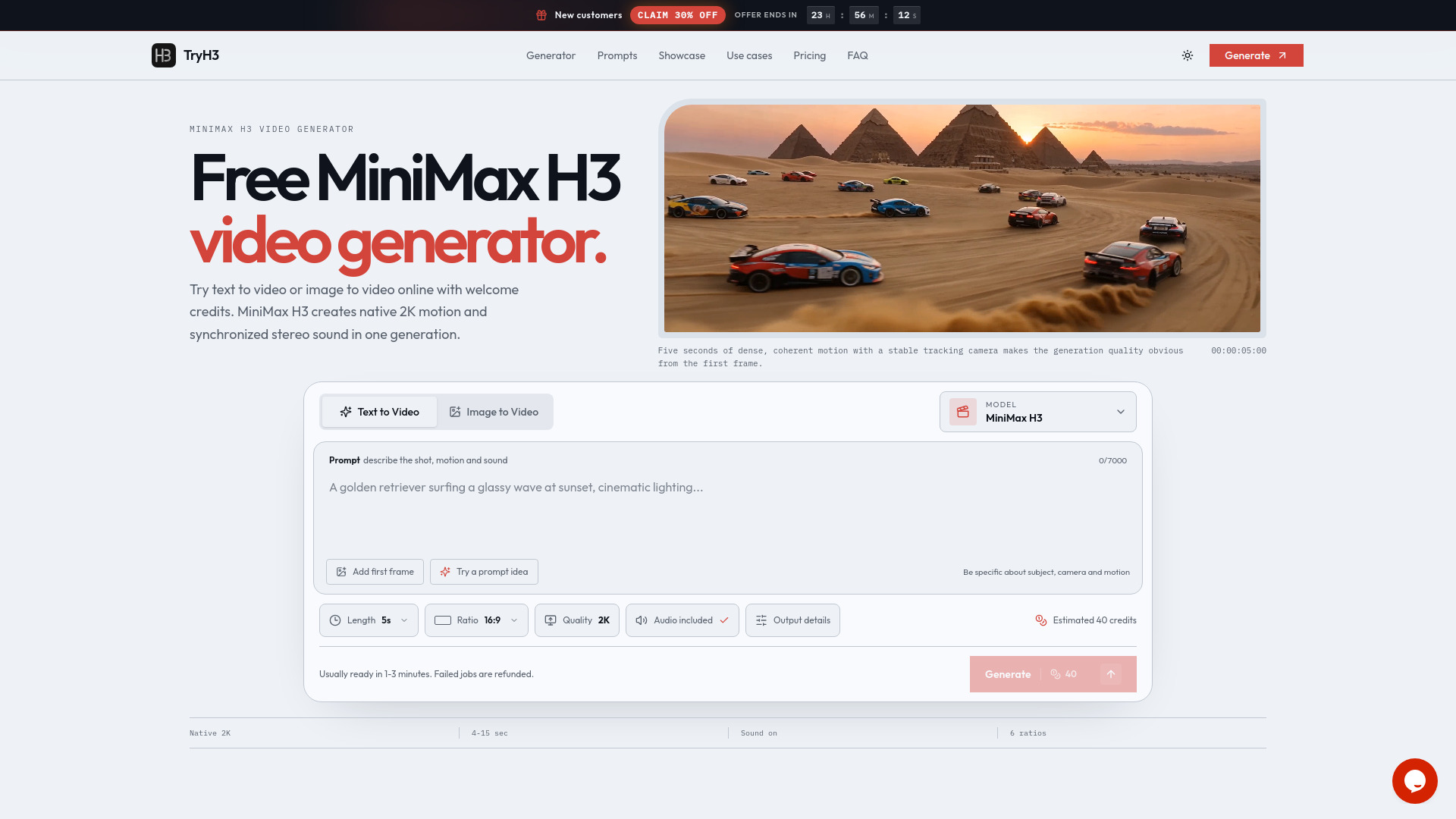
TryH3 lets creators generate short, high‑resolution video clips (4–15 seconds) with native 2K quality and realistic sound effects. It supports both text‑to‑video and image‑to‑video workflows, giving precise control over scene composition and character consistency across six aspect ratios. The platform uses a credit‑based pricing system, offering one‑time credit packs valid for 12 months and subscription options, making professional‑grade AI video accessible for marketers, filmmakers, and businesses needing quick social‑media content.
SpecificationsAI-estimated
Key Features of TryH3
Use Cases for TryH3
Social Media Ads
Create eye‑catching 2K video ads for platforms like Instagram and TikTok in minutes.
Product Demos
Generate short demo clips that showcase product features with synced narration.
Film Storyboards
Produce quick animated storyboards to visualize scenes during pre‑production.
Brand Campaigns
Craft consistent brand video snippets for multi‑channel marketing campaigns.
How to use TryH3?
Create your scene
Describe the scene, character, and motion in your prompt. You can also upload a reference image.
Adjust parameters
Set desired resolution (720p or 2K), duration (4–15s), and aspect ratio.
Preview and confirm
The tool shows a preview of the initial frame. If satisfied, click to generate.
Render video
Credits are deducted, and the full video (with audio) is rendered within 1–3 minutes.
Download result
Play the final video and download it in MP4 format.
Pros & Cons of TryH3
Pros
- High‑resolution 2K output
- Instant audio‑video synchronization
- Flexible text and image inputs
- No software download – runs in browser
Cons
- Limited clip length (max 15 seconds)
- Credit system may be confusing for occasional users
- No desktop or mobile app version
Frequently Asked Questions
What video lengths can TryH3 produce?
Clips can be generated between 4 and 15 seconds long.
Do I need to install anything?
No, TryH3 runs entirely in a web browser.
How are credits applied?
Each generated clip consumes a set number of credits; credit packs are valid for 12 months and can also be accessed via subscription.
Can I choose different aspect ratios?
Yes, TryH3 supports six preset aspect ratios to fit various platforms and use cases.
Pricing Overview
View full pricing →No explicit prices or plan names appear in the page content. The page mentions "one-time credit packs" and "subscriptions" conceptually with the example cost of "25 credits" per full render, but no dollar amounts or named tiers are provided.
Reviews & Ratings0.0
No reviews yet. Be the first to write one!
Top Alternatives & Similar Software
View all alternatives & similar software→
People also viewed



Best For
Related searches
Is this your tool?
Claim this page to update details, reply to user reviews, and drive more traffic to your product.
Claim this Product →
Explore Related Topics
Keep up with TryH3 alternatives
New alternatives, pricing changes and the week's biggest movers - one email every Tuesday.