




SVGMaker
AI-powered web editor for creating, editing, and converting SVG graphics instantly
Best for
Designers needing quick AI-generated SVGs without installing software
Skip if
Heavy offline users or those requiring full-featured vector suites




What is SVGMaker?
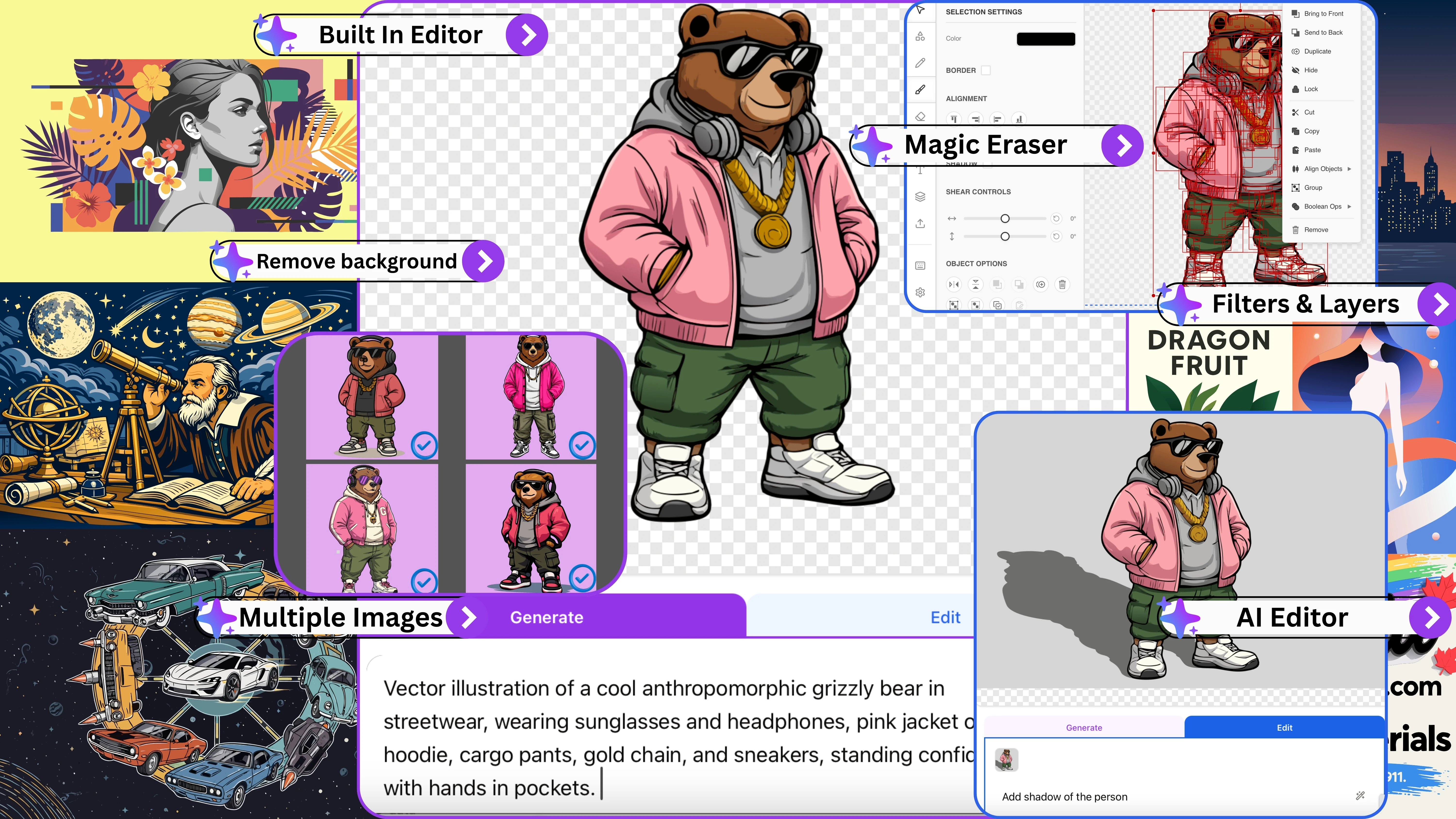
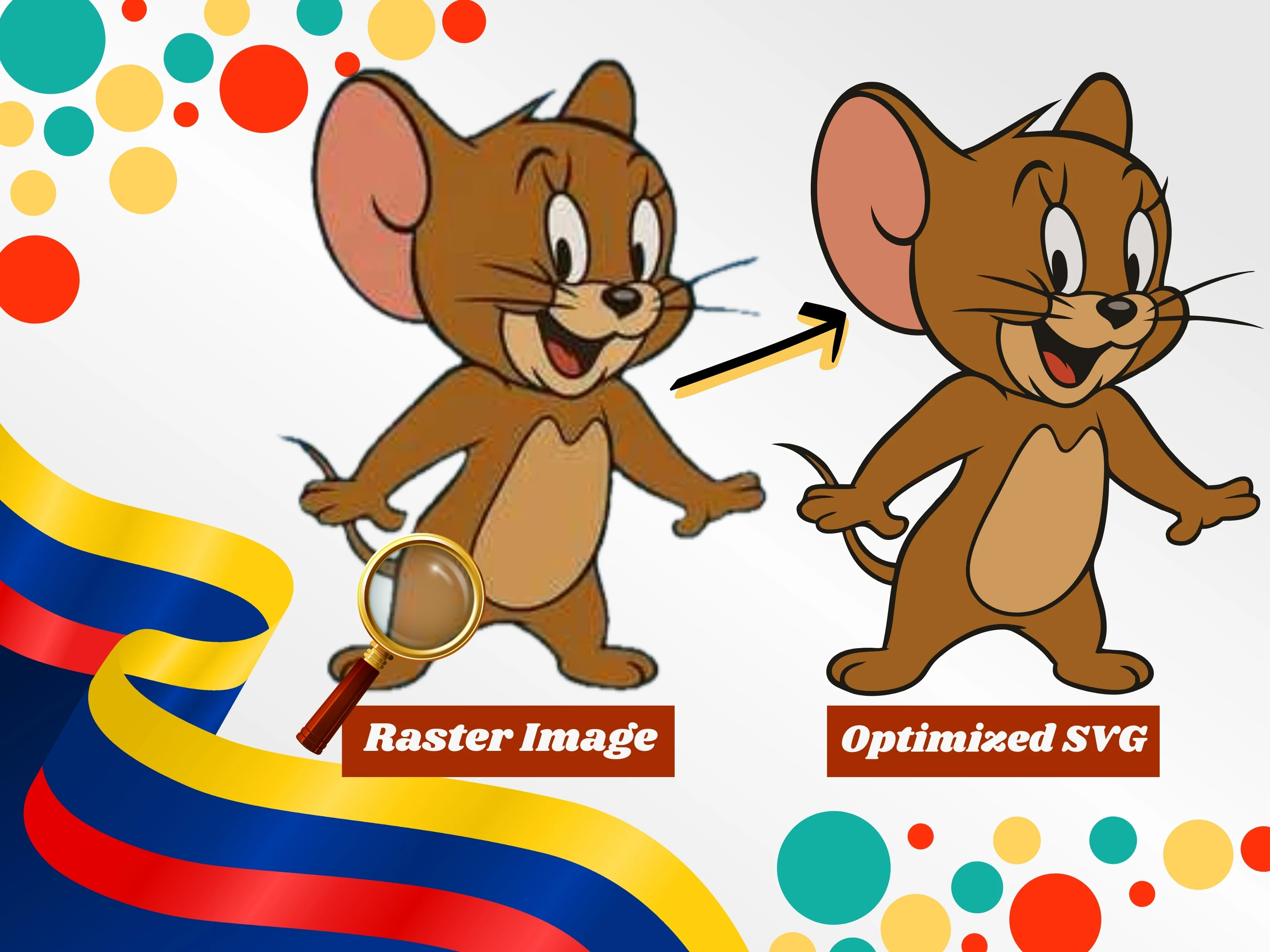
SVGMaker is a web‑based AI‑driven platform that lets designers, developers, and small business owners generate and fine‑tune scalable vector graphics without leaving the browser. Its intuitive editor combines multiple AI models, preset styles, and advanced export options for web, print, and crafting projects. The service offers seamless conversion between SVG formats, batch exporting, and ready‑made templates, making it ideal for digital sellers, print‑on‑demand creators, and anyone needing fast, high‑quality vector assets.
SpecificationsAI-estimated
Key Features of SVGMaker
Use Cases for SVGMaker
Logo Creation
Quickly generate unique logo concepts and refine them with vector editing tools.
Print‑on‑Demand Designs
Create scalable graphics for merchandise, ensuring crisp prints at any size.
Web Icon Sets
Produce lightweight SVG icons optimized for fast loading on websites.
Crafting Patterns
Design repeatable vector patterns for laser cutting or embroidery projects.
How to use SVGMaker?
Generate SVG
Describe the SVG you want in natural language, choose a style preset, and let the AI generate it.
Edit the Vector
Use the integrated editor to fine-tune paths, colors, layers, and apply effects like drop shadows or the magic eraser.
Export and Use
Download your design as SVG, PNG, PDF, or other supported formats, or export code for web and React.
Pros & Cons of SVGMaker
Pros
- Instant AI generation saves design time
- Fully browser‑based, no installation needed
- Rich export options for multiple media
- Preset style library speeds up visual consistency
Cons
- Limited offline functionality
- Advanced features locked behind paid tier
- Learning curve for AI prompt crafting
Frequently Asked Questions
Do I need to install anything to use SVGMaker?
No, SVGMaker runs entirely in the web browser; just sign up and start designing.
Can I export SVGs for print at high resolution?
Yes, the export settings include options for print‑ready DPI and vector precision.
Is there an API for integrating SVGMaker into my workflow?
SVGMaker provides a REST API for programmatic SVG generation and export.
What file formats can I import for conversion?
You can upload common vector formats such as AI, EPS, PDF, and existing SVG files.
Pricing Overview
View full pricing →Detailed plans are not listed. Visit the official website for pricing information.
Reviews & Ratings0.0
No reviews yet. Be the first to write one!
Top Alternatives & Similar Software
View all alternatives & similar software→


People also viewed


Best For
Related searches
About the Product
Is this your tool?
Claim this page to update details, reply to user reviews, and drive more traffic to your product.
Claim this Product →
Tags
Explore Related Topics
Keep up with SVGMaker alternatives
New alternatives, pricing changes and the week's biggest movers - one email every Tuesday.