



Story321
A free online AI story generator that turns your ideas into copyable, downloadable drafts across multiple genres.
What is Story321?
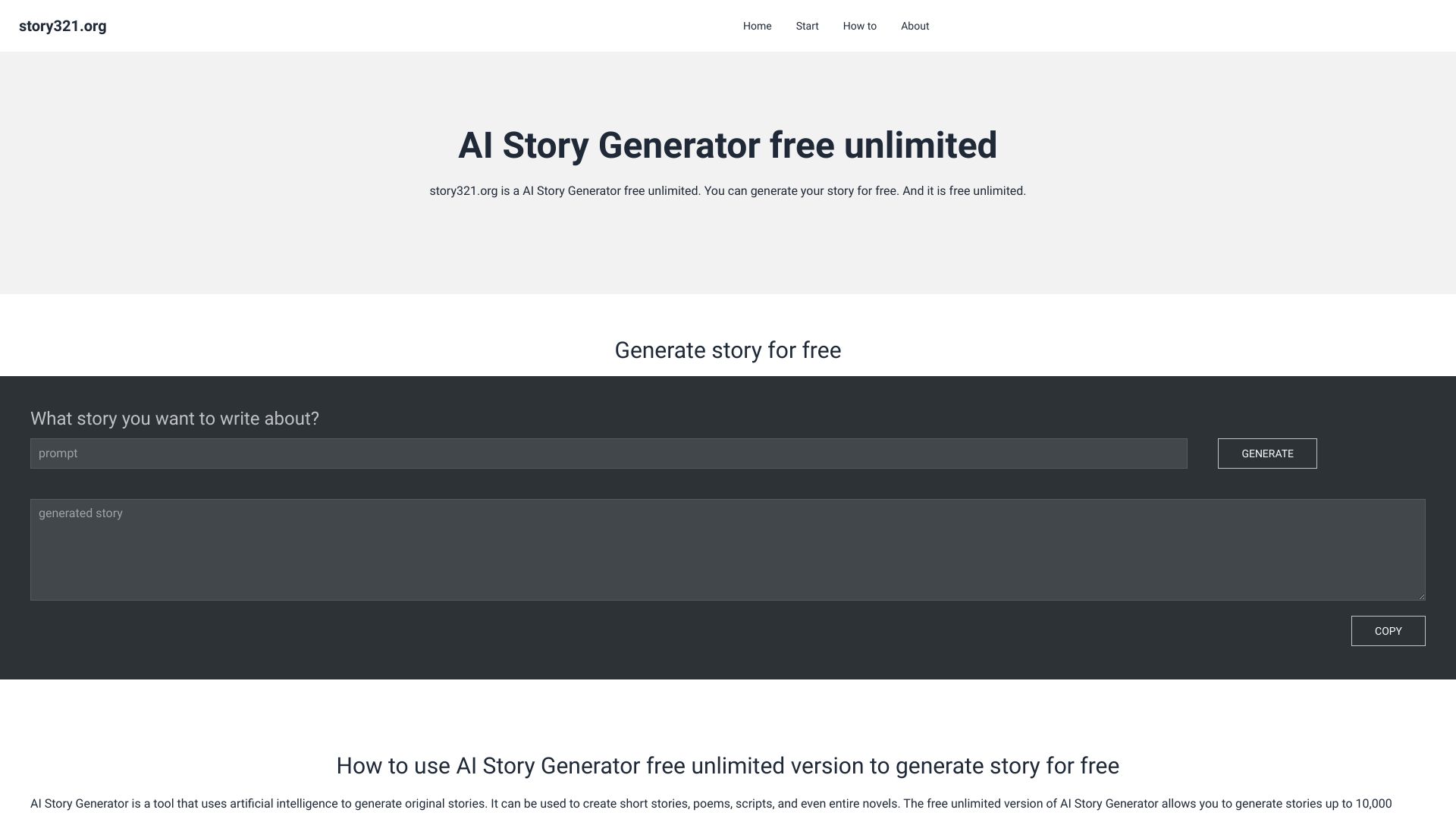
Story321 is an online AI story generator that turns a simple premise into a complete narrative draft. You enter a character, setting, conflict, or plot idea, then choose a length and genre to guide the output. The tool streams the AI-generated story directly into a result panel, where you can read it as it is being written, copy it, or download it as a TXT file for further editing. The service is designed to be approachable and low-friction: public use requires no signup and is free to try, with usage limits applying. It supports a wide range of genres, including fantasy, romance, mystery, science fiction, horror, historical fiction, fairy tale, drama, comedy, and adventure. The generator is positioned as a starting point for creative work rather than a finished-writing solution, and the website encourages users to review, revise, and personalize every draft before publishing. Story321 is aimed at writers, students, teachers, parents, and content creators who need help exploring ideas, breaking through writer's block, or generating story starters. It is especially useful for anyone who wants a fast, guided way to move from a one-line concept to a usable story draft that can be developed in their own voice.
SpecificationsAI-estimated
Key Features of Story321
Use Cases for Story321
Exploring story premises
Writers can quickly test a character, setting, or plot premise before deciding to develop it into a full piece.
Overcoming writer's block
Generate an opening or draft to push past a blank page and get creative momentum.
Practicing creative writing
Students can practice creative-writing ideas and see how different narrative choices change a draft.
Classroom writing prompts
Teachers can create story starters and writing exercises for classroom storytelling activities.
Family storytelling
Parents can generate new story ideas built around a child's favorite setting, character, or theme.
Content creation foundations
Content creators can use generated premises as starting points for fictional concepts and narrative-led projects.
Genre experimentation
Users can explore different tones and directions by generating the same idea across multiple genres.
How to use Story321?
Describe your idea
Enter a premise, character, setting, or moment you want the story to begin with. The more specific your prompt, the clearer the generated story can become.
Choose length and genre
Set the story length to short, medium, or long, and choose a genre to give the story a clear creative direction.
Generate and review
Generate the story and watch it stream into the result panel. Review the draft for accuracy, continuity, and originality before using it.
Export and edit
Copy the story to continue revising it in your preferred writing tool, or download it as a TXT file for later editing.
Pros & Cons of Story321
Pros
- Free to try with no signup required for public use
- Simple three-step workflow: prompt, length, and genre
- Streams results in real time for instant reading
- Supports a broad variety of genres
- Allows easy export by copying or downloading as TXT
Cons
- Free public access has usage limits, and you may be asked to sign in once those limits are reached.
- Story length choices are relative settings rather than fixed word counts, so output length can vary.
- Generated stories can contain inaccuracies or continuity issues, especially in longer drafts, so careful review and editing are required.
- The free plan is for non-commercial use only; a paid plan with a commercial license is needed to publish or sell generated work.
Frequently Asked Questions
Is Story321 free to try?
Yes. You can try the public generator without signing up, and no account is required for public use. Usage limits apply, and you may be asked to sign in when those limits are reached.
Do I need an account to generate a story?
No. Public use does not require an account. However, you may be asked to sign in when public usage limits are reached.
How does an AI story generator work?
Story321 combines the prompt you enter with your selected story length and genre, then streams an AI-generated story to the result panel. You can review, copy, or download the result.
What story lengths and genres are available?
The generator includes short, medium, and long options, plus genres including fantasy, romance, science fiction, mystery, horror, historical fiction, fairy tale, drama, comedy, and adventure. Length choices are relative settings, not fixed word counts, so output length can vary.
Can I copy or download a generated story?
Yes. After a story is generated, you can copy it or download it as a TXT file.
Can I use generated stories commercially?
The free plan is for non-commercial use. Paid plans include a commercial license. Review Pricing and the Terms of Service before publishing or selling work.
Should I edit an AI-generated story?
It is recommended to treat the output as a starting point. Review it for accuracy, continuity, originality requirements, and your preferred writing style before using it.
Where can I review Story321's privacy practices?
The Privacy Policy describes the information Story321 may collect, how it may be used, cookies and similar technologies, service providers, security, and available choices.
Reviews & Ratings0.0
No reviews yet. Be the first to write one!
Top Alternatives & Similar Software
View all alternatives & similar software→


People also viewed



Related searches
Is this your tool?
Claim this page to update details, reply to user reviews, and drive more traffic to your product.
Claim this Product →
Tags
Explore Related Topics
Keep up with Story321 alternatives
New alternatives, pricing changes and the week's biggest movers - one email every Tuesday.