



SplitSong
Split your songs into instrument tracks using Artificial Intelligence
What is SplitSong?
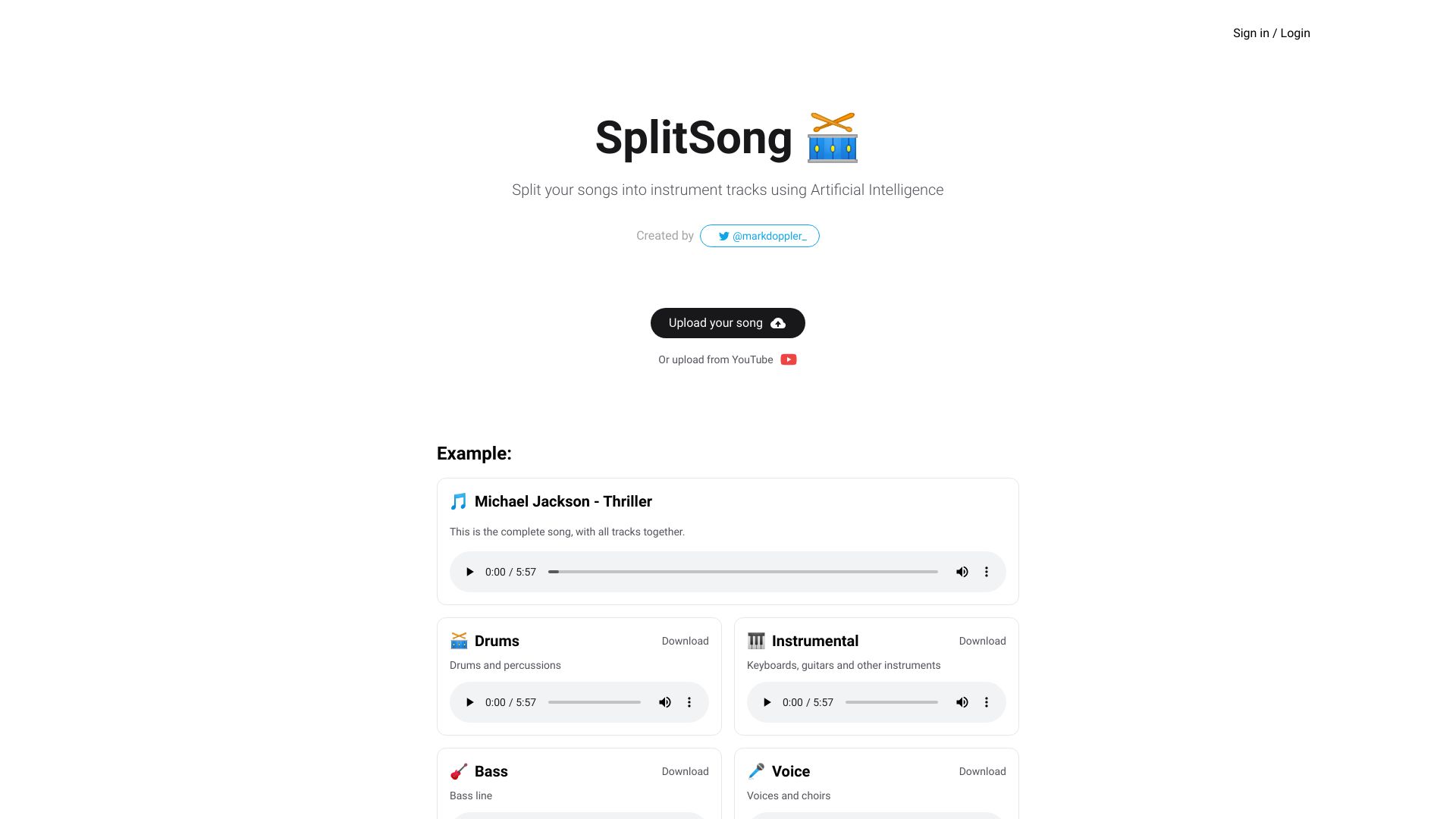
SplitSong is an innovative web-based tool that leverages artificial intelligence to deconstruct full songs into individual instrument tracks. Instead of manually isolating elements from a mixed audio file, users can simply upload a track or paste a YouTube link, and the AI engine separates it into four distinct stems: drums and percussion, instrumental (keyboards, guitars, and other instruments), bass line, and voice/choirs. This makes it incredibly easy for musicians, producers, and hobbyists to access the building blocks of a track for practice, remixing, or educational purposes. The platform is designed with simplicity in mind, requiring no prior audio engineering knowledge. The homepage immediately demonstrates the core functionality with a built-in example featuring Michael Jackson's 'Thriller,' letting visitors hear the original combined track followed by each isolated component. Whether you want to create a karaoke version, learn the bass line of a favorite song, or extract vocals for a remix, SplitSong streamlines the entire workflow down to a few clicks. SplitSong is an online service, so there is no software to install and no need for powerful hardware; all the heavy processing happens in the cloud. This convenience positions it as a go-to resource for content creators, music teachers, and casual fans who want quick, reliable stem separation without committing to expensive desktop DAW plugins. While it focuses on a specific set of outputs, the accuracy and ease of use make it a compelling choice in the growing field of AI-powered audio tools.
Key Features of SplitSong
Use Cases for SplitSong
Instrument practice for musicians
Practice a specific instrument by isolating its track and playing along without other sounds interfering.
Karaoke track creation
Remove vocals from a track to create a karaoke version suitable for singing practice or events.
Remix production
Extract individual stems to remix or re-arrange a song in a DAW, giving more control over the final mix.
Music education and analysis
Teachers and students can analyze the components of a song to understand arrangement, harmony, and rhythm.
Podcast and video background music
Content creators can separate background music from vocals to create clean backing tracks for podcasts or videos.
DJ set preparation
DJs can isolate beats or basslines to preview and incorporate them into live mashups or sets.
Personal audio experimentation
Allow fans to isolate vocals or instrumentals for fun covers, remixes, or personal audio experiments.
How to use SplitSong?
Go to the website
Navigate to www.splitsong.com on any modern web browser.
Upload a song or paste a YouTube link
Click the upload button to select an audio file from your device, or paste a YouTube URL into the provided field.
Let the AI process
Wait a few seconds while SplitSong's AI processes the track and separates it into four stems.
Preview the separated tracks
Listen to each of the four stems (drums, instrumental, bass, voice) through the built-in player to verify the quality.
Download the isolated tracks
Click the download button for each individual stem to save it to your device for use in your projects.
Pros & Cons of SplitSong
Pros
- Utilizes cutting-edge AI for accurate stem separation
- Simple, intuitive interface that requires no technical skills
- Direct YouTube integration eliminates the need to download audio first
- Provides useful performance stems for musicians and producers
- Works across all platforms via any web browser
Cons
- Separates only into four stems: drums, instrumental, bass, and voice
- Requires a stable internet connection to process songs
- The free version may have usage limits or watermarks
- Quality may vary depending on the complexity of the original mix
Frequently Asked Questions
Is SplitSong free to use?
Yes, SplitSong offers a free tier that allows you to split a limited number of songs. For unlimited access and additional features, there is a paid subscription plan.
What stems can I get from a song?
SplitSong can split songs into four separate tracks: drums/percussion, instrumental (keyboards and guitars), bass line, and voice/choirs.
Can I upload directly from YouTube?
Yes, you can paste a YouTube link directly into the upload field, and SplitSong will fetch the audio from the video and process it.
What are the system requirements?
You need an internet connection and a modern web browser. SplitSong works on any device—laptop, tablet, or smartphone—since it runs entirely online.
How accurate is the separation?
The AI isolation is generally very accurate, but results can vary for songs with complex arrangements, heavy reverb, or overlapping frequencies. Simple mixes typically yield cleaner stems.
Can I download the separated tracks?
After processing, you can preview each stem in the browser and download them as high-quality audio files (usually WAV or MP4 depending on your plan).
Can I customize which tracks to separate?
No, SplitSong currently focuses on splitting into the four default stems listed above. It does not offer customization for additional stem types like soloing a specific guitar or removing just one instrument.
Reviews & Ratings0.0
No reviews yet. Be the first to write one!
Top Alternatives & Similar Software
View all alternatives & similar software→

People also viewed


Related searches
Is this your tool?
Claim this page to update details, reply to user reviews, and drive more traffic to your product.
Claim this Product →
Tags
Explore Related Topics
Keep up with SplitSong alternatives
New alternatives, pricing changes and the week's biggest movers - one email every Tuesday.