




Sim
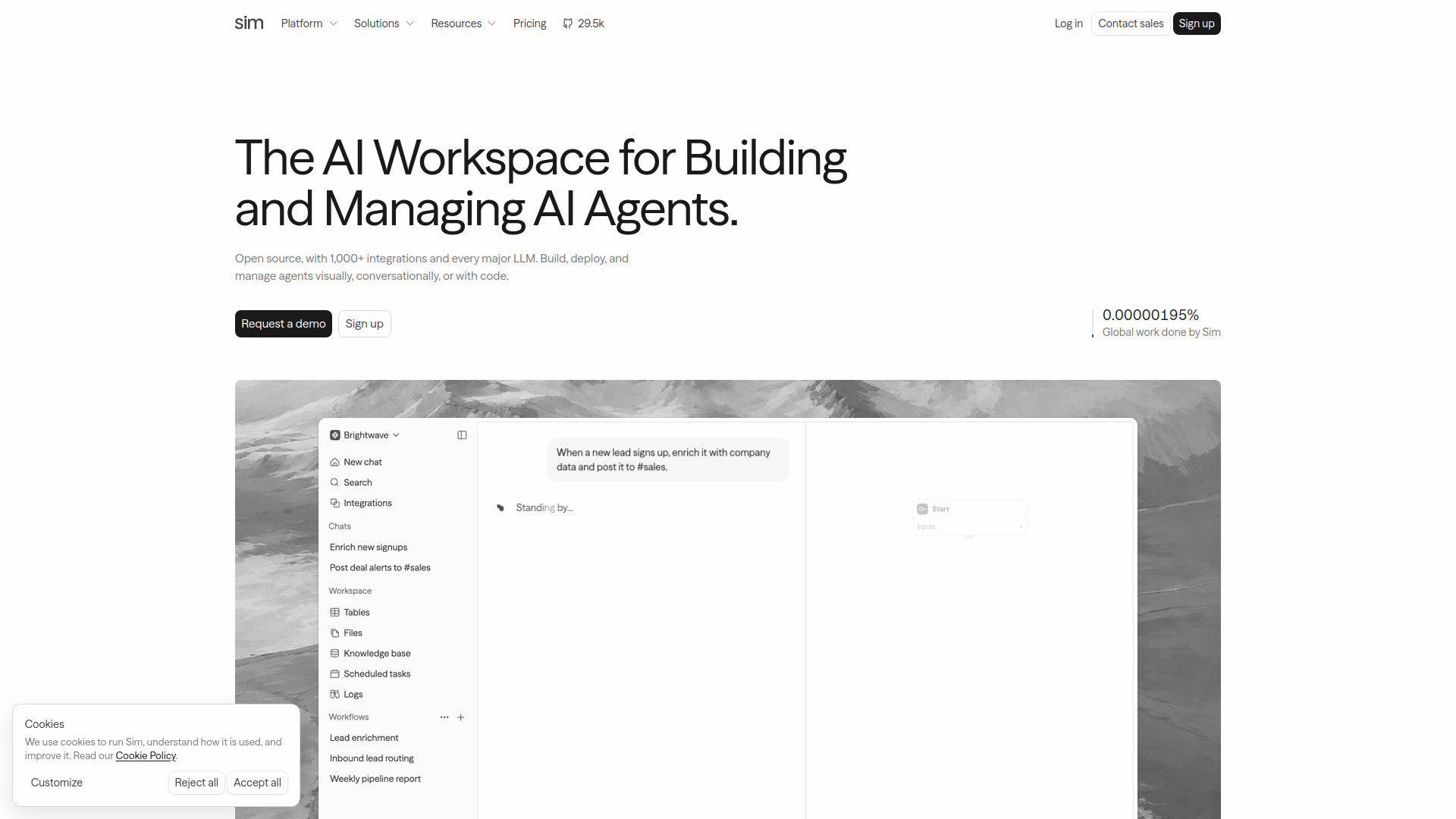
The open-source AI workspace where teams build, deploy, and manage AI agents across 1,000+ integrations.
What is Sim?
Sim is an open-source AI workspace designed for teams that want to build, deploy, and manage AI agents in one place. Rather than forcing a single workflow, it supports three ways to create agents: visually through a block-based builder, conversationally by describing what you want in plain English, or with code for developers who prefer full control. The platform connects to more than 1,000 integrations and every major LLM, so agents can act across the tools and models a team already relies on. At the core of Sim is a semantic memory layer where data is stored in tables, files, and knowledge bases. This gives agents grounded context they can reason over, which helps improve accuracy and relevance in automated tasks. The workspace also includes built-in observability: every run is traced block by block, with full logs and real cost displayed, so teams can understand exactly how their agents behave and what each automation consumes. Sim is positioned as a production-ready solution for organizations of different sizes. It is SOC2 compliant, trusted by over 100,000 builders, and designed to scale from simple one-agent automations to many agents working in parallel. Whether the goal is automating internal workflows, connecting sales and support tools, or creating custom AI-powered processes, Sim aims to give teams a unified environment for the entire agent lifecycle.
SpecificationsAI-estimated
Key Features of Sim
Use Cases for Sim
Cross-tool workflow automation
Connect CRM, messaging, documents, and other tools so agents can automate repetitive work across your entire stack.
Rapid AI agent prototyping
Describe a process in plain English and quickly generate a working agent without writing code.
Knowledge-grounded Q&A
Use tables, files, and knowledge bases as semantic memory to make agent answers more accurate and context-aware.
Sales and marketing operations
Automate follow-ups, record updates, and data entry by letting agents act through Slack, HubSpot, Salesforce, and Notion.
Agent observability and cost optimization
Trace every run block by block, inspect full logs, and monitor real cost to improve agent behavior.
Parallel multi-agent systems
Deploy many agents working simultaneously on different parts of a complex operation.
How to use Sim?
Describe the workflow
Tell Sim what you want to automate in plain English, or start from the visual builder if you prefer manual control.
Review and customize
Inspect the blocks, models, tools, and data Sim connects into the workflow, and adjust the agent logic as needed.
Connect integrations and context
Add the 1,000+ integrations your agents should act through and give Sim access to tables, files, or knowledge bases for memory.
Test the agent
Run the workflow in a controlled way to verify it produces the expected results before deploying it.
Deploy and monitor
Launch the agent and use Sim's live traces, logs, and cost tracking to monitor every run end to end.
Pros & Cons of Sim
Pros
- Open-source foundation that encourages transparency and customization
- 1,000+ integrations with popular tools like Slack, HubSpot, Salesforce, and Notion
- Flexible creation methods: visual, conversational, or code-based
- SOC2 compliant and positioned as production-ready for teams
- Built-in monitoring with live traces, logs, and real cost per run
Cons
- The exact open-source license is not specified on the homepage
- No transparent pricing or deployment details are listed on the landing page
- The complete list of supported LLMs is not disclosed
- The large catalog of integrations and builder options may feel overwhelming to new users
Frequently Asked Questions
What is Sim?
Sim is an open-source AI workspace where teams build, deploy, and manage AI agents. It supports visual, conversational, and code-based agent creation.
Is Sim open source?
Yes, Sim is described as open source on its homepage, though the specific license type is not listed there.
Do I need to know how to code to use Sim?
No. You can describe what you want to automate in plain English or use the visual builder, so coding is optional.
Which AI models does Sim support?
Sim says it supports every major LLM, but the exact model list is not enumerated on the homepage.
How many integrations does Sim offer?
Sim offers more than 1,000 integrations, including popular tools like Slack, HubSpot, Salesforce, and Notion.
Can I monitor how my AI agents are performing?
Yes. Sim provides live traces, full logs, and real cost information for every agent run.
Is Sim secure and compliant?
Sim states that it is SOC2 compliant and production-ready for teams of every size.
Who is Sim best suited for?
Sim is built for teams of all sizes that want to build, deploy, and manage AI agents, and it is trusted by over 100,000 builders.
Reviews & Ratings0.0
No reviews yet. Be the first to write one!
Top Alternatives & Similar Software
View all alternatives & similar software→



People also viewed



Related searches
Is this your tool?
Claim this page to update details, reply to user reviews, and drive more traffic to your product.
Claim this Product →
Tags
Explore Related Topics
Keep up with Sim alternatives
New alternatives, pricing changes and the week's biggest movers - one email every Tuesday.