




Reel Studio
AI filmmaking workspace that takes your video from script to timeline with an AI agent.
What is Reel Studio?
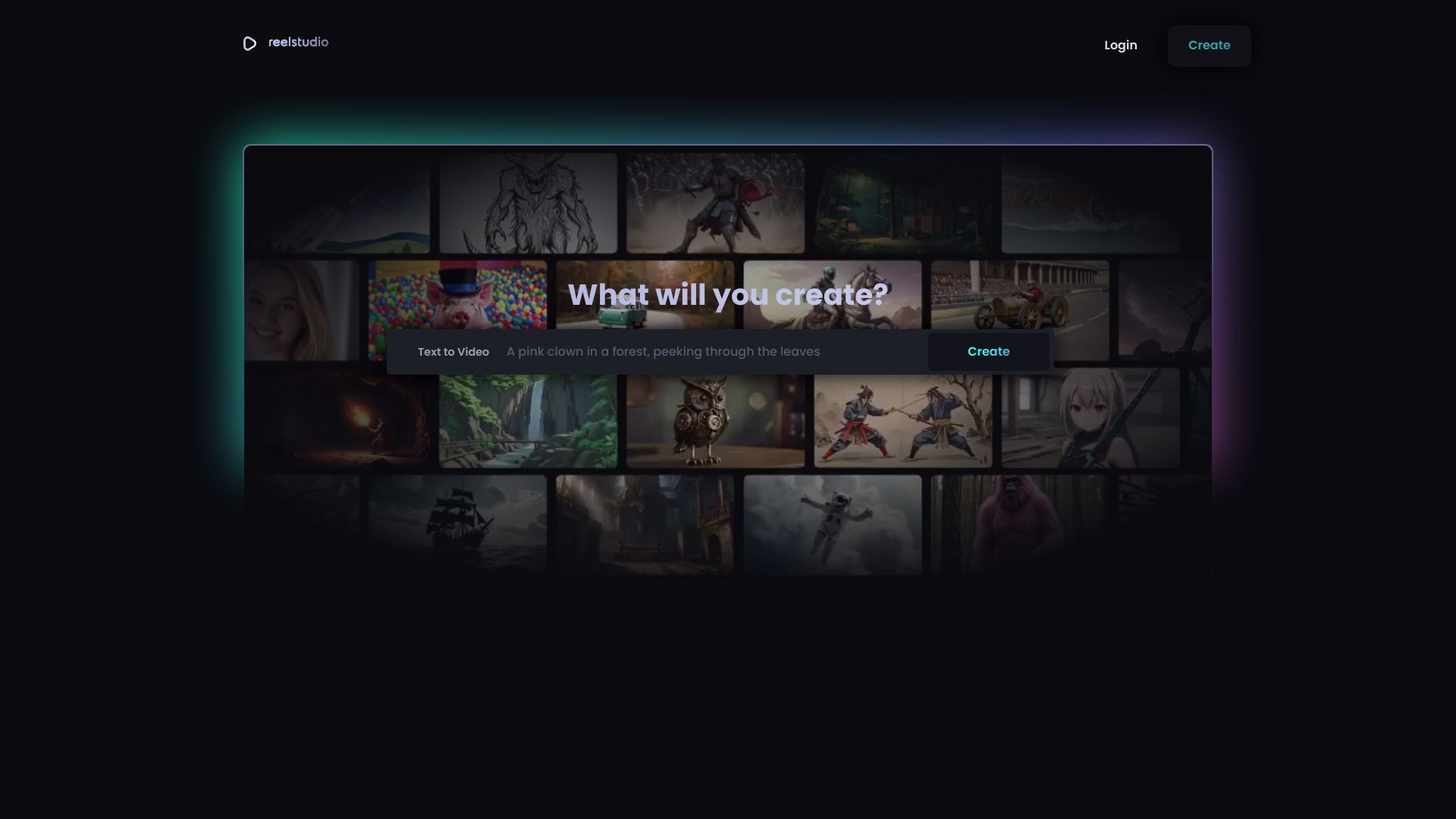
Reel Studio is an AI filmmaking workspace that turns rough ideas into finished videos, moving beyond single-shot generation to a full production pipeline. You can paste a script, product note, campaign idea, or rough prompt, and Reel Studio converts it into shots, references, and production tasks. From there, it supports generating stills or video takes, reviewing options, maintaining continuity, assembling the timeline, and exporting a final reel, ad, short, or launch video. The platform is designed to be agent-ready: it ships a Model Context Protocol (MCP) server, so AI agents like Claude, Codex, Cursor, and Cline can open projects, choose models, queue takes, review drift, and export completed videos. The workspace includes projects, shots and takes, reusable people and places references, a model catalog, generation job tracking, a timeline with audio tracks, and final export - all available from a single URL with no install needed. Reel Studio uses a credit-based pricing model rather than per-seat subscriptions, with plans starting at $15 per month for 1,250 credits. It offers 500 trial credits for 7 days, promises that no pixel, face, product, or frame trains its models, and lets you try the guest video planner without signing up until you actually generate something. It is aimed at creators producing reels, ads, shorts, and web videos with the help of an AI copilot.
SpecificationsAI-estimated
Key Features of Reel Studio
Use Cases for Reel Studio
Reels and Shorts
Turn a script or prompt into finished short-form vertical videos with shots, takes, audio, and export.
Ad Creative Variations
Generate and compare multiple takes quickly to iterate on ad creative variations.
Character and Product Consistency
Keep people, products, and places visually consistent across multi-shot sequences using pinned references.
Launch Videos
Take product notes or campaign ideas from brief to a polished launch video with voiceover and music.
Agent-Driven Production Workflows
Use AI agents to automate shot planning, take generation, review, and export at scale.
Storyboarding
Generate visual takes for planned shots as a form of storyboarding before assembling the final timeline.
How to use Reel Studio?
Connect your agent or open the guest planner
If using an AI agent, configure the MCP server with the Reel Studio URL and your bearer token, or use the guest video planner if you just want to try shot generation without signup.
Brief the agent
Paste a script, product note, campaign idea, or rough prompt. Reel Studio turns the brief into a shot list, references, and production tasks.
Generate and review takes
Queue stills or video takes from the model catalog, compare the results side by side, keep the best take, and request focused retries if something drifts.
Check continuity
Use pinned references for people, products, and places, and run VLM checks to catch continuity issues before moving to the timeline.
Finish and export
Assemble the shots in the timeline, add voice, SFX, or score, mix the audio, and export the finished reel, ad, short, or launch video.
Pros & Cons of Reel Studio
Pros
- MCP-native design lets Claude, Codex, Cursor, Cline, and other agents control the whole production workflow.
- Covers the entire pipeline in one place: planning, generation, continuity review, timeline, audio, and export.
- Credit system instead of per-seat subscriptions means you scale with what you actually make.
- Guest planner and sample shots are available without requiring signup until generation.
- Pinned references and VLM checks help maintain consistency across multi-shot videos.
Cons
- Collaborators are listed as "coming soon," so true multi-user team workflows are not available yet.
- Full agent control requires MCP/token setup, which assumes some technical comfort with AI tools and APIs.
- The 500-credit trial only lasts 7 days before the first charge, so there is no permanent free tier.
- Some production features like keyframe generation and video-to-video are gated behind the Creator plan or above.
Frequently Asked Questions
What is Reel Studio?
Reel Studio is an AI filmmaking workspace that takes a brief, script, or prompt and helps you produce a finished video - including shot planning, take generation, continuity checks, timeline assembly, audio, and export. It is also agent-ready via MCP, so AI agents can drive the workflow.
Do I need to sign up to try Reel Studio?
Yes. The site offers a guest video planner and sample shots with no signup required until you actually generate content.
How does the MCP agent integration work?
Reel Studio ships an MCP server at https://reel.studio/api/mcp. You issue a token in Settings, then plug the endpoint into MCP-speaking agents like Claude, Codex, Cursor, or Cline to give the agent video production controls.
How does Reel Studio pricing and credits work?
It is credit-based, not seat-based. Starter is $15/mo for 1,250 credits, Creator is $39/mo for 3,750 credits, and Studio is $99/mo for 10,000 credits. Paid credits roll over and never expire. There is also a 7-day trial with 500 credits after connecting a card.
Can I use different AI models for video, audio, and images?
Yes. The model catalog includes image generation, text-to-video, image-to-video, TTS, SFX, and music models, and every paid plan has access to every model. Keyframe and video-to-video features are available on the Creator plan and above.
How does Reel Studio keep continuity across shots?
Reel Studio uses pinned references for people, products, and places, plus VLM checks to catch drift before the video reaches the timeline. This helps keep subjects and locations consistent across multi-shot videos.
Does Reel Studio train on my content?
The privacy policy states that no pixel, face, product, or frame trains Reel Studio models. Your content is not used to train their models.
What can I export from the timeline?
You can assemble clips, place audio, generate voiceover, SFX, and music, mix tracks, and render the finished video from the timeline. Exports are positioned for reels, ads, shorts, and web video.
Reviews & Ratings0.0
No reviews yet. Be the first to write one!
Top Alternatives & Similar Software
View all alternatives & similar software→


People also viewed



Related searches
Is this your tool?
Claim this page to update details, reply to user reviews, and drive more traffic to your product.
Claim this Product →
Explore Related Topics
Keep up with Reel Studio alternatives
New alternatives, pricing changes and the week's biggest movers - one email every Tuesday.