




PureMIDI
Turn any audio, video, or sheet music into editable MIDI with AI — right in your browser.
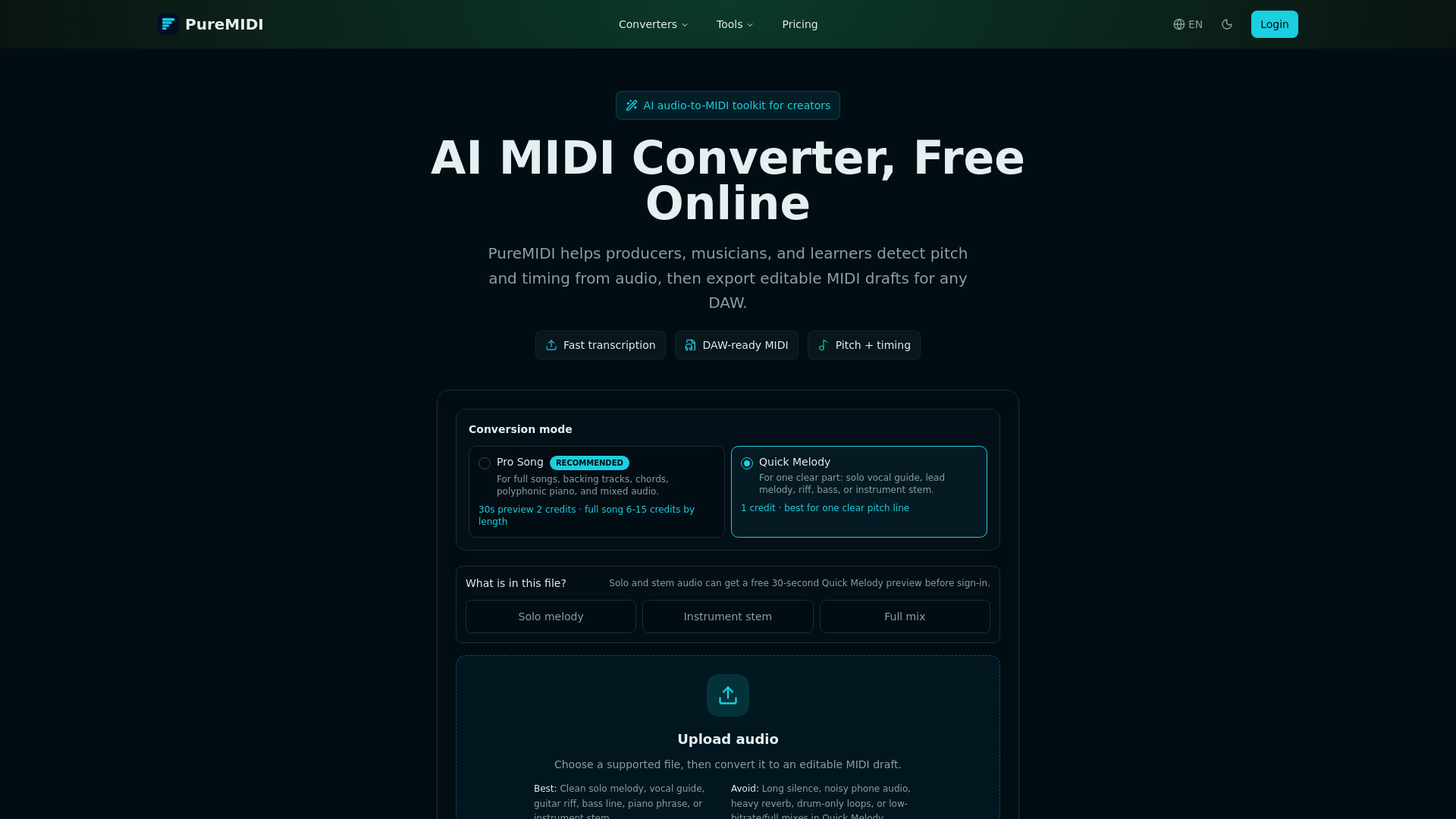

What is PureMIDI?
PureMIDI is an AI-powered MIDI conversion toolkit that runs entirely in your browser. It turns audio recordings, video files, and sheet music into editable MIDI drafts by detecting pitch, timing, and structure. No plug-ins, installs, or DAW setup is needed - just upload a file and download a standard .mid file ready for further refinement. The service is designed for quick workflows like turning hooks, riffs, or practice tracks into playable/editable MIDI sketches.
SpecificationsAI-estimated
Key Features of PureMIDI
Use Cases for PureMIDI
Music Production
Convert song ideas, hooks, or loops into editable MIDI sketches for arrangement, sound design, and remixing in any DAW.
Music Education
Convert assigned scores to MIDI for ear-training playback, slow-practice studies, and analysis in DAWs.
Student Evaluation
Turn student audio recordings into MIDI for grading and feedback.
Practice Tracks
Create MIDI versions of songs to practice against with adjustable tempo and instrument sounds.
Remix Sketches
Extract melodic and structural parts from mixed tracks to build remix arrangements.
Sheet Music Digitization
Convert PDF sheet music into MIDI for transposition, editing, and playback.
Compliance-Focused YouTube Workflow
Preview YouTube links with rights confirmation and convert authorized local audio to MIDI.
Isolated Stem Conversion
Transcribe clean instrumental stems or vocal lines into MIDI with high accuracy.
How to use PureMIDI?
Upload a source
Add an MP3, WAV, M4A, or sheet music PDF for conversion.
Use a clear source
Upload a clean vocal, instrument, or isolated part for the most editable MIDI draft.
AI transcribes notes
The system estimates pitch, timing, and structure, then prepares an editable MIDI file.
Download and edit
Import the .mid file into your DAW or notation software and refine it manually.
Pros & Cons of PureMIDI
Pros
- Free 30-second audio preview before sign-in
- No subscription; one-time credit packs with no expiry
- Works entirely in the browser—no plug-ins or DAW required
- Exports standard .mid compatible with all major DAWs
- Privacy-focused: no model training on user uploads
Cons
- Max file size is limited to 25 MB per upload
- Full conversion requires sign-in and credit packs
- Accuracy drops on dense full mixes, heavy reverb, percussion, and unusual timbres
- Guitar tab, jianpu, shape-note, and handwritten score support is not available at launch
Frequently Asked Questions
Which file formats can I convert to MIDI on PureMIDI?
Audio: MP3, WAV, M4A, FLAC, OGG, AAC, and AIFF. Video: local MP4, MOV, WebM, and M4V uploads. Sheet music (Beta): PDF, MusicXML, MXL, and PNG/JPG/WebP score images.
Is the MIDI converter free?
Eligible audio uploads get a free preview of up to 30 seconds before sign-in. Complete clear-melody conversions cost 1 credit, complete songs cost 6-15 credits by length, and eligible new accounts receive 2 credits.
Will the converted MIDI work in my DAW?
Yes. PureMIDI exports standard .mid files that open in Logic Pro, Ableton Live, FL Studio, Cubase, Reaper, GarageBand, Studio One, Pro Tools, MuseScore, Sibelius, Dorico, and every other major DAW or notation tool.
How accurate is AI audio-to-MIDI conversion?
Best on clean monophonic vocals, solo instruments, and isolated parts. Dense full mixes, heavy reverb, percussion, and unusual timbres usually need manual cleanup or a more specialized workflow.
Does PureMIDI keep my audio files or sheet music?
Successful-conversion source uploads are automatically deleted within 3 days. Failed-conversion sources may be retained for up to 14 days so recovery and support remain possible. Deleting a conversion from account history requests immediate source and output cleanup. We never use uploads to train AI models.
Can I convert YouTube videos to MIDI?
The live YouTube workflow previews a link and confirms rights, then hands off to upload authorized local audio for conversion. PureMIDI does not download from YouTube or convert a URL by itself.
Will PureMIDI work for guitar tabs, jianpu, or handwritten scores?
At launch we focus on standard staff notation — piano, vocals, strings, and ensemble scores. Guitar TAB, Chinese jianpu, shape-note, and handwritten manuscripts are on the second-phase roadmap.
How do I choose between MP3 to MIDI, WAV to MIDI, and Audio to MIDI?
Audio to MIDI is the broad converter that accepts any audio format. MP3 to MIDI is tuned for lossy song exports and includes bit-rate-impact guidance. WAV to MIDI is for studio stems, lossless recordings, and DAW workflow integration. The underlying AI is the same engine.
Reviews & Ratings0.0
No reviews yet. Be the first to write one!
Top Alternatives & Similar Software
View all alternatives & similar software→
People also viewed




Related searches
Is this your tool?
Claim this page to update details, reply to user reviews, and drive more traffic to your product.
Claim this Product →
Tags
Explore Related Topics
Keep up with PureMIDI alternatives
New alternatives, pricing changes and the week's biggest movers - one email every Tuesday.