FindAlternative
Back to Home
Kuca AI

Kuca AI

Cinematic AI video maker that unifies multiple generators in one web workspace

Our Verdict

Best for

Video creators wanting a web‑based, all‑in‑one AI video workflow

Skip if

Anyone requiring offline software or extensive model tweaking
What is Kuca AI?

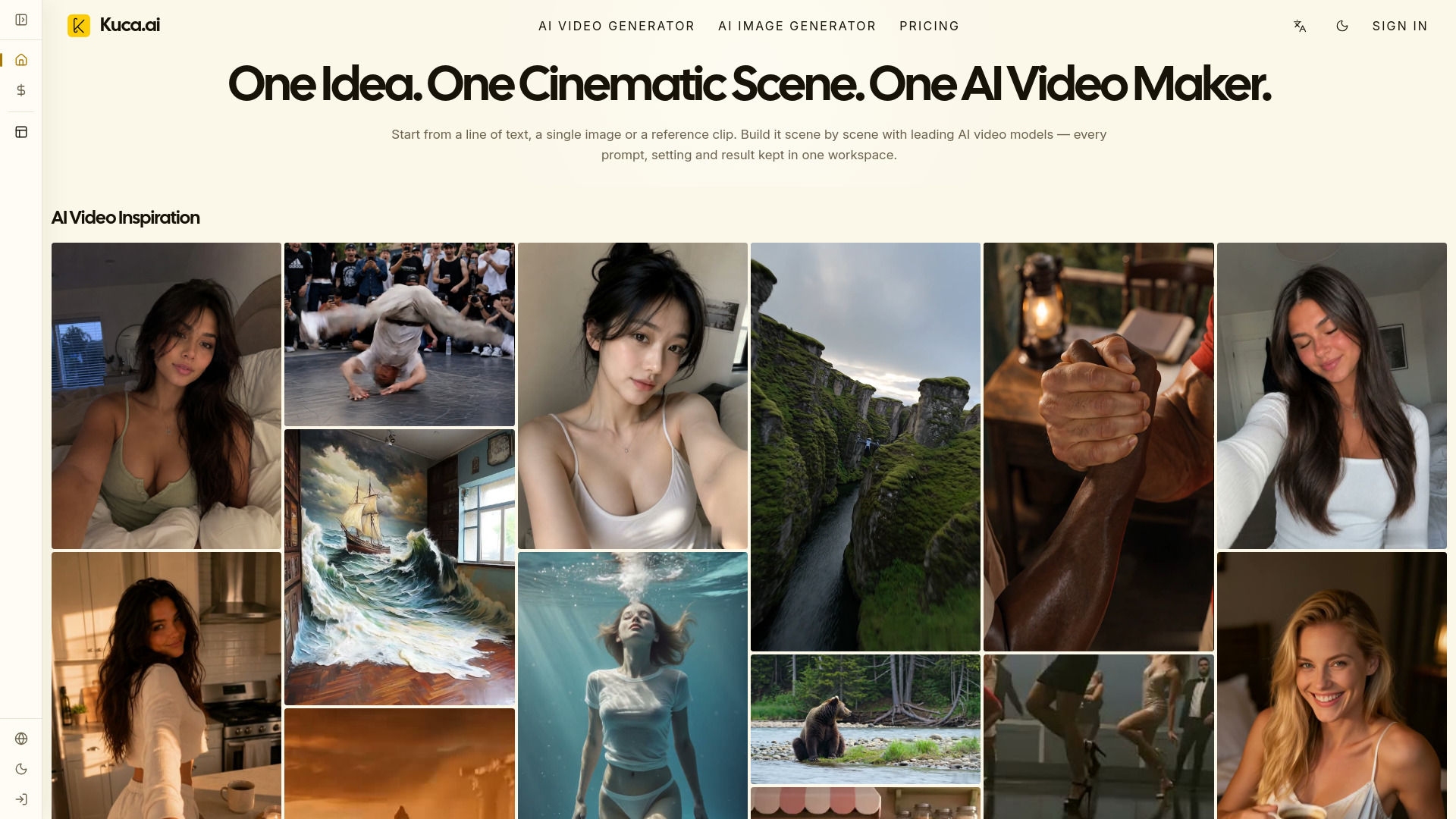
Kuca AI is a web‑based platform that lets creators turn text, images, or reference clips into polished cinematic scenes. Its unified interface combines several leading AI video models, so you can experiment and choose the best fit for each shot without juggling separate tools. The workflow is organized into four steps—prompt or image input, model selection, shot settings, and generation—plus a Scene Builder for multi‑shot sequences and an image workspace for character and visual development. Designed for filmmakers, short‑drama producers, social creators, and ecommerce marketers, Kuca AI streamlines the entire production pipeline from concept to downloadable video.

SpecificationsAI-estimated

deploymentCloud/SaaS
Input typesText prompts, uploaded images, reference media
open source❌ No
Product typeAI video creation platform
Theme optionsDark mode and light mode
api available✅ Yes
Workflow toolsScene Builder, generation history, model comparison, cinematic image workspace
Output controlsDuration, aspect ratio, resolution, audio, camera movement
support optionsEmail
Generation modesText-to-video, image-to-video, reference-based modes
Primary interfaceWeb-based workspace
Supported AI modelsSeedance 2.0, Veo 3.1, Kling 3.0, Grok Imagine, Hailuo 2.3, Wan 2.7, Runway Video, HappyHorse 1.1, Gemini Omni

Key Features of Kuca AI

Supports multiple AI video generators such as Seedance, Veo, Kling, and Runway within a single interface.
Allows creators to start from a text prompt, a still image, or a reference clip to generate a cinematic scene.
Provides a four‑step workflow that includes prompt entry, model selection, shot configuration, and generation status tracking.
Includes a Scene Builder that lets users assemble multi‑shot sequences for longer narratives.
Offers an image workspace for developing characters, hero frames, and visual direction before video rendering.
Enables model‑specific controls only for the selected model, keeping the UI uncluttered yet powerful.
Supports setting shot duration, aspect ratio, resolution, and audio options per generation.
Allows direct download of generated videos in various resolutions for immediate use.

Use Cases for Kuca AI

1

Short‑Form Social Content

Create vertical, attention‑grabbing videos for TikTok or Instagram Reels using text prompts.

2

Product Commercials

Generate cinematic product showcase videos with AI‑driven visuals and custom audio.

3

Indie Film Storyboarding

Produce quick cinematic scenes to visualize scripts and pitch ideas.

4

Anime‑Style Sequences

Craft anime‑inspired short clips by selecting appropriate AI models and visual settings.

How to use Kuca AI?

1

Add a prompt or image

Describe the shot you want, upload a starting image, or add reference media when the selected mode supports it.

2

Choose a model and mode

Pick from models like Veo, Kling, Seedance, Hailuo, or others, then choose text-to-video, image-to-video, or a supported reference mode.

3

Set the shot options

Adjust duration, aspect ratio, resolution, audio, camera movement, and other controls exposed by that model.

4

Generate, review, and download

Generate the clip, review it in generation history, try another model if needed, and download the finished result.

Pros & Cons of Kuca AI

Pros

  • Access to multiple AI video models in one place
  • Intuitive four‑step production workflow
  • Scene Builder for multi‑shot projects
  • Web‑based, no installation required

Cons

  • Limited to online access; no desktop client
  • Advanced model settings may be hidden for beginners
  • Free tier may have usage caps

Frequently Asked Questions

What AI models are available in Kuca AI?

Kuca AI includes models such as Seedance 2.0, Veo 3.1, Kling 3.0, Hailuo 2.3, Wan 2.7, Runway Video, Grok Imagine, HappyHorse 1.1, and Gemini Omni.

Can I use Kuca AI for commercial projects?

Yes, the platform is designed for creators, including ecommerce marketers and filmmakers, to produce commercial‑ready videos.

Is there an API for integrating Kuca AI into my own tools?

An API is available for developers to programmatically generate videos and manage projects.

What export formats does Kuca AI support?

Generated videos can be downloaded in common formats such as MP4 at various resolutions and aspect ratios.

Pricing Overview

View full pricing →
Freemium

Free

Free

Starter

$8.3/month

Standard

$30/month

Premium

$49.9/month

No reviews yet. Be the first to write one!

Top Alternatives & Similar Software

View all alternatives & similar software→

Viddo AI

Viddo AI

AI-suggested

Viddo AI is an all-in-one AI creation platform that brings video, image, voice, and music generation together in one browser-based workspace. Rather than relying on a single model, it aggregates more than 20 leading generative AI engines—including Google Veo 3.1, Seedance 2.5, Kling 3.0, Grok Imagine, Runway Gen-4, MiniMax H3, GPT Image, Nano Banana, and ElevenLabs—so creators can switch between cutting-edge tools without jumping between subscriptions. From text-to-video and image-to-video to video-to-video and image-to-image, the platform is designed to handle the full visual content creation workflow. The creator experience is intentionally simple: choose a model, describe your idea in a prompt (or upload a reference photo/video), tweak settings like aspect ratio, resolution, video length and seed, then hit Generate. A "Generate With AI" assistant can turn rough keywords into detailed prompts, and an optional Web Search mode lets the AI pull in real-time information. For serialized work, the seed lock keeps characters and visual style consistent across generations—useful for maintaining brand looks or episodic content. The platform also supports generating videos from music and unlimited-length videos through Seedance 2.5, with special features like real-person generation. Viddo AI reports a community of more than 2.5 million users across 70+ countries and emphasizes competitive pricing, currently promoted with 50% off. It's positioned as a professional yet accessible tool for social media creators, marketers, e-commerce teams, filmmakers, wedding videographers, and small business owners who need high-quality visuals without a steep learning curve. Whether you're producing an ad, a YouTube intro, a personalized wedding video, or a concept art series, Viddo AI aims to be a single creative toolkit for modern media production.

ClipZap.AI

ClipZap.AI

AI-suggested

ClipZap.AI is an all-in-one AIGC professional platform that brings multiple AI video, image, and audio models together in a single web-based workspace. Instead of jumping between separate AI tools, creators can connect the world's leading video models and apps through one visual workflow editor and manage their entire content production process from a single dashboard. With 40+ integrations and 60+ templates, the platform is designed to make professional-grade AI content creation fast, repeatable, and accessible. The core of ClipZap.AI is its workflow editor, which lets users create text, image, audio, and video production pipelines in seconds. It also includes dedicated AI generators for creative videos, viral effects, and social media art. Users can generate videos from text prompts or existing images, customize style, motion, and length, and use AI effects to create attention-grabbing content. The platform is especially suited for auto content generation, helping part-time creators and personal branding studios maintain consistent output without sacrificing quality. ClipZap.AI is built for content creators, marketers, and businesses that need fast, commercial-ready visual content. The platform reports 400,000+ AI content creators and a 4.9/5 rating from 2k+ customers. Basic services are free, while complex models, the workflow editor, and faster generation speeds are available through paid subscription tiers. Generated resources can be used commercially as long as users follow ClipZap's usage guidelines and terms of service.

People also viewed

Best For

Related searches

About the Product

Unclaimed Listing
Platforms
Target AudienceVideo Creators

Is this your tool?

Claim this page to update details, reply to user reviews, and drive more traffic to your product.

Claim this Product →

Show you’re listed

Kuca AI on FindAlternative

Add this badge to your website. It links back to this page.

Get your badge →

Tags

Keep up with Kuca AI alternatives

New alternatives, pricing changes and the week's biggest movers - one email every Tuesday.

Weekly, free, unsubscribe in one click.