



ImageRework
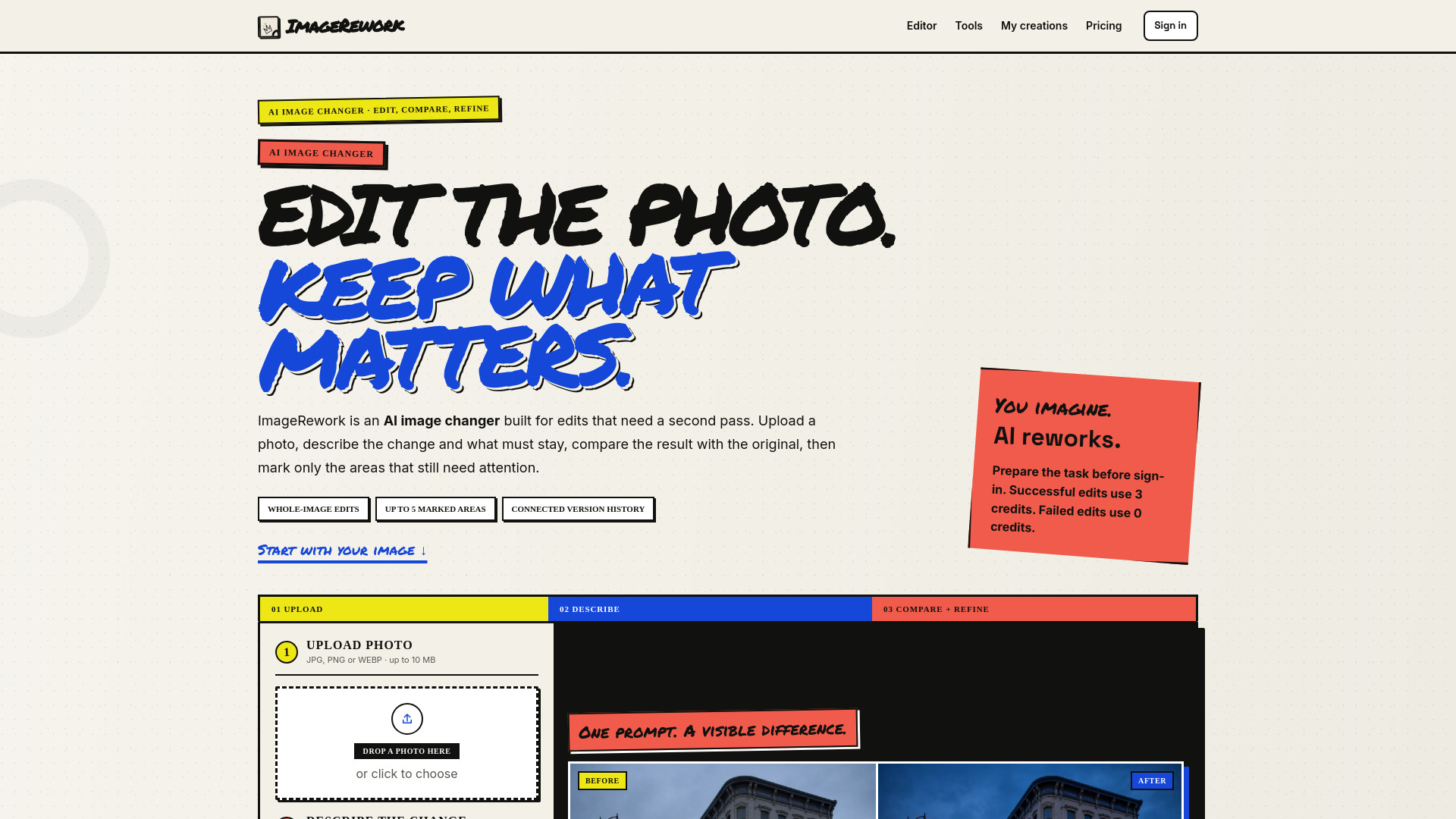
Edit the photo. Keep what matters.
What is ImageRework?
ImageRework is an AI image changer built for iterative photo edits. It lets users upload a photo, describe the desired change while specifying what must remain intact, compare the result with the original, and refine up to five marked areas without starting over.
SpecificationsAI-estimated
Key Features of ImageRework
Use Cases for ImageRework
Change the scene, keep the product
Best for catalog shots and campaign variations. Users can inspect silhouette, hardware, labels, and shadows at full size.
Remove this, rebuild the surface
Best for cables, signs, boxes, reflections, and background clutter. The prompt should name the wall, floor, fabric, or landscape that should continue.
Keep the composition, change the style
Best for art direction. Preserve framing and placement, then specify medium, palette, texture, and light.
Atmosphere and lighting
Turn a quiet storefront into a cinematic night scene while keeping building, road, windows, and perspective recognizable.
How to use ImageRework?
Upload photo
Upload a clear JPG, PNG, or WEBP image under 10 MB. Keep the subject, product, or structure you want to preserve clearly visible.
Describe change
Write one main request and say what must stay: composition, camera angle, subject position, product geometry, identity, or lighting.
Compare before and after
Drag across the result to inspect both versions and check for broken labels, edges, faces, or objects.
Mark parts that need work
Add up to five numbered areas. Each marker can have its own instruction plus one overall note. The next successful result becomes a child version.
Pros & Cons of ImageRework
Pros
- Designed around an iterative compare-and-refine workflow
- Original is always shown next to the result for easy verification
- Up to 5 marked areas allow targeted follow-up refinements
- Version history keeps parent, child, and root results accessible
- No credits charged for failed, timed-out, blocked, or duplicate edits
- Transparent about limitations: not a strict mask-based editor
- Provides realistic prompt examples instead of invented social proof
Cons
- Free and credit-only downloads include a watermark and corner label
- Markers are strong guidance but not pixel-perfect masks
- Uploads limited to 10 MB and JPG, PNG, or WEBP only
- Cannot add text, logos, or watermarks through the editor
- Each successful edit costs 3 credits, limiting free exploration after the 6 signup credits
- New product without established user reviews or usage evidence
Frequently Asked Questions
What is an AI image changer?
An AI image changer uses an uploaded picture as visual context and follows a written edit. It can change backgrounds, remove objects, alter lighting, change materials, or restyle a scene.
How is ImageRework different from a one-click filter?
A filter applies a fixed treatment. ImageRework reads a specific prompt, including details that should remain stable, and allows targeted refinement after the first result.
Can I change only one part of a photo?
Yes, with a limitation. Markers guide the model but are not strict pixel locks, so important details should be compared with the source.
How many credits does an edit use?
A successful whole-image edit or refinement uses 3 credits. New accounts receive 6 credits. Failed, timed-out, blocked, and duplicate requests use 0.
Is this a strict mask-based photo editor?
Not in the first release. Numbered areas are strong visual guidance for a generative refinement, not a hard Photoshop-style mask.
Reviews & Ratings0.0
No reviews yet. Be the first to write one!
Top Alternatives & Similar Software
View all alternatives & similar software→

People also viewed


Related searches
About the Product
Is this your tool?
Claim this page to update details, reply to user reviews, and drive more traffic to your product.
Claim this Product →
Tags
Explore Related Topics
Keep up with ImageRework alternatives
New alternatives, pricing changes and the week's biggest movers - one email every Tuesday.