




Image2GPT
GPT Image 2 — Any image you want.

What is Image2GPT?
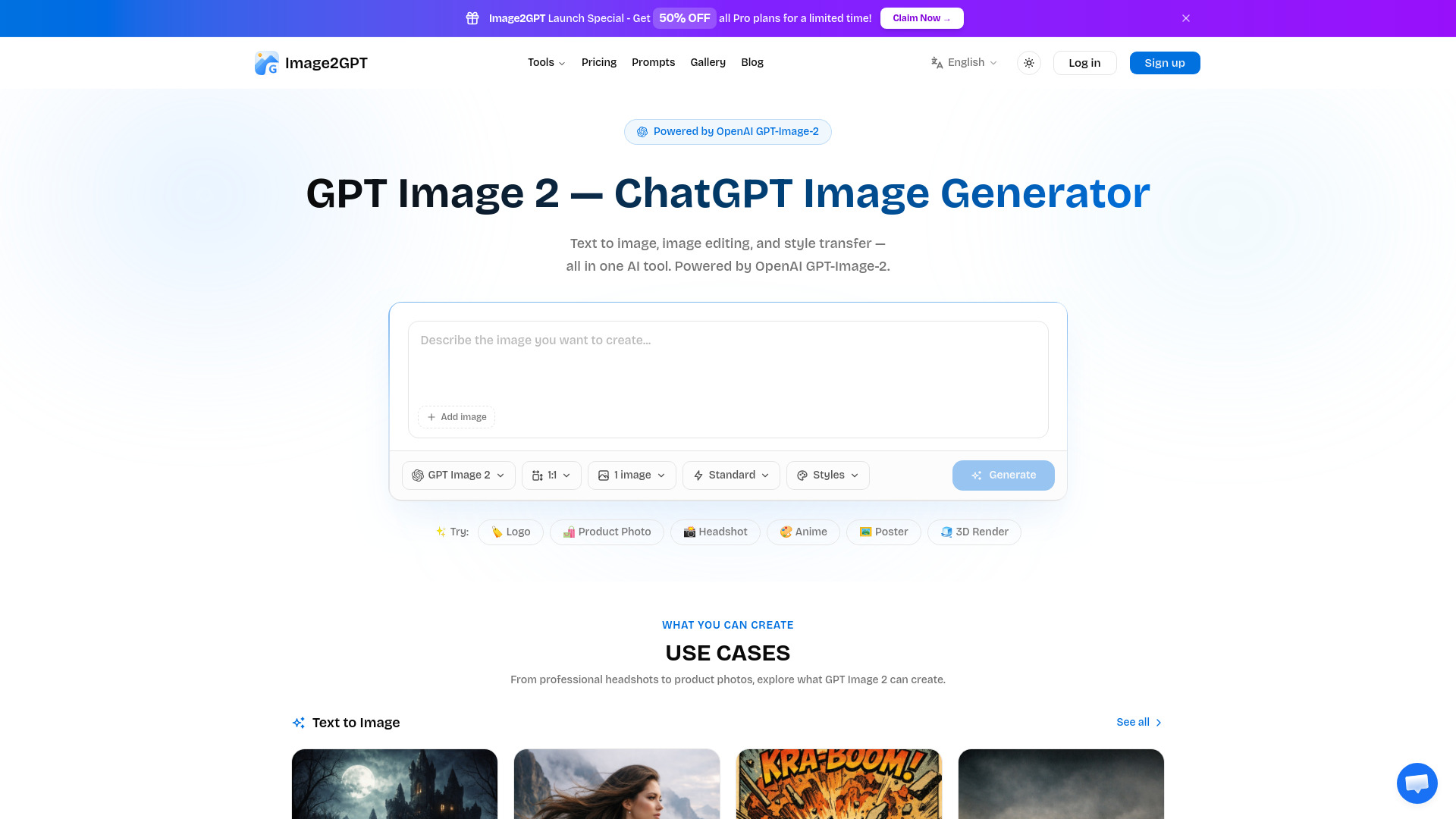
Image2GPT is a free AI image generation tool powered by OpenAI GPT-Image-2. It supports text-to-image, image editing, and style transfer with up to 2K resolution (4K with upscaling), no watermarks, and includes free tools. It is designed for creators, marketers, and e-commerce sellers to generate visuals, product photos, posters, and more.
SpecificationsAI-estimated
Key Features of Image2GPT
Use Cases for Image2GPT
Professional headshots
Generate polished, professional portraits and character styling images.
Product photography
Create e-commerce product detail images for Amazon, TikTok Shop, Etsy, Taobao, and more.
Marketing posters
Design promotional posters, travel posters, movie posters, and advertising visuals.
Creative content
Create anime-style posters, virtual human portraits, and social media visuals.
E-commerce listing images
Generate conversion-focused product listing images with feature callouts and branding.
How to use Image2GPT?
Describe your idea
Enter a detailed text prompt describing the image you want to generate.
Add reference images (optional)
Upload up to 5 reference images to help match your expected result.
Adjust generation settings
Choose output count, quality, and aspect ratio.
Generate
Click generate and download your image without watermarks.
Pros & Cons of Image2GPT
Pros
- Powered by OpenAI GPT-Image-2
- Text-to-image generation
- Image editing and style transfer
- Up to 2K resolution; 4K with upscaling
- No watermarks
- Free tools included
- Reference image upload support
- Multiple aspect ratios and quality settings
- Gallery with templates and prompt examples
Cons
- Advanced features likely require Pro plan
- Exact pricing not shown on homepage
- Requires internet connection
Frequently Asked Questions
Is Image2GPT free?
Yes, Image2GPT includes free tools. Pro plans are available for advanced features like higher resolution and more outputs.
What model powers Image2GPT?
Image2GPT is powered by OpenAI GPT-Image-2.
Does Image2GPT add watermarks?
No, generated images do not include watermarks.
What are the resolution options?
Standard quality is available at 1K, HD at 2K, and Ultra at 4K with upscaling.
Can I upload reference images?
Yes, you can upload up to 5 images in PNG, JPG, or WebP format, each up to 10MB.
Pricing Overview
View full pricing →Annual subscription plans with a 30% launch discount: Hobby at $6.93/month (billed $83.16 annually) and Pro at $27.93/month (billed $335.16 annually).
Reviews & Ratings0.0
No reviews yet. Be the first to write one!
Top Alternatives & Similar Software
View all alternatives & similar software→



People also viewed


Related searches
About the Product
Is this your tool?
Claim this page to update details, reply to user reviews, and drive more traffic to your product.
Claim this Product →
Tags
Explore Related Topics
Keep up with Image2GPT alternatives
New alternatives, pricing changes and the week's biggest movers - one email every Tuesday.