



Audio Muse
An all-in-one, browser-based AI audio suite for creating, cleaning, splitting, and mastering music without leaving your browser.













What is Audio Muse?
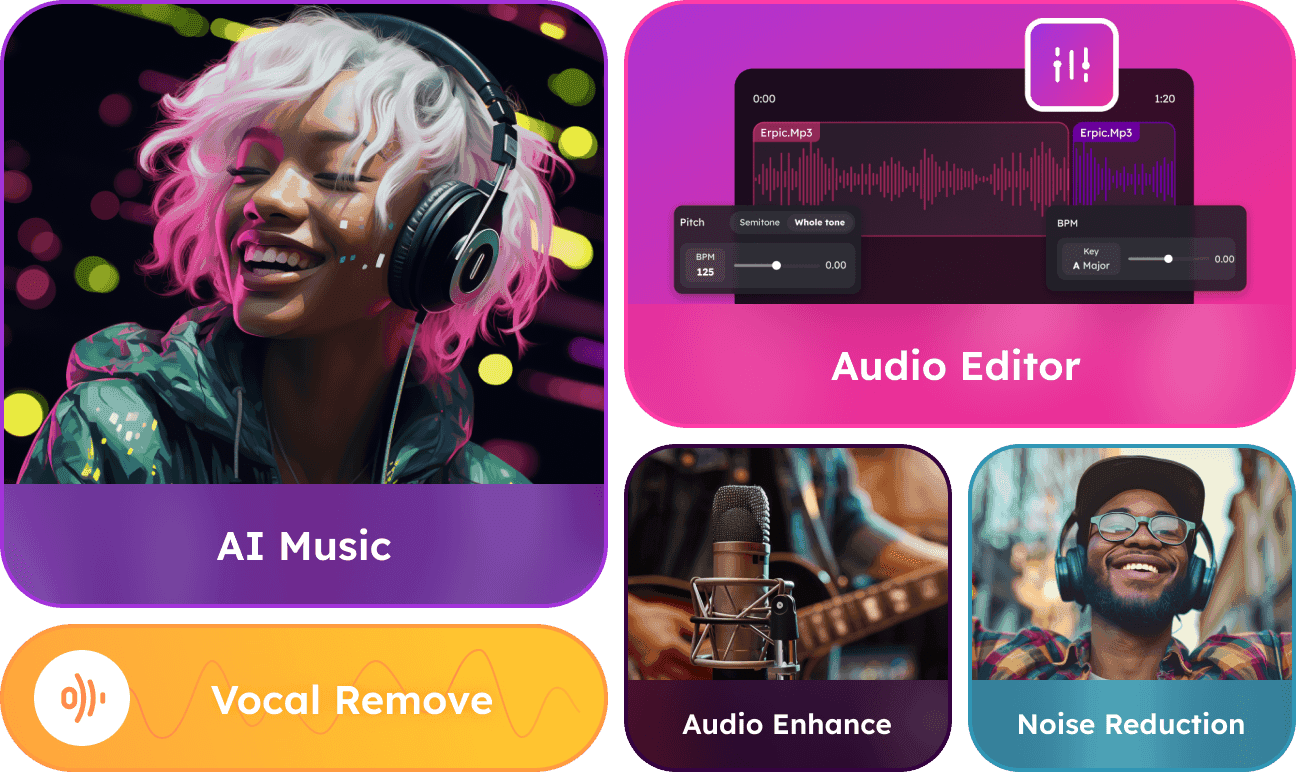
Audio Muse is a web-based audio toolkit that brings pro-level editing, AI music generation, and mastering into a single browser interface. Designed for creators who don't want to wrestle with complex DAWs, it combines utility tools—trimming, joining, converting, key/BPM detection—with AI-driven creative features like unlimited royalty-free song generation and stem separation. With more than 35,000 creators across 24+ countries, it positions itself as an accessible one-stop studio for quick audio work. At its core, Audio Muse automates time-consuming tasks. The Stem Splitter can extract vocals, instrumental, drums, bass, and guitar; the Vocal Remover isolates acapella and instrumental tracks; and the Audio Enhancer plus Noise Reduction clean up recordings for podcasts, voiceovers, and music. Music Mastering is handled through an online service that polishes final tracks. The AI Music generator lets users craft complete songs with a few clicks, with no technical or music-production experience needed. Audio Muse's audience spans independent music producers, podcasters, singers, and video creators. Its free tier requires no credit card, and paid access offers subscription and pay-as-you-go options. The interface emphasizes ease of use, privacy protection, and speed: upload a file, let AI process it, and download the result. It is not intended to replace full-scale digital audio workstations, but for everyday audio chores and AI-assisted inspiration, it's designed to be the fastest path from idea to finished audio.
SpecificationsAI-estimated
Key Features of Audio Muse
Use Cases for Audio Muse
Generating Original Music
Use the AI Music generator to quickly produce unique, royalty-free background tracks for videos, games, or personal projects.
Cleaning Up Podcast Audio
Podcasters can use Noise Reduction and Audio Enhancer to make voice recordings clearer and more immersive.
Creating Instrumental or Acapella Tracks
Singers and performers can extract instrumentals with the Vocal Remover or Stem Splitter to create karaoke tracks and practice versions.
Mastering Finished Tracks
Producers can run final mixes through the Music Mastering service to get a polished, release-ready sound.
Extracting Stems for Remixing
Use the Stem Splitter to isolate drums, bass, vocals, or guitar for remixes, sampling, or detailed analysis.
Everyday Audio Editing and Conversion
Edit and prepare audio files by trimming clips, joining multiple tracks, converting formats, and detecting key/BPM.
How to use Audio Muse?
Choose Your Tool
Go to audiomuse.ai and pick the feature you need, such as AI Music, Stem Splitter, Vocal Remover, Noise Reduction, Audio Joiner, or Audio Trimmer.
Upload or Describe Your Input
For processing tools, upload an audio or video file. For AI Music generation, simply describe or select the style of song you want to create.
Let AI Process
Audio Muse automatically processes the file using AI—no manual EQ, compression, or technical adjustments are required.
Preview and Adjust
Listen to the result. If available, fine-tune settings or regenerate to get the output you want.
Download Your Output
Export the finished track or processed audio and use it in your music, podcast, video, or other creative project.
Pros & Cons of Audio Muse
Pros
- All-in-one browser suite combining AI generation, mastering, splitting, and everyday editing tools
- AI-driven automation makes complex audio tasks fast and beginner-friendly
- Flexible payment model with subscription plans and pay-as-you-go options
- Privacy-focused approach: user data is not disclosed to third parties
- Purpose-built workflows for creators, podcasters, singers, and producers
Cons
- Requires an internet connection; no offline desktop version is offered.
- Does not include advanced DAW features like multi-track arrangement, MIDI editing, or third-party plugin support.
- The toolset is still expanding, with several features explicitly listed as 'coming soon'.
- The free plan is likely limited for heavy production use, with full access requiring a paid subscription or pay-as-you-go credits.
Frequently Asked Questions
What is Audio Muse?
Audio Muse is an all-in-one online audio platform that uses AI to help you generate music, split stems, remove vocals, reduce noise, master tracks, and perform everyday edits like trimming, joining, and converting audio.
Is Audio Muse free to try?
Yes. Audio Muse offers a free plan that requires no credit card. You can test the tools before choosing a paid subscription or pay-as-you-go option.
Do I need to install software?
No. Audio Muse runs entirely in your browser. Upload your audio or video file, process it with the online tools, and download the result.
What can I do with the AI Music feature?
The AI Music feature lets you generate unique, royalty-free songs with just a few clicks, which you can use in your own compositions, projects, or videos.
Can I extract instrumentals or vocals from a song?
Yes. The Stem Splitter extracts vocals, instrumental, drums, bass, and guitar, while the Vocal Remover separates audio into vocal/acapella and instrumental tracks.
Is my uploaded audio safe?
Audio Muse states that it rigorously safeguards user data and never discloses it to third parties.
Who is Audio Muse best for?
It is designed for creators, podcasters, singers, independent producers, and hobbyists who want professional-quality audio tools without the complexity of a full DAW.
Pricing Overview
View full pricing →https://audiomuse.ai/pricing
Reviews & Ratings0.0
No reviews yet. Be the first to write one!
Top Alternatives & Similar Software
View all alternatives & similar software→

People also viewed


Related searches
Is this your tool?
Claim this page to update details, reply to user reviews, and drive more traffic to your product.
Claim this Product →
Tags
Explore Related Topics
Keep up with Audio Muse alternatives
New alternatives, pricing changes and the week's biggest movers - one email every Tuesday.