



AI Cartoon Generator
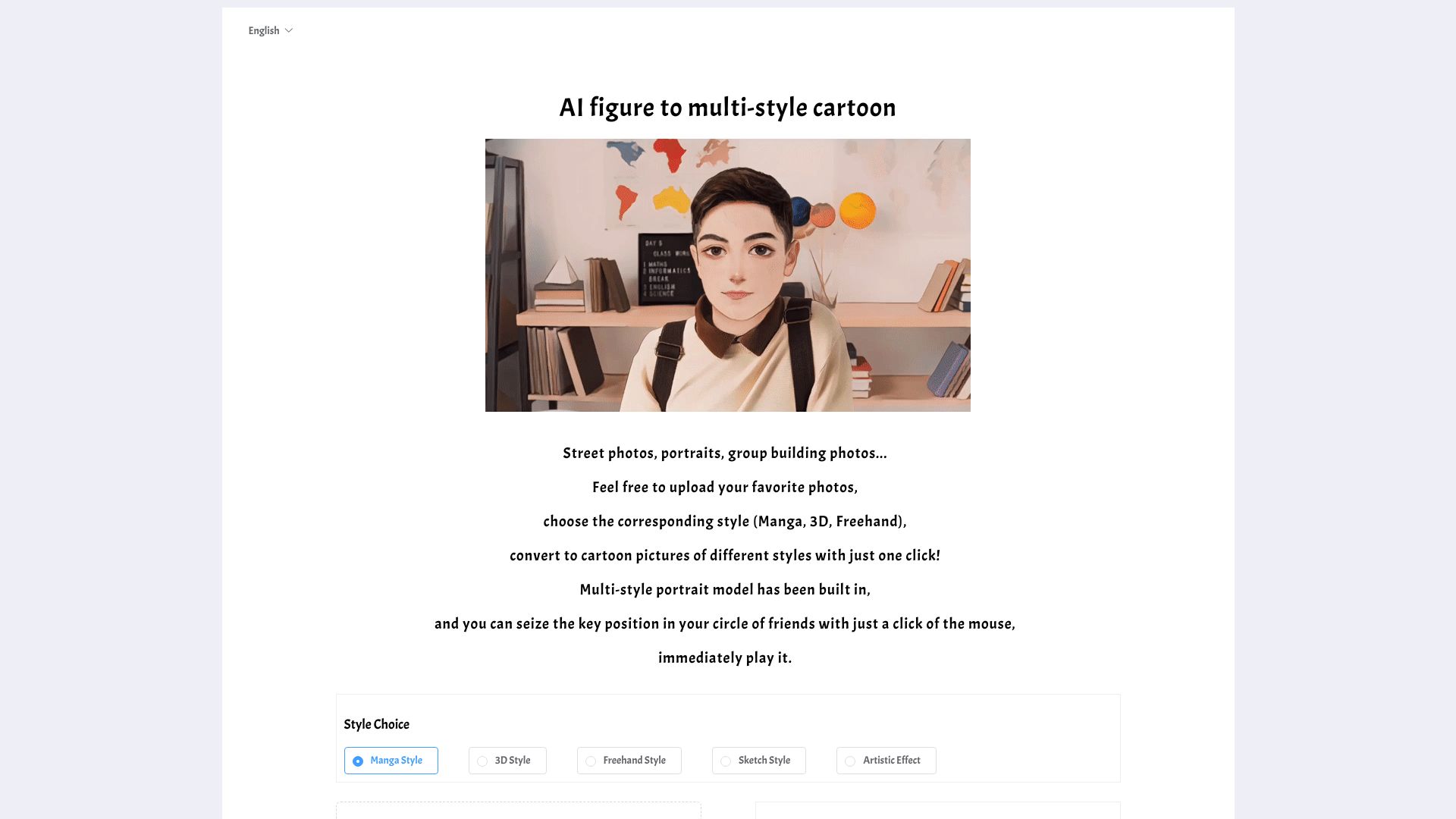
Turn your photos into stunning cartoon art in seconds with 80+ unique AI styles.
What is AI Cartoon Generator?
AI Cartoon Generator is a free online tool that transforms your photos into stylized cartoon artwork using advanced AI algorithms. With a library of over 80 distinct art styles—including anime, Disney, Studio Ghibli, Marvel comic, and watercolor—it lets you redefine your images with a single click. The service is designed for speed, processing most images in just 10 to 30 seconds, and delivers high-resolution results up to 4K, making it ideal for social media profiles, creative projects, and personal keepsakes. The platform also prioritizes privacy, automatically deleting uploaded photos after conversion to ensure your data is never stored. With a simple three-step interface—upload, choose a style, and download—it offers a user-friendly experience that works seamlessly on desktop, tablet, and mobile. Whether you're an artist seeking inspiration, a content creator looking for unique visuals, or an individual wanting a fun twist on your favorite memories, this tool makes cartoon conversion accessible to everyone without the need for sign-up or payment.
SpecificationsAI-estimated
Key Features of AI Cartoon Generator
Use Cases for AI Cartoon Generator
Social Media Profile Pictures
Create unique and eye-catching profile pictures for platforms like Instagram, Twitter, and Facebook.
Content Creation for Influencers
Generate branded cartoon images for posts, stories, and video thumbnails to stand out.
Client Projects for Artists
Quickly produce stylized cartoon versions of photos for illustrations, posters, or commission work.
Personal Gifts and Memories
Convert family photos or special moments into artistic cartoon keepsakes to share or print.
Marketing and Advertising
Turn ordinary product shots into playful cartoon graphics for ads, flyers, or social campaigns.
Fun and Entertainment
Just for fun, see how you or your friends look in anime, Disney, or manga style.
How to use AI Cartoon Generator?
Upload Your Photo
Click the upload button or drag-and-drop your image onto the page. Ensure the file is in JPEG, PNG, or WEBP format and under 10MB.
Choose Your Cartoon Style
Browse through the extensive list of 80+ art styles, from Studio Ghibli and 3D Disney to Marvel Comic and Water Ink, and select the one that best suits your vision.
Wait for Processing
The AI will process your image, typically taking between 10 and 30 seconds to apply the chosen style.
Download Your Cartoon
Once the conversion is complete, view the high-quality result and download it in up to 4K resolution.
Pros & Cons of AI Cartoon Generator
Pros
- Free to use with no signup required
- Over 80 distinct art styles including anime, Disney, and Marvel comic
- Fast processing results in 10-30 seconds
- High-quality 4K image output
- Strict privacy policy with automatic photo deletion after conversion
Cons
- Limited to JPG, PNG, and WEBP formats (no support for BMP or TIFF)
- Maximum image size restricted to 10MB
- No offline functionality; requires an internet connection
- Advanced style customization is not available
Frequently Asked Questions
Is this AI cartoon generator free to use?
Yes, the AI Cartoon Generator is completely free to use, and no signup or account is required.
What image formats are supported?
We support JPEG, PNG, and WEBP formats for upload. Your image must be under 10MB in size.
How long does the conversion take?
Our AI processes images in just 2-30 seconds, with typical conversions taking around 10-30 seconds depending on the complexity and style.
Will my photos be stored or shared?
No, your privacy is our priority. Photos are automatically deleted after conversion and are never stored or shared.
Can I use the cartoon images for commercial purposes?
While we don't restrict usage, we recommend checking the specific style's licensing requirements. The tool is intended for personal and creative use.
Does the tool work on mobile devices?
Yes, the AI cartoon generator is fully optimized for mobile, tablet, and desktop browsers, so you can convert photos on the go.
What are the available art styles?
There are over 80 styles, including anime, Disney, manga, Studio Ghibli, Marvel Comic, watercolor, 3D Clay, and many more.
How can I get the best results?
Use high-resolution, well-lit photos with a clear subject. Avoid heavily pixelated images and try different styles to find the effect you like best.
Reviews & Ratings0.0
No reviews yet. Be the first to write one!
Top Alternatives & Similar Software
View all alternatives & similar software→

People also viewed


Related searches
Is this your tool?
Claim this page to update details, reply to user reviews, and drive more traffic to your product.
Claim this Product →
Tags
Keep up with AI Cartoon Generator alternatives
New alternatives, pricing changes and the week's biggest movers - one email every Tuesday.