



Mailbird vs Spark Mail
Side-by-side comparison of features, pricing, ratings, and alternatives.


Mailbird is a desktop email client that consolidates Gmail, Outlook, Yahoo, iCloud, Exchange and any IMAP/SMTP account into a single unified inbox. It layers on productivity features like email tracking, a built-in AI writing assistant, one-click unsubscribe, and integrations with apps such as Slack, Google Calendar, Dropbox and Asana without leaving the inbox. The app is built around a customizable interface, with theming, keyboard shortcuts and layout options, and claims around 4.4 million users. It ships as a one-account free version alongside a paid Premium tier that unlocks unlimited accounts and the full integration set, sold as either a one-time lifetime purchase or an annual subscription.
Spark Mail is an email client designed to simplify email management with AI-assisted email writing and smart inbox prioritization. It offers shared team inboxes for collaborative email management, making it an ideal solution for teams and individuals looking to streamline their email workflow.
- Genuinely unifies many account types into one clean inbox
- One-time lifetime purchase option avoids ongoing subscription cost
- Deep third-party app integrations reduce app-switching
- Actively supports both Windows and Mac
- AI-assisted email writing saves time and increases productivity
- Smart inbox prioritization helps users focus on important emails
- Shared team inboxes enable seamless collaboration
- Cross-platform compatibility makes it accessible to users across different devices
- Future major-version upgrades may require an extra purchase without the Lifetime Updates add-on
- Free tier is limited to a single account
- Mac version trails the Windows app in feature parity
- Limited customization options for the interface
- No built-in calendar integration
- Limited integration with other productivity apps
More alternatives & similar tools
Alternatives to Mailbird
View all →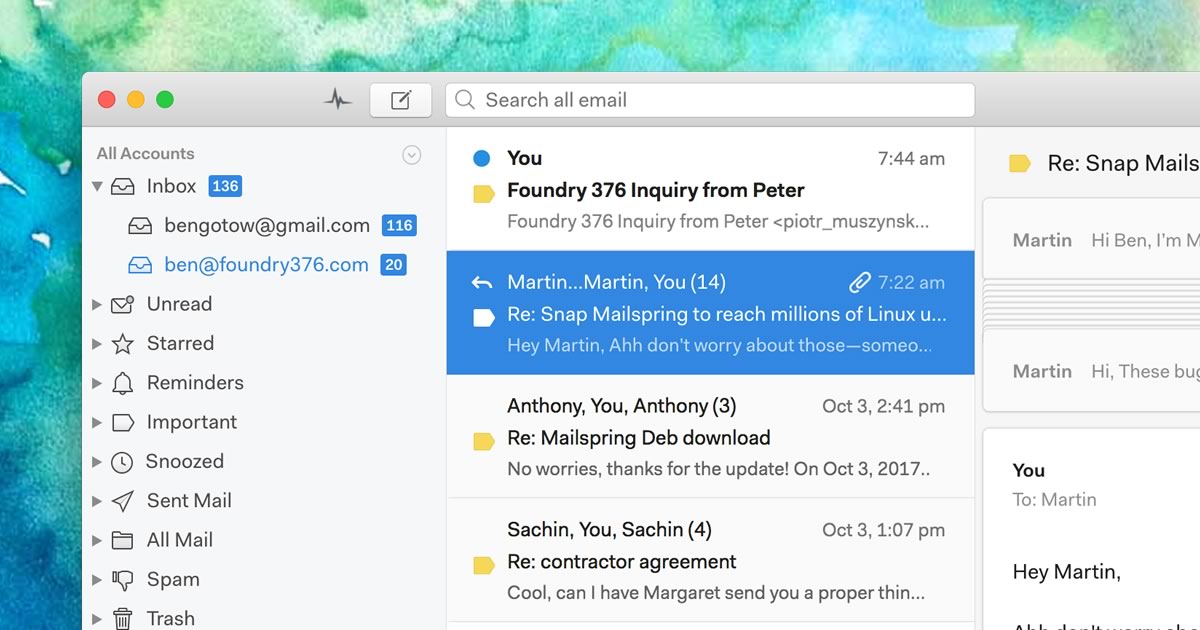
A native desktop email client for Mac, Windows, and Linux with read receipts and send-later.


Alternatives to Spark Mail
View all →



The Verdict
AI-generated from listing dataMailbird offers richer desktop integrations and a one‑time purchase option, while Spark focuses on AI‑assisted email and cross‑platform mobile use; choose based on whether you need deep app integrations on desktop or AI‑driven collaboration across devices.
Key differences
- •Mailbird provides a built‑in AI writing assistant and real‑time read receipts; Spark’s AI assists only with drafting suggestions.
- •Mailbird unifies 30+ third‑party apps (Slack, Dropbox, Google Calendar, etc.); Spark lists no such integrations.
- •Mailbird is a native Windows/Mac desktop app with a lifetime‑license option; Spark is a freemium app available on iOS, Android, and Mac only.
- •Spark includes shared team inboxes for collaboration; Mailbird does not mention team inbox features.
- •Mailbird’s free tier limits you to one email account; Spark’s freemium does not specify account limits.
Pricing & value
Mailbird offers a one‑time lifetime license, avoiding ongoing fees; Spark is freemium but may require paid upgrades for full features.
Ease of use / learning curve
Spark’s clean, intuitive interface spans mobile and desktop, reducing onboarding; Mailbird’s customizable layouts add complexity.
Features & depth
Mailbird includes AI writing, read receipts, sender blocking, and extensive account merging; Spark’s features focus on AI drafting and smart inbox.
Integrations & ecosystem
Mailbird lists 30+ third‑party integrations (Slack, Google Calendar, Dropbox, Asana, WhatsApp); Spark lists no integrations.
Collaboration
Spark provides shared team inboxes for collaborative email handling; Mailbird lacks explicit team‑collaboration tools.
Scalability
Spark supports multiple email accounts across iOS, Android, and Mac, suitable for users needing cross‑device scalability.
Support
Mailbird specifies help‑center and email support; Spark provides no support details.
Choose Mailbird if…
Professionals or small teams prioritizing desktop integrations and a one‑time purchase.
Choose Spark Mail if…
Teams needing shared inboxes and mobile access across iOS/Android.
Common questions
Which tool supports more third‑party app integrations?
Mailbird integrates with 30+ apps (Slack, Google Calendar, Dropbox, Asana, WhatsApp); Spark lists no integrations.
Can I use the app on both Windows and mobile devices?
Mailbird runs on Windows and Mac only; Spark runs on iOS, Android, and Mac, but Windows support is not specified.
Is there a lifetime purchase option?
Yes, Mailbird offers a one‑time lifetime license; Spark is freemium with no lifetime purchase mentioned.