



Mailspring
A native desktop email client for Mac, Windows, and Linux with read receipts and send-later.
Best for
Mac, Windows, or Linux users who want a fast native client with read receipts and send-later for $8/month.
Skip if
You need a mobile app or your recipients' clients block remote-content tracking.
What is Mailspring?
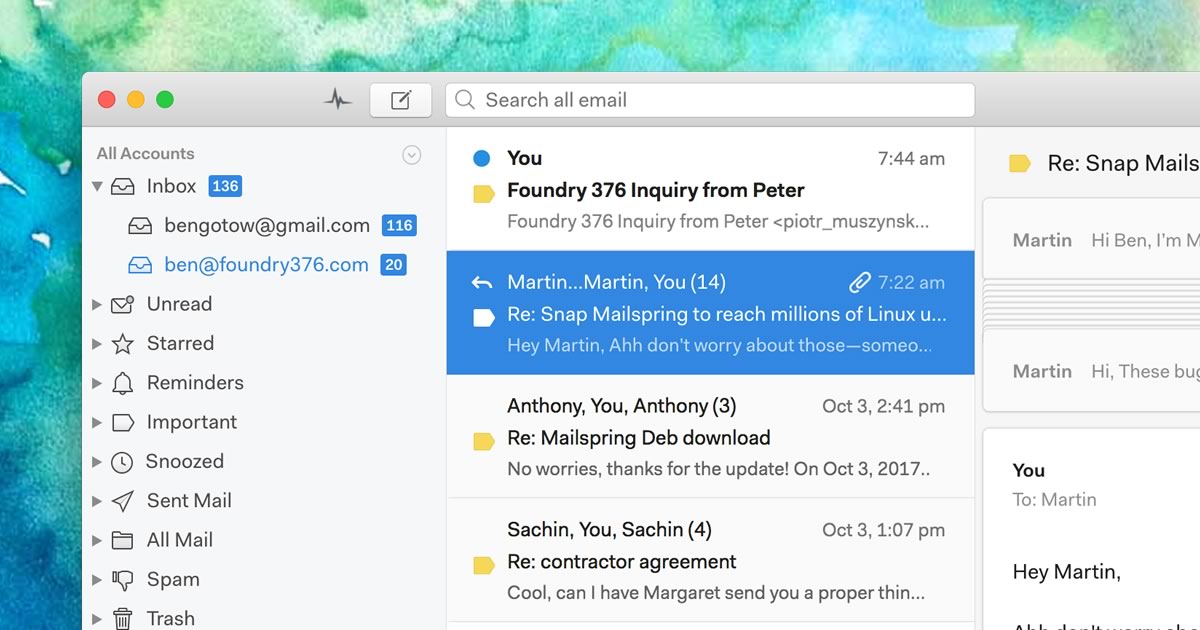
Mailspring is a native desktop email client from independent studio Foundry376, built for Mac, Windows, and Linux. It unifies accounts from Gmail, iCloud, Office 365, Outlook.com, Yahoo, FastMail, and generic IMAP/SMTP providers into one fast, searchable inbox with Gmail-style search syntax. Its free tier covers core mail management, while the $8/month Pro plan adds read receipts, link tracking, send-later scheduling, follow-up reminders, templates, and contact enrichment (with limited weekly trials of Pro features in the free app). The client emphasizes native platform integration, including Windows taskbar badges, macOS notifications, and Linux system tray support.
SpecificationsAI-estimated
Key Features of Mailspring
Use Cases for Mailspring
Cross-platform team using mixed OSes
Teams where members use a mix of Mac, Windows, and Linux who all want the same email client.
Sales and outreach follow-up
Users who want read receipts, link tracking, and reminders to know when to follow up on sent emails.
Linux desktop email
Linux users seeking a polished, native mail client instead of a web-only Gmail tab.
Scheduled and delayed sending
Professionals who draft emails in advance and want them sent later or paused with undo send.
Pros & Cons of Mailspring
Pros
- Fast, native desktop performance rather than an Electron-wrapped web view for core mail actions.
- One of the few modern mail clients with first-class Linux support.
- Pro pricing is a simple flat $8/month rather than per-feature add-ons.
- Free tier lets users try Pro features on a limited weekly trial basis.
Cons
- Read receipts and link tracking require the recipient's email client to load remote content, which not all do.
- Development pace has slowed compared to some newer AI-native email clients.
- No official mobile app, so Mailspring is desktop-only.
Frequently Asked Questions
Is Mailspring free?
Yes, there is a free tier with core email features; Pro at $8/month unlocks read receipts, tracking, scheduling, and templates.
Does Mailspring run on Linux?
Yes, it has native Linux builds including Wayland and ARM64 support, alongside Mac and Windows.
Does Mailspring have a mobile app?
No, Mailspring is a desktop-only client for Mac, Windows, and Linux.
What does the Pro plan add?
Pro adds read receipts, link tracking, send-later scheduling, follow-up reminders, templates, and contact enrichment for $8/month.
Pricing Overview
View full pricing →Reviews & Ratings0.0
No reviews yet. Be the first to write one!
Top Alternatives & Similar Software
View all alternatives & similar software→




People also viewed




Best For
Related searches
About the Product
Is this your tool?
Claim this page to update details, reply to user reviews, and drive more traffic to your product.
Claim this Product →
Tags
Explore Related Topics
Keep up with Mailspring alternatives
New alternatives, pricing changes and the week's biggest movers - one email every Tuesday.