



Dolphin vs Krusader
Side-by-side comparison of features, pricing, ratings, and alternatives.
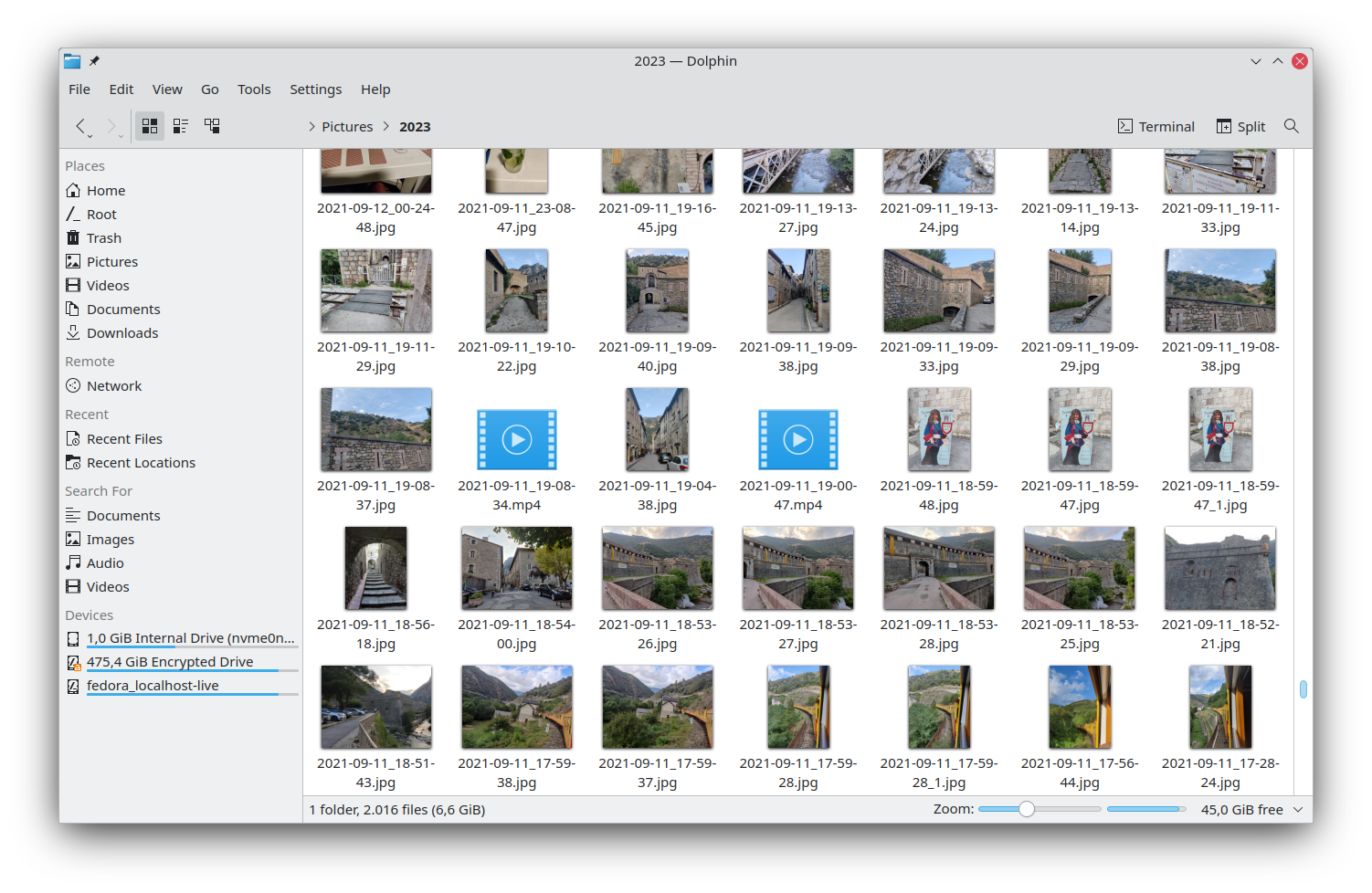
Dolphin is the default file manager for the KDE Plasma desktop, offering a clean interface and powerful navigation tools. It integrates tightly with KDE technologies to provide a seamless experience on Linux systems. Designed for both casual users and power users, Dolphin supports tabbed browsing, split view, and extensive customization through plugins and scripts, making file management efficient and adaptable.
Krusader is a powerful dual‑pane file manager designed for KDE Plasma and other Unix‑like desktops. It offers extensive archive handling, network protocols, and batch operations, making file manipulation fast and efficient. The interface mimics classic commander‑style tools while adding modern features like customizable commands and integrated terminal support.
- Highly customizable via service menus and plugins
- Native integration with KDE Plasma
- Supports multiple tabs and split view
- Free and open‑source
- Highly customizable with user‑defined actions.
- Excellent support for many archive and network protocols.
- Integrates tightly with KDE and the Linux desktop.
- Free and open‑source with active community.
- Limited to Linux/KDE environments
- No official Windows/macOS native version
- Lacks a public API for external extensions
- Limited to Linux; no native Windows or macOS builds.
- Steeper learning curve for newcomers to commander‑style UI.
- No built‑in cloud storage integration.
More alternatives & similar tools
Alternatives to Dolphin
View all →
Alternatives to Krusader
View all →
The Verdict
AI-generated from listing dataBoth Krusader and Dolphin are free KDE file managers for Linux, but Dolphin is the safer default for most users due to its native KDE integration and simpler UI, while Krusader trades ease of use for advanced twin‑panel, archive, and batch‑rename capabilities.
Key differences
- •Krusader provides a dedicated twin‑panel layout; Dolphin uses split‑view tabs.
- •Krusader supports over 30 archive formats natively; Dolphin’s archive handling is not specified.
- •Krusader offers regex‑based batch rename with metadata options; Dolphin’s batch rename offers pattern matching and preview.
- •Dolphin integrates tightly with KDE Plasma, Qt, KIO, and GVfs; Krusader’s integrations are limited to KDE desktop.
- •Dolphin is generally considered easier for newcomers; Krusader has a steeper learning curve.
Pricing & value
Both are free, open‑source desktop apps with no licensing cost.
Ease of use / learning curve
Dolphin’s tabbed and split‑view UI is described as less steep than Krusader’s commander‑style interface.
Features & depth
Krusader adds twin‑panel sync, 30+ archive formats, and advanced regex batch‑rename not mentioned for Dolphin.
Integrations & ecosystem
Dolphin lists explicit integrations with KDE Plasma, Qt, KIO, and GVfs; Krusader only notes KDE desktop integration.
Support
Both rely on community channels—Krusader offers email and forum; Dolphin provides forums and a mailing list.
Choose Dolphin if…
Linux users seeking native KDE integration, tabbed browsing, and a gentler learning curve.
Choose Krusader if…
Linux power users who need twin‑panel workflow, extensive archive handling, and advanced batch‑rename.
Common questions
Is there any cost to use either file manager?
Both Krusader and Dolphin are free and open‑source.
Which tool handles more archive formats?
Krusader natively supports creating, extracting, and browsing over 30 archive formats; Dolphin’s archive support is not specified.
Which manager is easier for a new KDE user?
Dolphin is generally considered easier for newcomers, while Krusader has a steeper learning curve.