



Any Video Converter vs Zamzar
Side-by-side comparison of features, pricing, ratings, and alternatives.

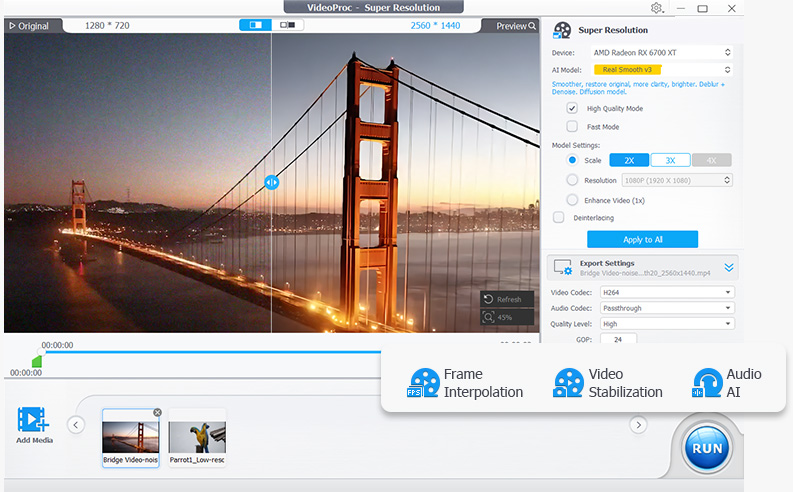
Any Video Converter is a video and audio conversion tool with a long operating history, converting between more than 1000 formats with batch processing the vendor advertises at up to 130x real-time speed. It includes AI-powered video upscaling and quality enhancement for improving lower-resolution source footage, along with modern-codec compression to reduce file size, audio extraction to MP3/WAV, and a built-in downloader that can save video from over 1000 supported websites. The product also bundles AI creative tools (branded Seedance AI) for text-to-video generation and photo editing alongside its core conversion features. It is offered in free and paid Pro/Ultimate tiers for both Windows and macOS, aimed at general users and content creators who need broad, flexible format conversion rather than a single-purpose converter.
Zamzar is an online file conversion service that converts files between more than 1,200 formats across documents, images, audio, video, eBooks, CAD files, and archives, all without installing software. It also offers a desktop app and a developer API for automated conversions.
- Extremely broad format support covers nearly any video or audio conversion need in one app.
- Long operating history suggests active, ongoing maintenance and format updates.
- Free tier handles basic conversion tasks without requiring immediate payment.
- Built-in downloader and AI upscaling add value beyond plain format conversion.
- Supports an unusually wide range of over 1,200 file formats
- No software installation required for basic web conversions
- Cloud storage integrations simplify importing files to convert
- Developer API available for teams needing automated conversion pipelines
- Historically bundled optional third-party offers during installation, so the installer needs careful attention to avoid extra software.
- Pro/Ultimate pricing isn't clearly listed on the main site and requires visiting a separate purchase flow.
- Interface is more utilitarian than modern, minimal converter tools.
- Free tier's 50MB upload limit is restrictive for large media files
- Converted files are only kept for 24 hours on the free plan
- Large or complex conversions can take noticeably longer than desktop-native tools
More alternatives & similar tools
Alternatives to Any Video Converter
View all →
Alternatives to Zamzar
View all →
Long-running video conversion tool supporting 1000+ formats with AI upscaling and compression.
The Verdict
AI-generated from listing dataZamzar is the safer default for general, occasional file conversion across many formats with no install, but limited free upload size; Any Video Converter excels for heavy, offline video/audio work with batch and AI features, though it requires a desktop install.
Key differences
- •Deployment: Zamzar is cloud/SaaS, Any Video Converter is a desktop app.
- •Format scope: Zamzar covers 1,200+ document, image, audio, video formats; Any Video focuses on 1,000+ video/audio formats.
- •API: Zamzar provides a developer API; Any Video Converter does not.
- •Free tier limits: Zamzar caps uploads at 50 MB and stores results 24 h; Any Video’s free tier has no stated size cap.
- •Advanced video tools: Any Video includes AI upscaling, built‑in downloader, and compression codecs; Zamzar does not.
Pricing & value
Both offer freemium models; Zamzar limits upload size, Any Video’s paid tiers lack disclosed pricing.
Ease of use / learning curve
Zamzar works via a web UI with no installation, making it simpler for occasional users.
Features & depth
Any Video provides batch processing, AI upscaling, and a downloader, which are deeper video‑specific features.
Integrations & ecosystem
Zamzar integrates with Box, URL imports, and offers an API; Any Video has no listed integrations.
Collaboration
Zamzar’s cloud storage and shared links enable easy collaboration; Any Video is a single‑user desktop app.
Scalability
Zamzar’s SaaS model and API support automated pipelines for large volumes; Any Video is limited to the local machine.
Support
Neither product’s support details are provided in the facts.
Choose Any Video Converter if…
Power users or video professionals needing offline batch conversion, AI upscaling, and downloader features.
Choose Zamzar if…
Teams or individuals needing occasional, multi‑type file conversion with cloud access and API automation.
Common questions
Can I convert large video files for free with Zamzar?
No; Zamzar’s free tier caps uploads at 50 MB, which restricts large video files.
Does Any Video Converter offer an API for automated workflows?
No; the product does not provide an API according to the provided facts.
Which tool supports cloud storage integrations for importing files?
Zamzar supports imports from URLs and Box, enabling cloud‑based file sourcing.