



TurboTranscript
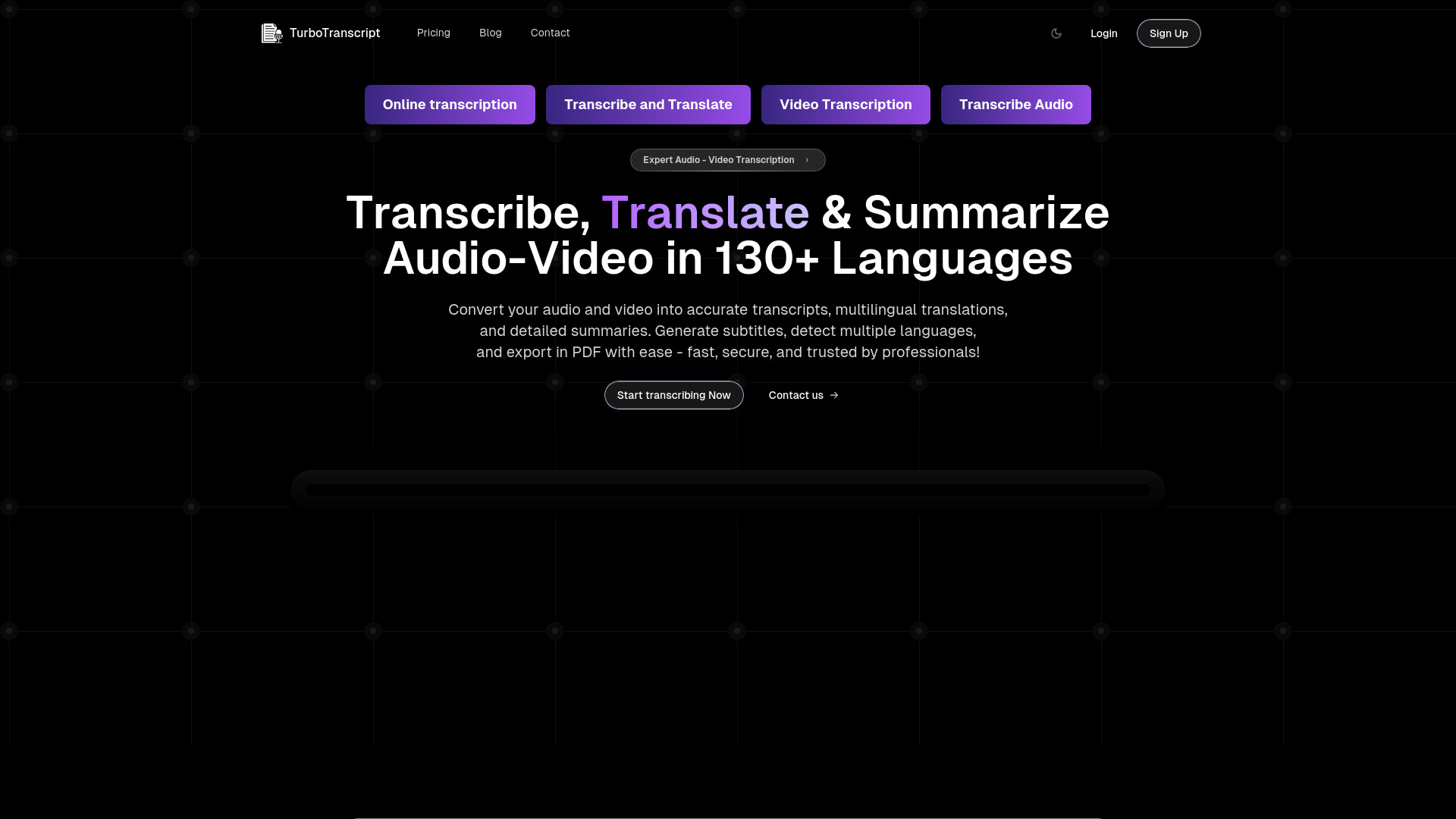
Transcribe, translate, and summarize audio & video in 130+ languages with speaker separation and instant subtitle generation.


What is TurboTranscript?
TurboTranscript is a web-based transcription platform that converts audio and video files into accurate, speaker-separated transcripts in over 130 languages. Beyond basic speech-to-text, it offers automatic translation, AI-powered summarization, subtitle generation (SRT/VTT), and PDF export—all within a clean, drag-and-drop interface. The service is designed for professionals who need fast, reliable transcription for podcasts, interviews, webinars, and global content, with features like automatic language detection and real-time toxicity flagging to ensure clean, safe transcripts. Whether you're a content creator, media producer, or business team, TurboTranscript streamlines the entire workflow from media upload to polished, exportable output in minutes.
SpecificationsAI-estimated
Key Features of TurboTranscript
Use Cases for TurboTranscript
Podcast Transcription
Convert episodes into text for show notes, blogs, or accessibility.
Webinar & Meeting Recording Transcription
Get clear, speaker-labeled transcripts of online sessions for records or sharing.
Interview Transcription
Easily transcribe multi-speaker interviews with speaker separation.
YouTube Video Transcription
Paste a YouTube URL to generate transcripts, subtitles, or summaries for content repurposing.
Creating Subtitles for Video
Generate SRT/VTT files to add subtitles to videos in multiple languages.
Content Localization & Translation
Translate transcripts into different languages to reach global audiences.
Content Summarization
Get quick, concise summaries of long videos or audio for research and overview.
Safe Content Curation
Use toxicity detection to filter inappropriate language for family-friendly or corporate content.
How to use TurboTranscript?
Upload your file
Drag and drop an audio or video file, or paste a YouTube URL on the homepage.
Set transcription options
Choose the audio language (or enable automatic detection) and specify the number of speakers if needed.
Start transcription
Click the start button and wait for the platform to process your media and generate the transcript.
Review and refine
Read the transcript, use summarization or translation, and check for any flagged toxic content.
Export your results
Download the transcript, subtitles (SRT/VTT), or a PDF with translations and summaries.
Pros & Cons of TurboTranscript
Pros
- Supports 130+ languages for transcription and translation
- Speaker-wise segmentation for clear dialogue transcripts
- Generates SRT and VTT subtitles automatically
- Real-time toxicity detection flags inappropriate content
- Exports transcripts, translations, and summaries to PDF
Cons
- Pricing details are not shown on the main page (limited transparency)
- Accuracy may vary with very noisy audio or heavy accents
- Limited to specific supported formats (no MKV, AVI, etc.)
- Potential privacy concerns for sensitive audio uploaded to third-party service
Frequently Asked Questions
What file formats does TurboTranscript support?
It supports MP3, MP4, M4A, AAC, WAV, OGG, OPUS, MPEG, WMA, and FLAC.
Can I transcribe videos from YouTube?
Yes, you can paste a YouTube URL and transcribe the video directly.
How many languages are supported for transcription?
TurboTranscript supports 130+ languages for transcription and translation.
Does the tool do automatic language detection?
Yes, it can automatically detect the language in your media and transcribe it accordingly.
Can I create subtitles?
Yes, you can generate SRT or VTT subtitle files from your transcription.
Is there a toxicity detection feature?
Yes, the platform flags inappropriate or toxic content in real-time during transcription.
Can I export transcripts to PDF?
Yes, you can export transcripts, translations, and summaries as PDF documents.
Is there a free trial available?
The website does not mention a free trial directly; check the pricing page for details.
Pricing Overview
View full pricing →No pricing plans or amounts were found on the page.
Reviews & Ratings0.0
No reviews yet. Be the first to write one!
Top Alternatives & Similar Software
View all alternatives & similar software→

People also viewed


Related searches
Is this your tool?
Claim this page to update details, reply to user reviews, and drive more traffic to your product.
Claim this Product →
Tags
Explore Related Topics
Keep up with TurboTranscript alternatives
New alternatives, pricing changes and the week's biggest movers - one email every Tuesday.