




Tabby AI Bookkeeping Software
The AI that runs your bookkeeping.
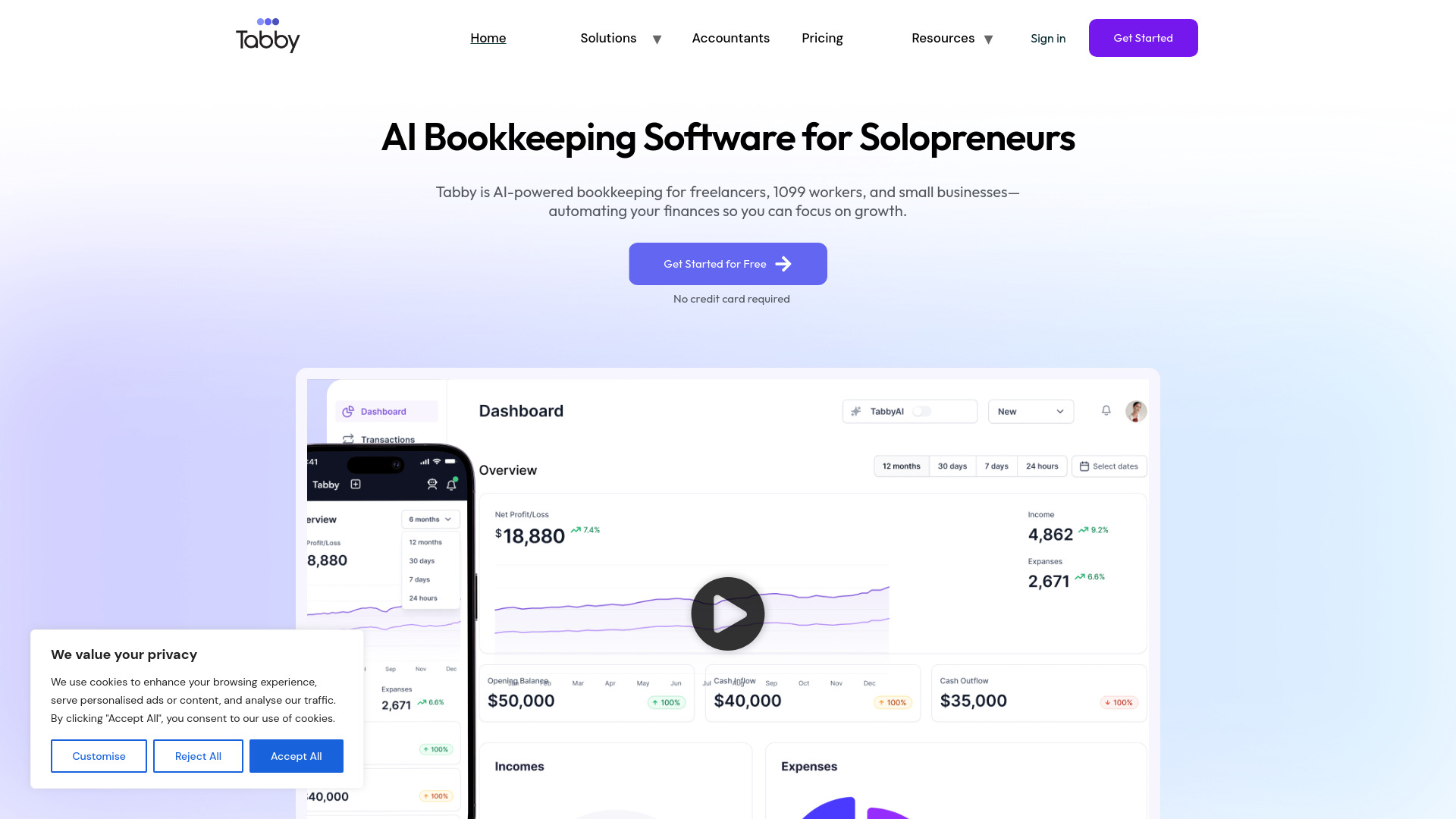
What is Tabby AI Bookkeeping Software?
Tabby is an AI-powered, mobile-first bookkeeping software built for small businesses, freelancers, realtors, creators, and gig workers. It connects to bank accounts via Plaid, automatically categorizes transactions, finds tax deductions, tracks business expenses, generates invoices, and provides tax-ready reports. It was built by a CPA to help non-accountants keep clean books without using complicated accounting jargon.
SpecificationsAI-estimated
Key Features of Tabby AI Bookkeeping Software
Use Cases for Tabby AI Bookkeeping Software
For Realtors
Bookkeeping for real estate agents, tracking expenses by org and keeping deductions categorized.
For Freelancers & Self-Employed
Run day-to-day finances and taxes without learning accounting, with automatic categorization and deduction discovery.
For Content Creators / Gig Work
Track income receipts, deductions, and expenses on the go.
For Small Businesses
Automate monthly bookkeeping, invoices, and financial reports, and remove spreadsheets.
For CLI / Tax Season
Prepare clean, tax-ready reports and exports for your CPA or accountant.
How to use Tabby AI Bookkeeping Software?
Connect your bank
Select a bank from the list of 10,000+ connected via Plaid; read-only access.
Automate
AI categorizes transactions, finds deductions, and tracks expenses in real time.
Ask about your business
Ask questions like “Can I afford this?” or “Who hasn’t paid me?” (coming soon, with alternative dashboard views).
Get ready for taxes
Export clean tax-ready reports to CSV, QBO, or PDF, or hand everything to your CPA in a fit.
Pros & Cons of Tabby AI Bookkeeping Software
Pros
- Simple, non-accounting UI built for small-business owners and solo operations.
- AI handles transaction categorization and deduction discovery automatically.
- Free tier available for up to $15K annual expenses, no credit card required.
- Mobile-first design lets users manage finances from anywhere.
- Read-only Plaid bank connection with bank-grade and AES-256 encryption.
- Supports personal/business account splitting and multiple businesses on the Professional plan.
- Export options include CSV, QBO, and PDF, with no lock-in.
Cons
- Marketing claims like “average $5,000 in tax savings” and “8-10 hrs saved per month” are hard to verify.
- Free/Standard tiers have expense and account limits, which may not work for more established businesses.
- Plaid-based bank connections primarily cover US and Canadian financial institutions.
- Advanced “Ask Tabby” / natural language AI is listed as coming soon, not currently enabled.
- Not a full-service human bookkeeping service; automation may need manual review for edge-case transactions.
- No inventory, payroll, or complex enterprise accounting natively.
Frequently Asked Questions
isTabby replacing by an accountant?
It can keep books clean for a CPA; many users keep an accountant for filing and use Tabby for the daily bookkeeping. Export CSVs for your accountant.
Can it be used for personal and business accounts?
Yes. Tabby allows linking a personal card and the AI separates business transactions from personal ones automatically.
How import a bank not on the list?
Tabby uses Plaid for many institutions; if your bank isn’t there, you can upload statements manually.
Can I export my data if leaving?
Yes. You can export CSV, QBO (QuickBooks), and PDF in one click.
Pricing Overview
View full pricing →No pricing information was found in the provided content. No plan names or prices appear verbatim.
Reviews & Ratings0.0
No reviews yet. Be the first to write one!
Top Alternatives & Similar Software
View all alternatives & similar software→


People also viewed


Related searches
About the Product
Is this your tool?
Claim this page to update details, reply to user reviews, and drive more traffic to your product.
Claim this Product →
Tags
Explore Related Topics
Keep up with Tabby AI Bookkeeping Software alternatives
New alternatives, pricing changes and the week's biggest movers - one email every Tuesday.