




Stockfill
Bulk edit microstock metadata in minutes on any desktop.
Best for
Microstock photographers needing bulk desktop metadata editing
Skip if
If you require a mobile app or built‑in marketplace sync
What is Stockfill?
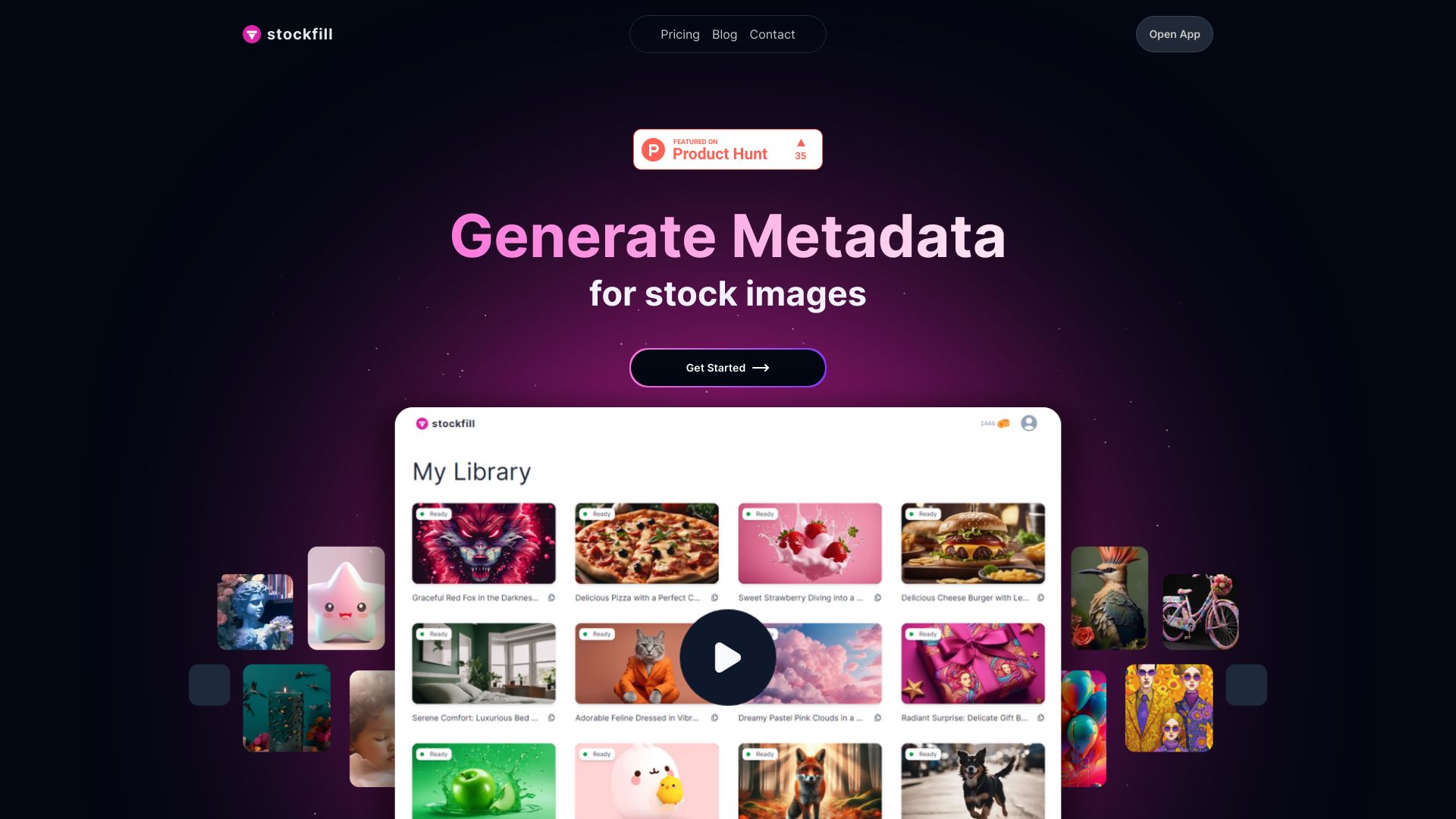
Stockfill is a cross‑platform desktop application that streamlines the preparation of titles, descriptions, and keywords for microstock assets. It lets creators update metadata for hundreds of photos or illustrations at once, ensuring consistency across multiple marketplaces. Designed for microstock photographers, illustrators, and contributors, Stockfill saves time by automating repetitive tasks while keeping every asset marketplace‑ready. The intuitive interface works on Windows, macOS, and Linux, making bulk editing simple for any workflow.
SpecificationsAI-estimated
Key Features of Stockfill
Use Cases for Stockfill
Rapid marketplace upload
Prepare titles, descriptions, and keywords for hundreds of photos before bulk uploading to multiple stock sites.
Consistent branding
Apply the same metadata style guide across all assets to maintain a cohesive brand presence.
Keyword optimization
Generate and refine keyword lists in bulk, reducing duplicate or irrelevant tags.
Project handoff
Export completed metadata sheets for collaborators or clients to review and approve.
Pros & Cons of Stockfill
Pros
- Works on Windows, macOS, and Linux
- Massive time savings with bulk actions
- Customizable templates for different agencies
- No internet connection required
Cons
- Limited to desktop environments; no mobile app
- Advanced marketplace integrations require manual setup
- Free tier has a cap on the number of assets per session
Frequently Asked Questions
Can I use Stockfill on Linux?
Yes, Stockfill is a native desktop app available for Windows, macOS, and Linux.
Is there a free version?
Stockfill offers a freemium model with basic bulk editing features; premium templates and unlimited assets require a paid subscription.
Does Stockfill integrate directly with stock sites?
It provides export formats compatible with major stock platforms and can sync metadata templates, but direct API uploads must be set up manually.
Can I save my metadata presets?
Yes, you can create and store custom presets for titles, descriptions, and keyword groups to reuse across projects.
Pricing Overview
View full pricing →Detailed plans are not listed. Visit the official website for pricing information.
Reviews & Ratings0.0
No reviews yet. Be the first to write one!
Top Alternatives & Similar Software
View all alternatives & similar software→


People also viewed



Best For
Related searches
About the Product
Is this your tool?
Claim this page to update details, reply to user reviews, and drive more traffic to your product.
Claim this Product →
Tags
Keep up with Stockfill alternatives
New alternatives, pricing changes and the week's biggest movers - one email every Tuesday.