




Rankly
Create and share tier lists instantly—no account needed.
Best for
Creators who need fast, free tier lists without signing up
Skip if
Teams requiring collaborative editing or integration features
What is Rankly?
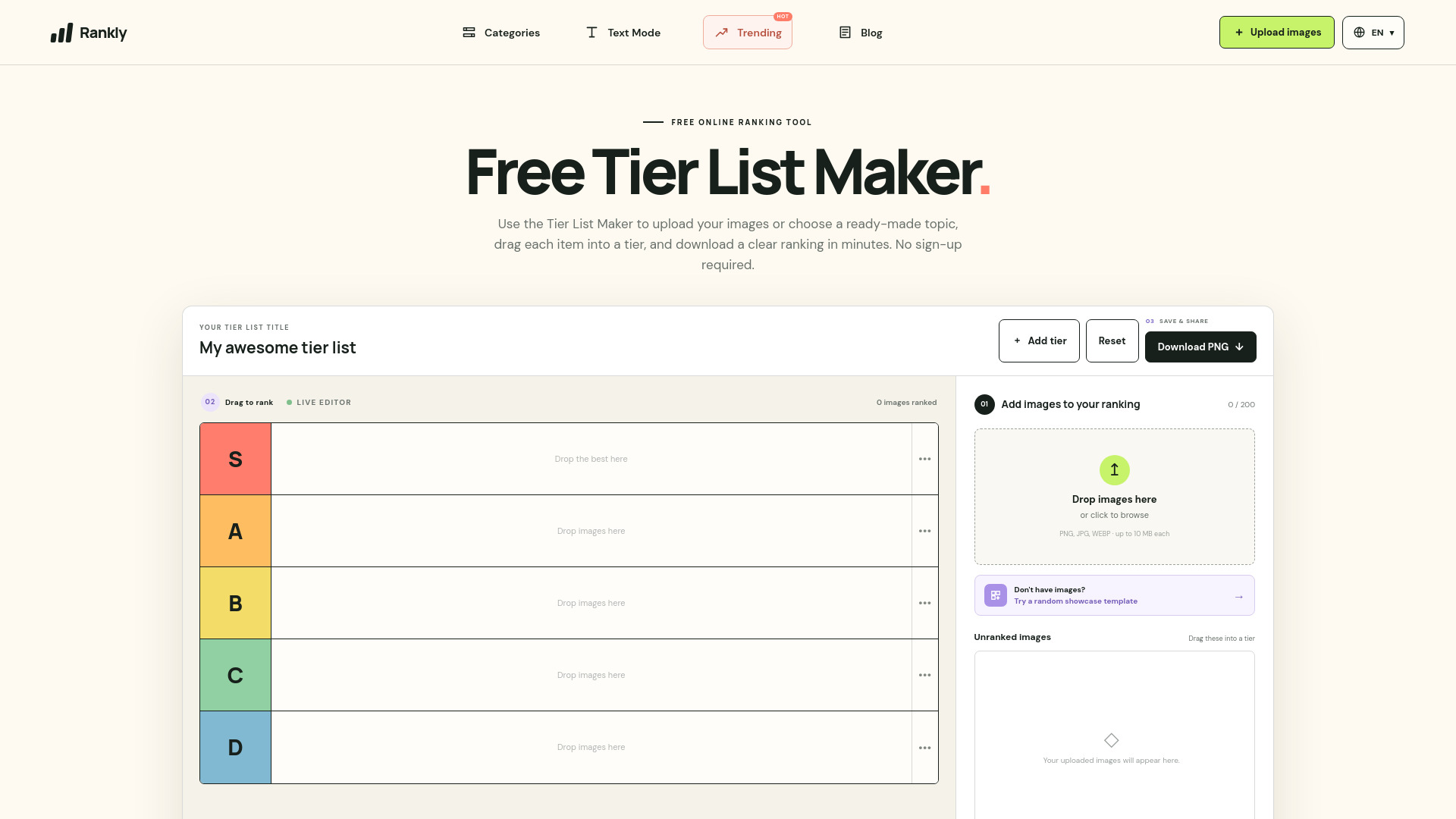
Rankly is a free online tier list maker that lets you quickly upload up to 100 images or choose from ready‑made templates. Its intuitive drag‑and‑drop interface lets you arrange items into custom tiers and export the result as a PNG image. Because no registration is required, creators, gamers, educators, and anyone who enjoys ranking items can start building tier lists right away from any browser.
SpecificationsAI-estimated
Key Features of Rankly
Use Cases for Rankly
Gaming Rankings
Rank characters, weapons, or games to spark community discussions.
Educational Comparisons
Help students compare historical events, scientific concepts, or literature.
Content Creator Polls
Create visual polls for YouTube, Twitch, or TikTok audiences.
Meme Tier Lists
Generate funny tier lists for memes and share them instantly.
Pros & Cons of Rankly
Pros
- Completely free with no hidden fees
- No account or login required
- Supports large image batches (up to 100)
- Instant PNG export for easy sharing
Cons
- Limited to web browsers only
- No built‑in collaboration or sharing links
- No API or integration options
Frequently Asked Questions
Do I need to create an account to use Rankly?
No, Rankly works entirely without registration.
How many images can I add to a single tier list?
You can upload up to 100 images per tier list.
In what format can I export my tier list?
Tier lists can be exported as a PNG image.
Is Rankly available on mobile devices?
Yes, Rankly runs in any modern browser, including mobile browsers.
Pricing Overview
View full pricing →Detailed plans are not listed. Visit the official website for pricing information.
Reviews & Ratings0.0
No reviews yet. Be the first to write one!
Top Alternatives & Similar Software
View all alternatives & similar software→
People also viewed


Best For
Related searches
About the Product
Is this your tool?
Claim this page to update details, reply to user reviews, and drive more traffic to your product.
Claim this Product →
Tags
Explore Related Topics
Keep up with Rankly alternatives
New alternatives, pricing changes and the week's biggest movers - one email every Tuesday.