



PassGenZ
Instantly generate strong, secure and memorable passwords online.
Best for
Users who need instant, free, browser‑based strong passwords
Skip if
Anyone requiring a password manager or native mobile/desktop app
What is PassGenZ?
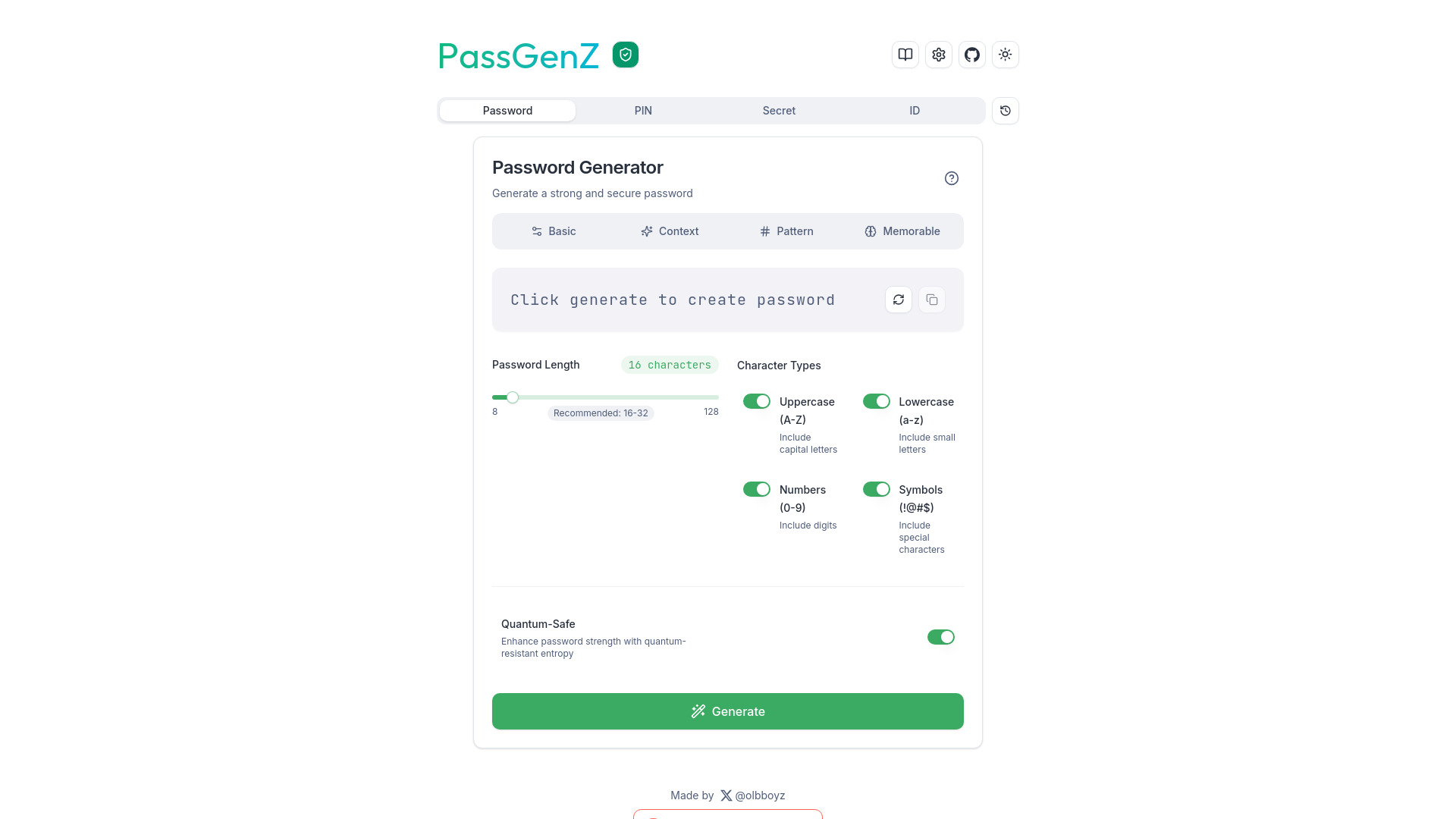
PassGenZ is a free web‑based password generator that creates robust passwords, PINs, secrets and IDs in seconds. It combines AI‑driven customization with classic security rules to suit any need. The service requires no installation and works on any device with a browser, making it ideal for users who need quick, high‑entropy credentials without compromising usability.
SpecificationsAI-estimated
Key Features of PassGenZ
Use Cases for PassGenZ
Personal Account Security
Create unique, high‑entropy passwords for email, social media, and banking accounts.
Developer API Keys
Generate random secret keys for API authentication and environment variables.
Corporate Onboarding
Produce temporary PINs or passwords for new employee accounts during setup.
Secure Sharing
Create one‑time secrets for encrypted file transfers or messaging.
Pros & Cons of PassGenZ
Pros
- Completely free with no hidden fees.
- Runs entirely in the browser, preserving privacy.
- AI‑driven suggestions improve memorability without reducing security.
- No installation required; works on any device.
Cons
- Limited to web access; no native desktop or mobile apps.
- No built‑in password manager or storage feature.
- Advanced enterprise integrations are not available.
Frequently Asked Questions
Is PassGenZ safe to use for generating passwords?
Yes, all generation happens locally in your browser, so no passwords are transmitted or stored on our servers.
Can I customize the character set used in passwords?
Yes, you can toggle inclusion of symbols, numbers, uppercase and lowercase letters, and set a custom length.
Does PassGenZ require an internet connection after loading?
The tool works offline after the page is loaded because all processing is client‑side.
Is there an API for programmatic password generation?
An open API is available for developers to integrate the generator into their own applications.
Pricing Overview
View full pricing →Detailed plans are not listed. Visit the official website for pricing information.
Reviews & Ratings0.0
No reviews yet. Be the first to write one!
Top Alternatives & Similar Software
View all alternatives & similar software→No alternatives available yet.
People also viewed




Best For
Related searches
Is this your tool?
Claim this page to update details, reply to user reviews, and drive more traffic to your product.
Claim this Product →
Tags
Keep up with PassGenZ alternatives
New alternatives, pricing changes and the week's biggest movers - one email every Tuesday.