



AutoMusic
The AI Song Maker for Effortless Music Creation
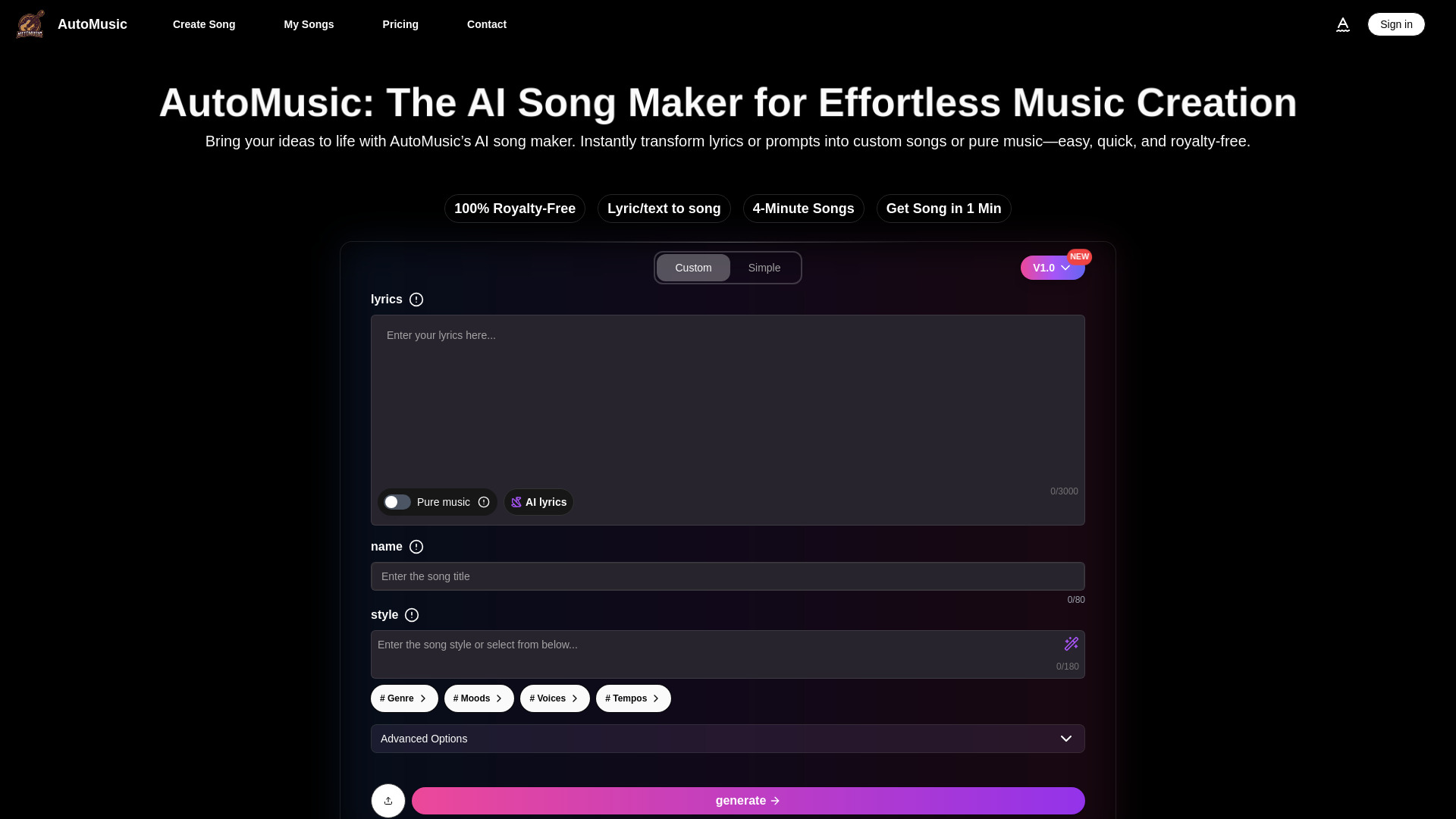
What is AutoMusic?
AutoMusic is an AI-powered music generation platform that converts text prompts or lyrics into full songs, including vocals, melody, harmony, and beats. It targets creators who want quick, royalty-free music without needing professional production skills. Available on the web at automusic.ai, it supports multiple languages and includes tools for editing, extending, covering, uploading, and vocal removal, along with free daily track generation.
SpecificationsAI-estimated
Key Features of AutoMusic
Use Cases for AutoMusic
Social Media & Short-Form Video
Create unique royalty-free soundtracks for YouTube, TikTok, Instagram Reels, and other short-form content without copyright strikes.
Game Development
Generate adaptive background music and immersive soundscapes without needing a full music production team.
Education
Teachers can turn lessons into interactive musical experiences in multiple languages to boost student engagement.
Marketing & Advertising
Produce jingles, background scores, and sonic branding quickly to meet tight creative deadlines.
Personal Projects & DIY
Make custom ringtones, gifts, or experimental tracks for fun with no prior music experience.
Music Production & Songwriting
Spark new ideas, speed up workflow, and explore fresh musical directions using AI-generated melodies, vocals, and full tracks.
How to use AutoMusic?
Choose your mode
Select either lyrics-to-song or pure music generation.
Enter your prompt or lyrics
Provide a song name, style/mood description, and lyrics or a text prompt.
Generate the song
Spend 3 credits and wait about 1 minute for the AI to create a complete song.
Refine if needed
Use edit, extend, cover, upload, or voice removal tools to adjust the track.
Download and use
Download the royalty-free song and use it in personal or commercial projects.
Pros & Cons of AutoMusic
Pros
- Low barrier to entry: No music background or technical skills required.
- Fast generation: Creates up to a 4-minute song in about 1 minute.
- 100% royalty-free: Tracks can be used for personal and commercial projects.
- Multi-language support: Users can generate songs in their native language.
- Comprehensive feature set: Includes lyrics-to-song, pure music, song extension, edits, covers, upload audio, and voice removal.
- Free daily tracks: Up to 2 free tracks per day makes experimentation accessible.
- Global community: Showcases community-created tracks, adding social proof and inspiration.
Cons
- Credits required: Each generation costs 3 credits, which may limit heavy usage.
- Pricing detail limitation: Exact subscription prices and plan tiers are not fully detailed on the landing page.
- AI song quality limitations: AI-generated tracks may still need refinement to sound less generic or AI-like.
- Sign-up required: Users need an account to access the generation features.
- Legal uncertainty: AI music copyright landscape is evolving, which may concern some creators despite the royalty-free claim.
Frequently Asked Questions
Is AutoMusic free?
AutoMusic offers up to 2 free tracks daily after signing up, but each generation costs 3 credits. Additional credits can be purchased through subscription plans or one-time credit packs.
Are the songs created with AutoMusic copyright-free?
Yes, AutoMusic states that all generated music is 100% royalty-free, making it safe for personal and commercial use.
What can I do with the AI-generated songs?
You can use them for videos, podcasts, games, marketing, personal projects, songwriting demos, and more without worrying about copyright claims.
Can I edit or extend an AI-generated song?
Yes, AutoMusic supports editing lyrics, tempo, style, and genre, as well as extending songs by adding new sections.
Reviews & Ratings0.0
No reviews yet. Be the first to write one!
Top Alternatives & Similar Software
View all alternatives & similar software→



People also viewed


Related searches
About the Product
Is this your tool?
Claim this page to update details, reply to user reviews, and drive more traffic to your product.
Claim this Product →
Tags
Explore Related Topics
Keep up with AutoMusic alternatives
New alternatives, pricing changes and the week's biggest movers - one email every Tuesday.