




AppLaunchFlow
Turn raw app screenshots into store-ready screenshots, ASO copy, and promo videos in one launch workspace.
What is AppLaunchFlow?
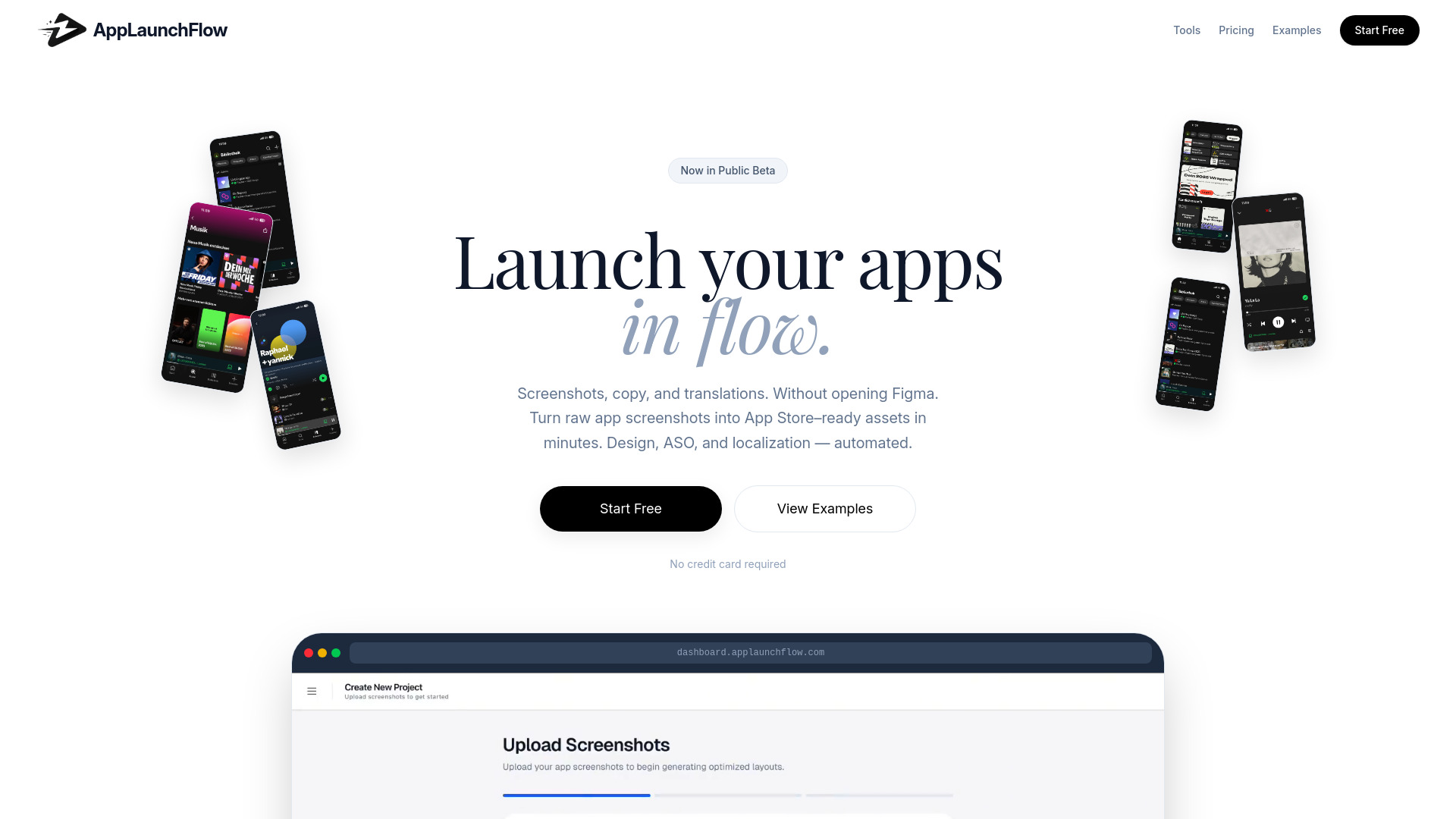
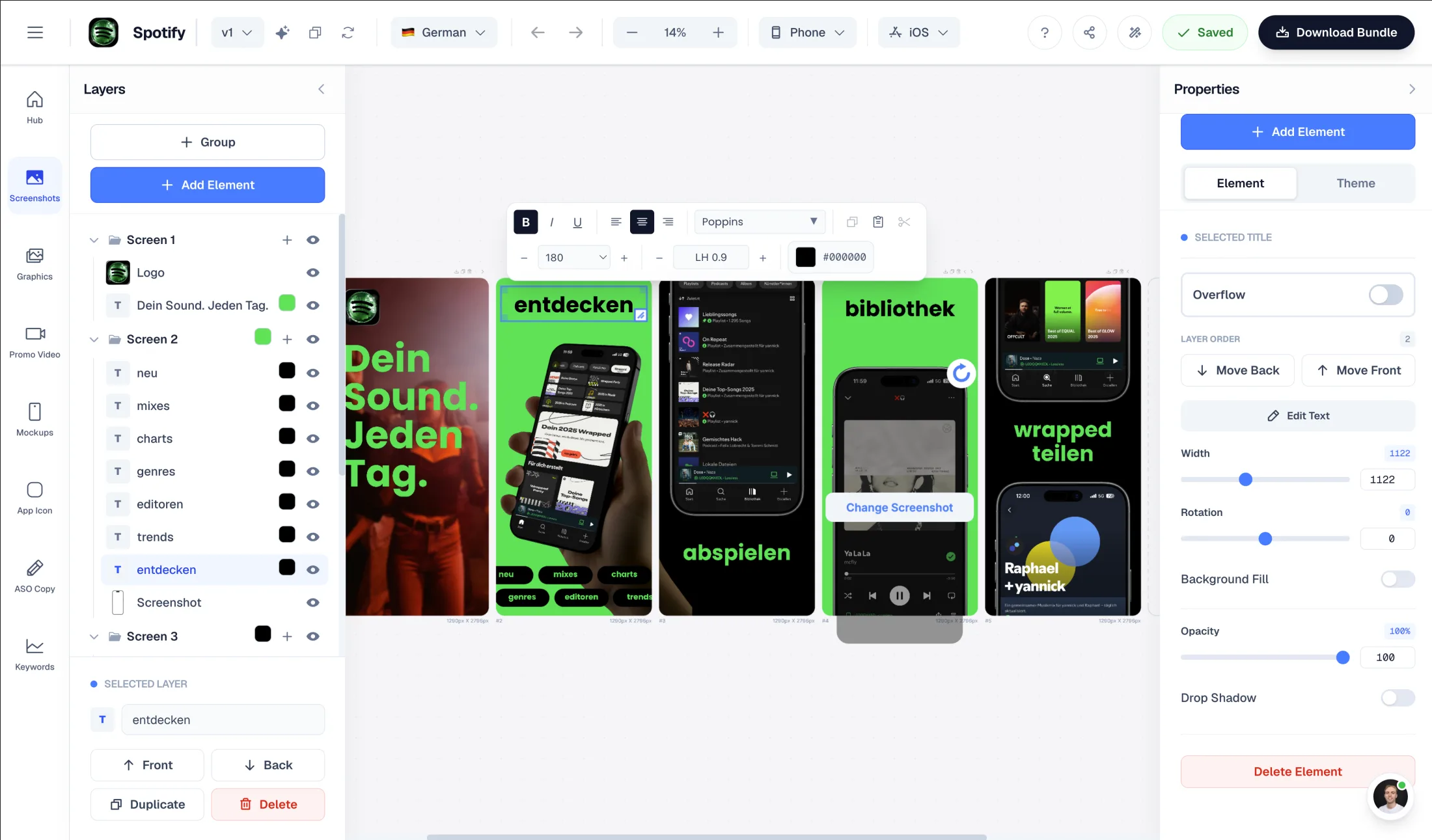
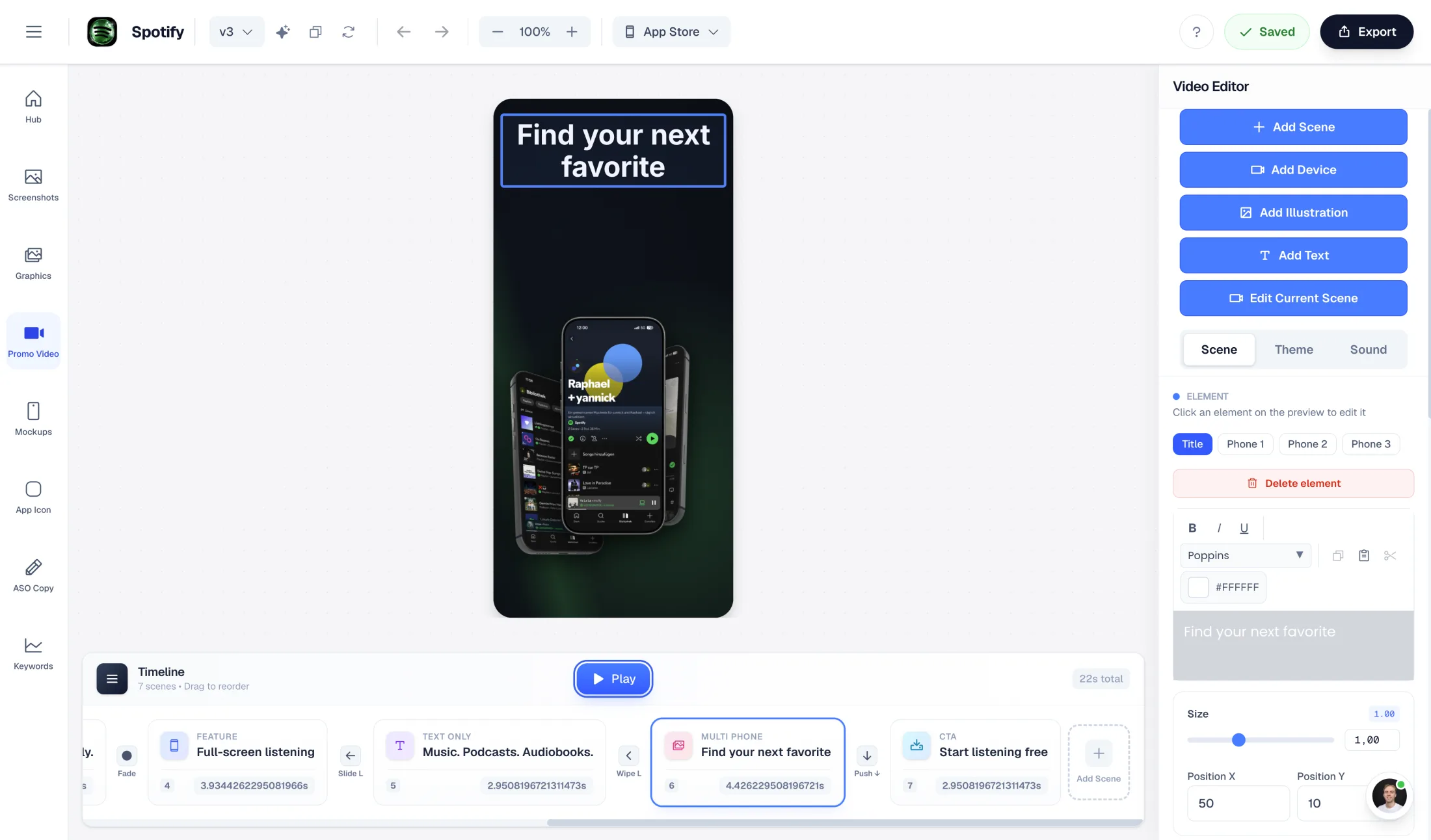
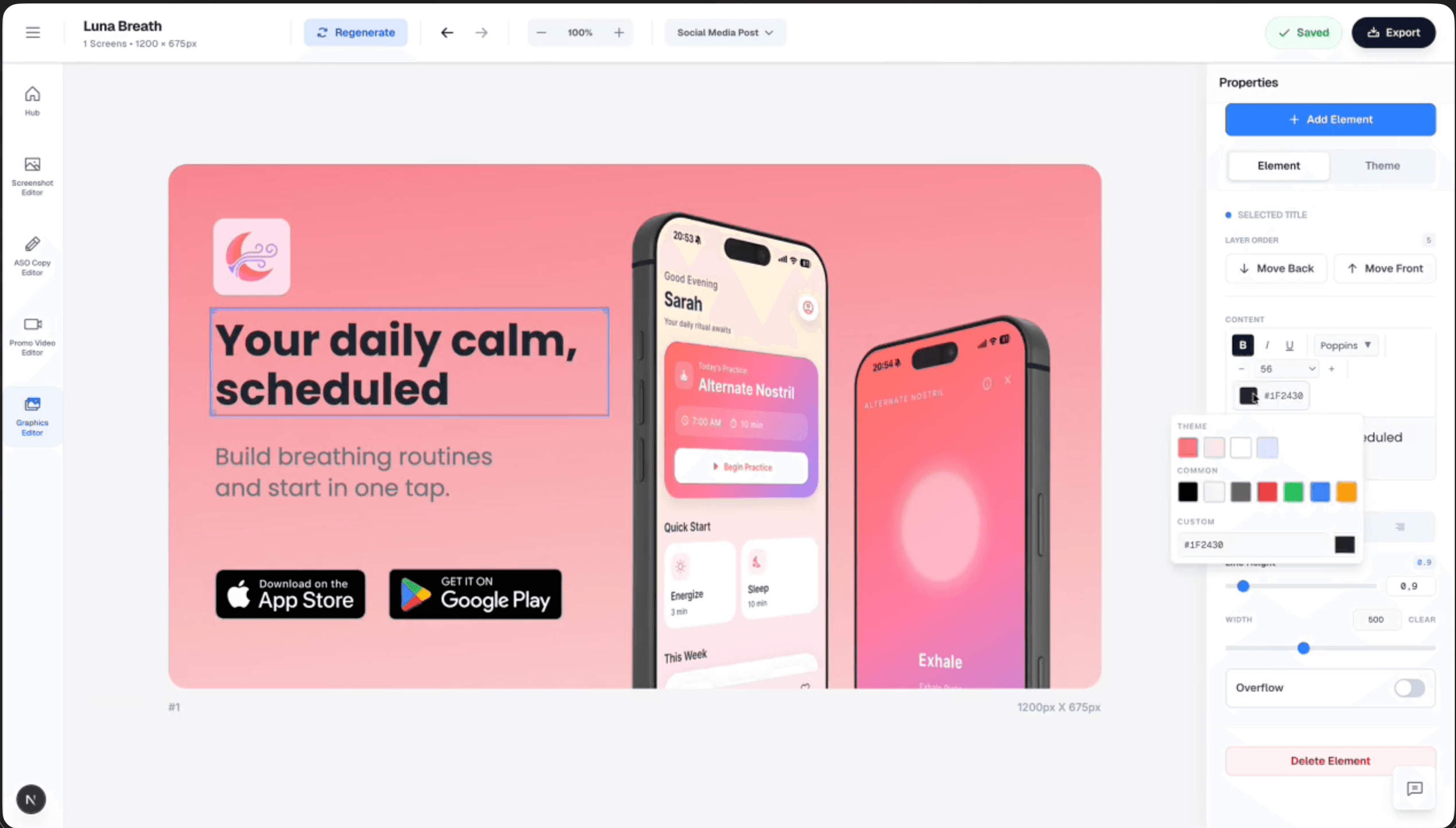
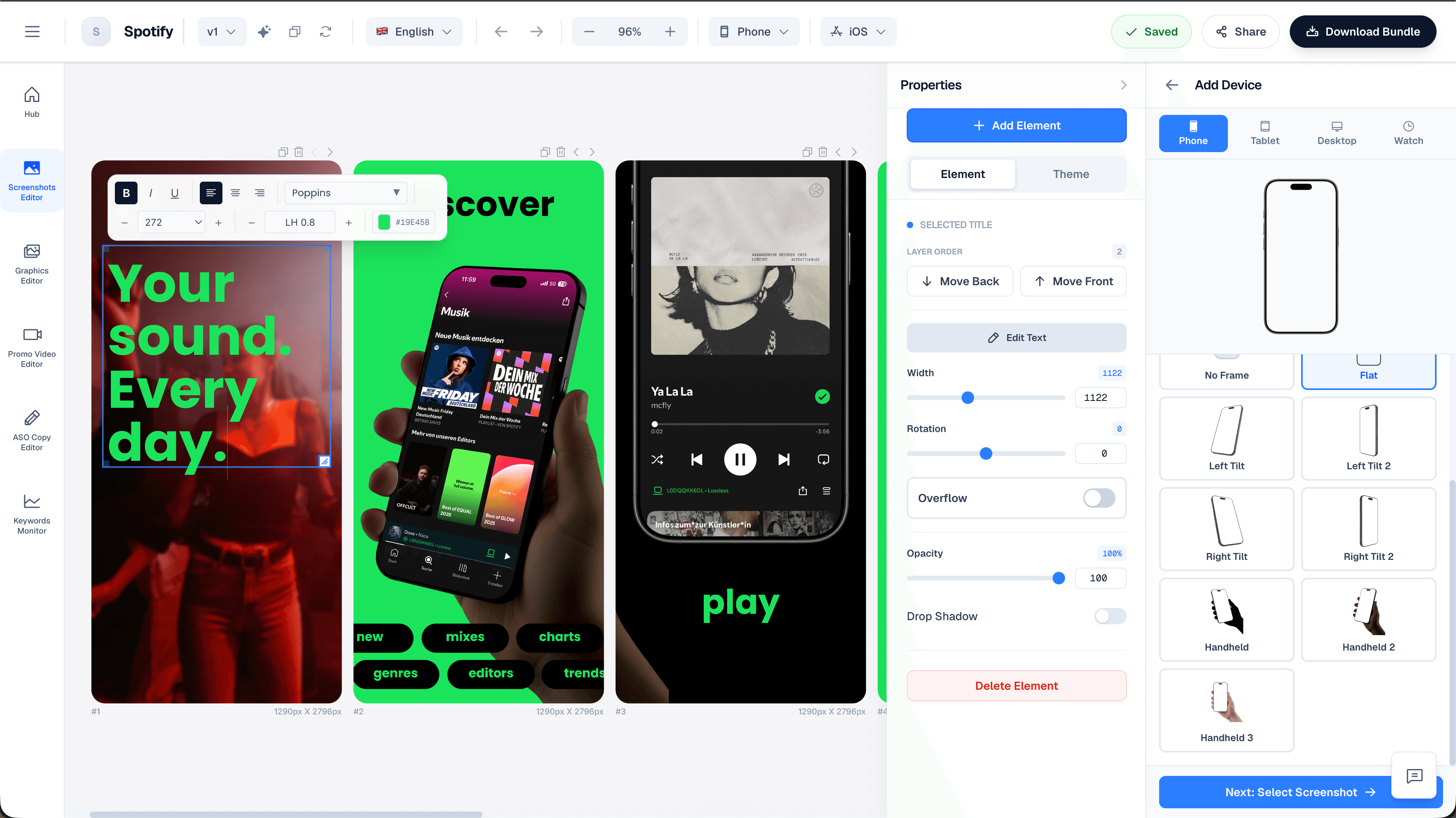
AppLaunchFlow is a web-based launch and growth workspace for mobile app developers. Instead of jumping between Figma, copywriting docs, and video tools, developers upload raw phone screenshots and get store-ready App Store and Play Store assets: screenshots, ASO copy, promo videos, app icons, mockups, social graphics, and localization. It combines an AI-assisted visual editor with proven design templates and a hosted dashboard, so a single person can produce a complete launch kit in minutes.
SpecificationsAI-estimated
Key Features of AppLaunchFlow
Use Cases for AppLaunchFlow
App Store launch preparation
Generate store-ready screenshots, app icons, ASO copy, and promo videos for an iOS app launch.
Play Store launch preparation
Create all required Android listing assets from the same raw screenshots and editor.
Localizing an app for new markets
Translate screenshots and store copy into 25+ App Store languages in one click.
Creating promo videos
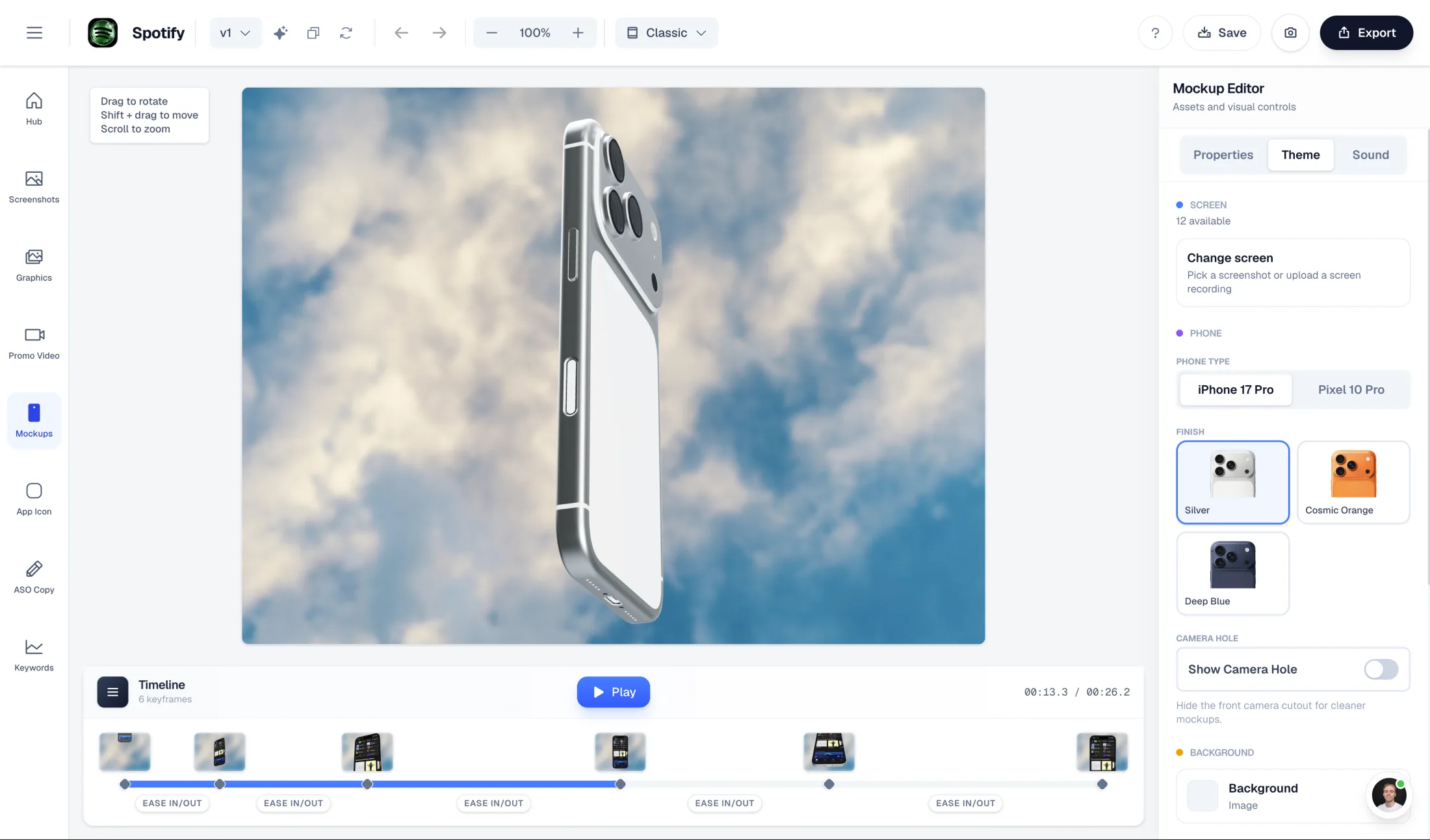
Turn raw screenshots into App Store preview videos, hero loops, and social clips with AI storyboarding and 3D motion.
Competitor-driven ASO
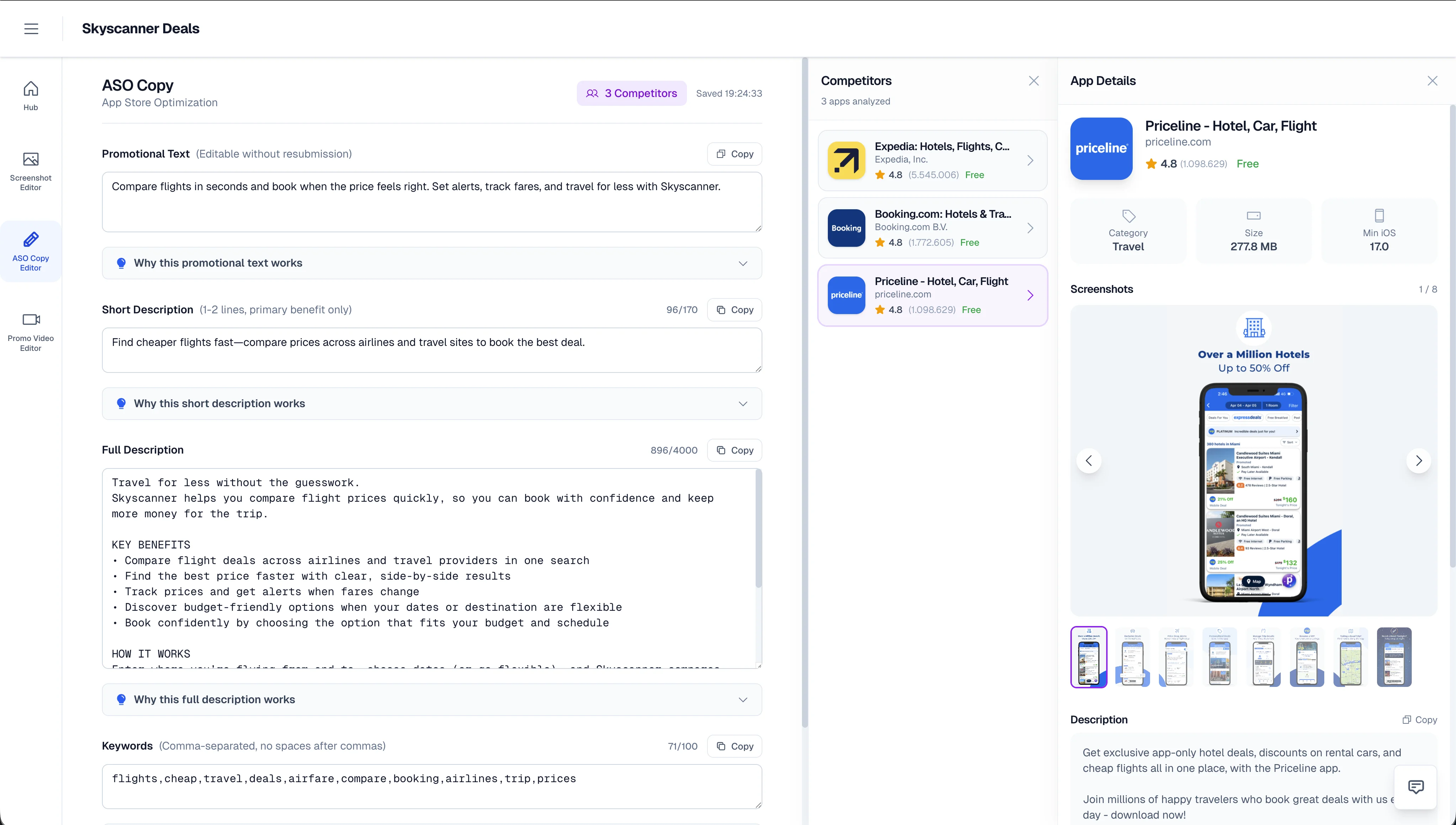
Analyze up to 5 competitor apps and generate optimized listing copy with explanations for each field.
Social media marketing
Create LinkedIn banners, X headers, OG images, and social posts that match your App Store visual identity.
AI agent asset production
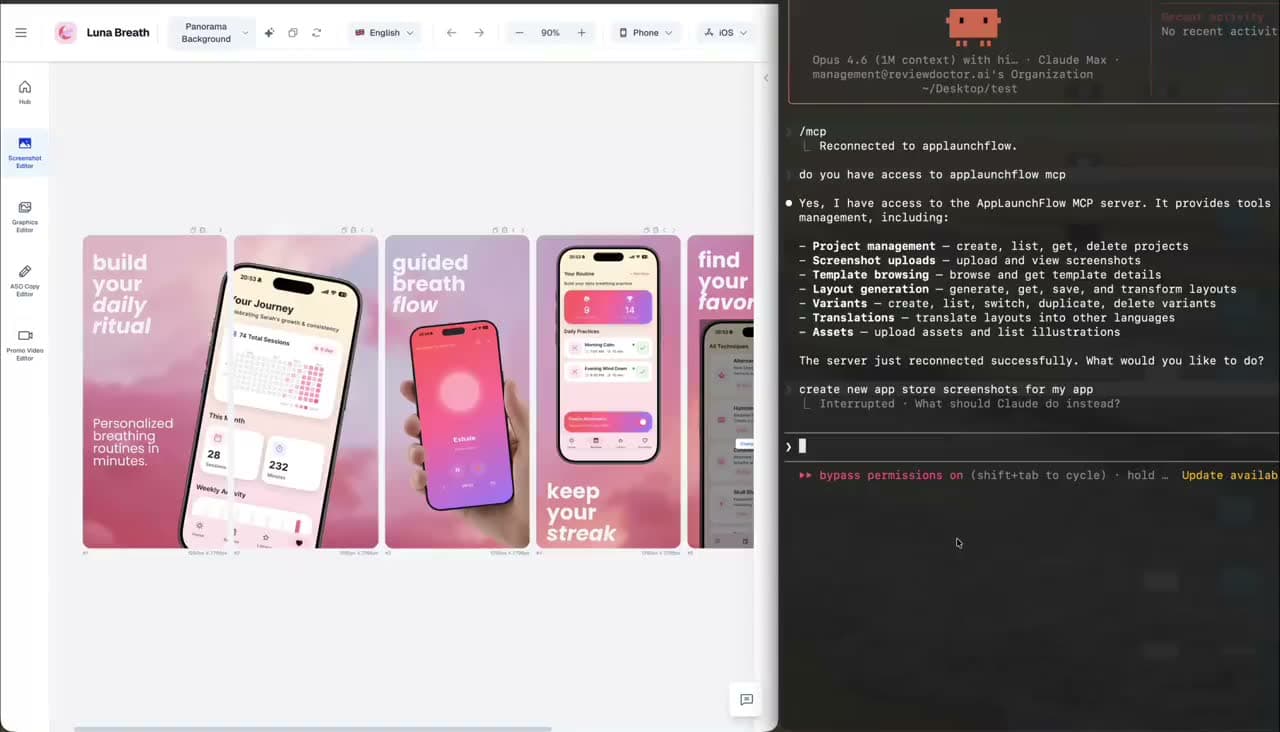
Use the hosted MCP integration to let Codex, Claude Code, or Cursor generate launch assets directly from your codebase.
Landing page creation
Build a hosted app landing page alongside your store assets for a complete launch presence.
How to use AppLaunchFlow?
Upload raw screenshots
Add raw app screenshots and basic app context from your phone. Works for both iOS and Android listings.
Apply a template
Choose from 20+ proven design templates based on your app category and target audience.
Edit with AI assistance
Review AI-generated copy and layouts, then tweak headlines, styles, and screenshot order in the visual editor.
Generate additional assets
Create promo videos, social graphics, app icons, mockup animations, and ASO copy from the same workspace.
Export and publish
Export all required screenshot sizes and video formats, publish to stores and social channels, then track your rankings.
Pros & Cons of AppLaunchFlow
Pros
- All-in-one launch workspace covering screenshots, ASO copy, promo videos, icons, mockups, social graphics, and rank tracking
- AI generates headlines, layouts, and copy while still offering full manual editing control
- One-click localization into 25+ App Store languages with auto-adapting layouts
- 20+ high-converting templates based on competitor analysis
- Hosted MCP integration for AI clients like Codex, Claude Code, and Cursor
Cons
- Requires your own raw app screenshots as the source material
- Detailed pricing and free-tier limits are not shown on the landing page
- MCP workflow requires a supported AI client and the open-source npx skill setup
- Mockup animator is limited to four motion presets and four ratios
Frequently Asked Questions
Does AppLaunchFlow work for both App Store and Play Store?
Yes, it exports screenshots and assets for both iOS and Android listings.
Do I need design skills to create screenshots?
No. AI generates layouts and copy for you, and you can keep full editing control in the visual editor if you want to refine anything.
Can I translate my assets into other languages?
Yes, screenshots and store copy can be translated into 25+ App Store languages in one click, and layouts adapt automatically for longer text.
What is the MCP integration?
It lets AI coding tools like Codex, Claude Code, and Cursor connect to a hosted AppLaunchFlow studio via a URL, with secure browser sign-in using OAuth 2.1 + PKCE.
What export formats are available for mockup videos?
The mockup animator supports MP4, WebM, and PNG export across four aspect ratios.
Does AppLaunchFlow help with ASO copy?
Yes, it generates promotional text, short and full descriptions, and keywords within App Store character limits, with competitor analysis and per-field insights.
Can I create social media graphics?
Yes, you can create LinkedIn banners, X headers, OG images, and social posts from the same editor used for your App Store visuals.
What does the open-source skill do?
The applaunchflow-skill repo lets AI clients capture screenshots from your codebase and connect them to AppLaunchFlow.
Reviews & Ratings0.0
No reviews yet. Be the first to write one!
Top Alternatives & Similar Software
View all alternatives & similar software→

People also viewed



Related searches
About the Product
Is this your tool?
Claim this page to update details, reply to user reviews, and drive more traffic to your product.
Claim this Product →
Tags
Keep up with AppLaunchFlow alternatives
New alternatives, pricing changes and the week's biggest movers - one email every Tuesday.