

FindAlternative
Back to Home
AI Image Editor

AI Image Editor

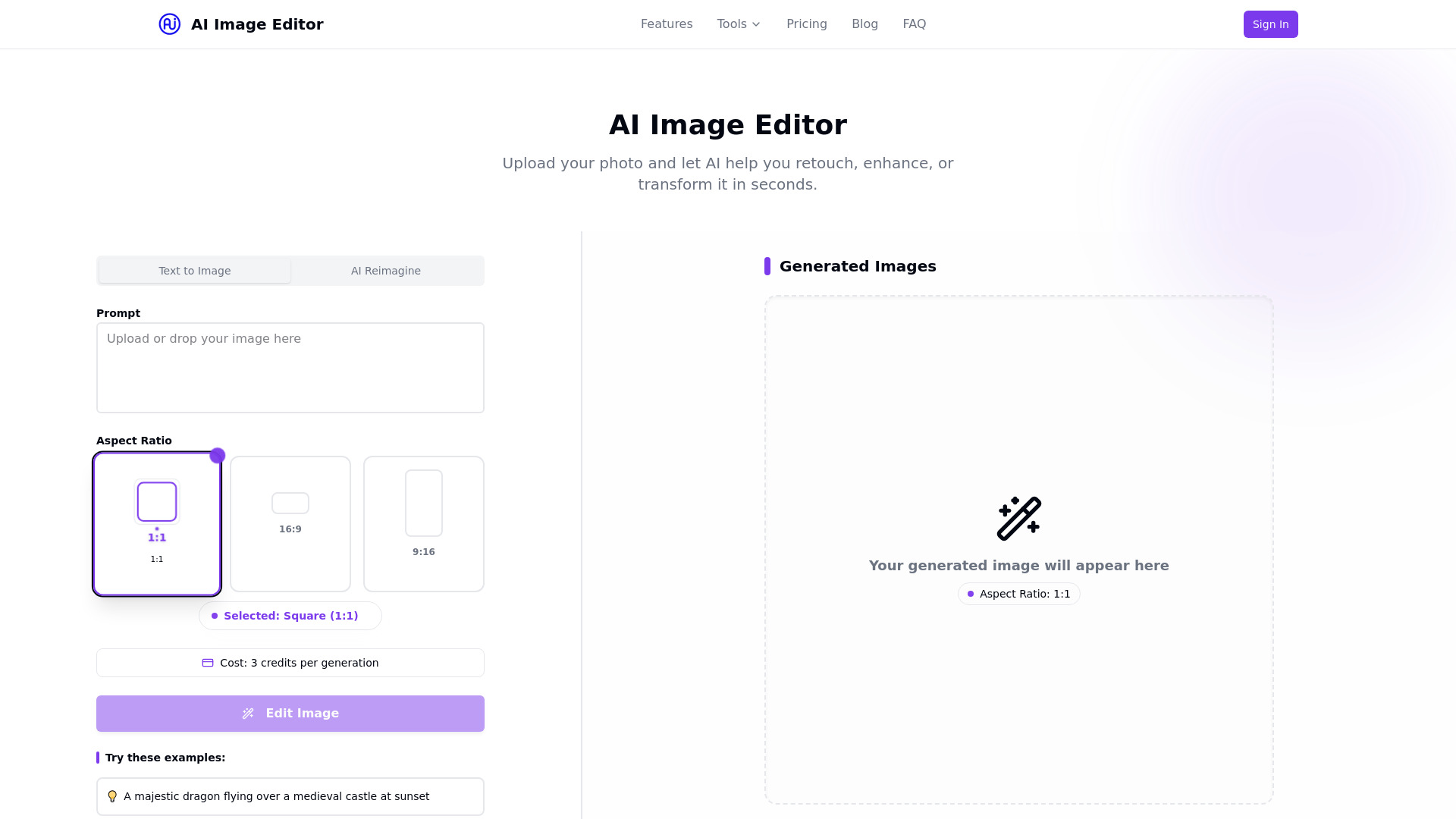
Upload your photo and let AI help you retouch, enhance, or transform it in seconds.
What is AI Image Editor?

AI Image Editor is a free online photo editor and enhancement tool that lets users upload photos and use AI to retouch, enhance, or transform them in seconds. It offers features such as background removal, skin retouching, artistic filters, AI upscaling, and an AI outfit generator. The platform provides multiple pricing plans including a free tier, Pro, and Premium subscriptions.

SpecificationsAI-estimated

PricingFree, Pro ($19.99/month), Premium ($39.99/month)
Free tier5 free edits per month
Pro credits200 credits per month
Key featuresBackground removal, skin retouching, filters, AI upscaling, outfit generator
Export quality4K export support on Premium
Premium credits500 credits per month

Key Features of AI Image Editor

AI-powered background removal and replacement
Skin enhancement, lighting adjustment, and imperfection fixing
Artistic styles, color grading, and modern effects
AI upscaling to increase resolution without quality loss
AI Outfit Generator to try different clothing styles
Batch editing on Pro plan
4K export support on Premium plan

Use Cases for AI Image Editor

1

Remove or replace image backgrounds

Automatically remove or replace image backgrounds with one click, useful for product photos, portraits, and e-commerce images.

2

Retouch portraits and enhance photos

Enhance skin, adjust lighting, and fix imperfections instantly for professional-looking portraits.

3

Apply artistic effects and color grading

Apply artistic styles, color grading, and modern effects to give photos a creative look.

4

Upscale low-resolution images

Increase resolution without losing quality using AI upscaling, ideal for printing or enlarging images.

5

Try new outfits virtually

Upload a photo and instantly try different outfits, clothing styles, and fashion looks with the AI Outfit Generator.

How to use AI Image Editor?

1

Upload Your Image

Drag and drop or upload an image you want to edit.

2

Choose Editing Tools

Select from background removal, filters, retouching, and more.

3

Download Results

Save your enhanced and edited image instantly.

Pros & Cons of AI Image Editor

Pros

  • AI-powered editing makes professional-quality results accessible to everyone
  • Multiple tools in one place: background removal, retouching, filters, upscaling, and outfit generation
  • Free plan available with 5 free edits per month
  • Simple 3-step process: upload, choose tools, download
  • Affordable paid plans with credits and batch editing on Pro
  • No design skills required
  • 4K export support on Premium plan

Cons

  • Free plan is limited to 5 edits per month
  • Credits system may require purchasing a plan for heavy usage
  • Advanced features like batch editing and 4K export are locked behind paid tiers
  • No explicit mention of supported file formats or privacy policy
  • Limited information about the AI model or output quality

Frequently Asked Questions

What is an AI Image Editor?

An AI Image Editor is an online tool that uses artificial intelligence to help users retouch, enhance, or transform photos quickly and easily, without requiring complex manual editing skills.

Is the AI Image Editor free to use?

Yes, there is a free plan that includes limited features and 5 free edits per month. Paid plans are available for more advanced tools and higher usage.

Can I remove backgrounds from photos?

Yes, the AI Image Editor can automatically remove or replace image backgrounds with one click. Basic background removal is available on the free plan, and high-quality background removal is available on paid plans.

Do I need design skills to use this tool?

No, the tool is designed to be user-friendly and accessible to everyone. You can edit images with just a few clicks using AI-powered features.

What formats are supported?

The website does not explicitly list supported formats, but typical image formats such as JPG, PNG, and WEBP are commonly supported by similar online AI image editors.

Pricing Overview

View full pricing →
Freemium

Free plan available; paid plans start at $19.99/month (Pro) and $39.99/month (Premium).

Free

$0 / month

Pro

$19.99 / month

Premium

$39.99 / month

No reviews yet. Be the first to write one!

Top Alternatives & Similar Software

View all alternatives & similar software→
Editaimg

Editaimg

AI-suggested

Editaimg is an online, AI-powered image editor that lets you touch up, clean, upscale, and completely restyle photos directly in your browser — no sign-up or software installation required. Built around a simple prompt box and an image upload, the tool handles tasks that traditionally need pixel-level retouching skills: removing unwanted objects, changing backgrounds, recoloring products, opening closed eyes, whitening teeth, enlarging to 4K, and even translating text in images while preserving the original style. It presents results in a clean grid with instant previews and one-click export, making professional-level editing approachable for everyone. Under one roof, Editaimg bundles a suite of specialized one-click tools, including an AI Teeth Fixer, Open Eyes in Photo, Image Upscaler, Jewellery Retouch, AI Image Changer, AI Image Translator, Gemini Watermark Remover, AI Snow, and the playful AI Kiss Generator. It also supports creative workflows like replacing objects seamlessly, turning plain product shots into realistic lifestyle scenes, and adding a person to an existing photo with natural blending. These features are aimed at creators, e-commerce sellers, social media users, and anyone who wants fast, polished visuals without professional photo-editing experience. Editaimg is free to start and doesn't require an account for editing; signing in is only needed to view generation history and previous results. Heavy usage is handled through one-time credit packs — Basic, Standard, and Pro — that never expire and include priority generation queue access. For users who need quick, batch-friendly edits like removing a photobomber, cleaning up product photos, or creating consistent visual content, Editaimg delivers a simple, credit-based alternative to complex desktop software.

iLikeIMG

iLikeIMG

AI-suggested

iLikeIMG is a free, browser-based suite of 90+ AI-powered tools for editing, enhancing, and creating photos and videos. Rather than offering one generic editor, it gives each task its own dedicated tool — including photo enhancement, unblurring, background removal and changing, face and portrait editing, image restoration, image generation, image expansion, and image-to-video conversion. Everything runs directly in your browser, so there is no software to install and no account required for basic use.\n\nThe platform is built around speed and accessibility: you pick a tool, upload your image, and the AI produces results in seconds. Each tool uses purpose-built AI models trained for its specific job, which helps deliver more reliable output than a general-purpose editor. iLikeIMG supports common formats such as JPG, JPEG, PNG, and WebP, and works on desktop, tablet, and phone. The free tier has daily usage limits, while optional one-time credit packs unlock additional capacity and premium features like zero watermarks, commercial use, and private generation.\n\niLikeIMG positions itself as an all-in-one destination for photographers restoring old vacation photos, e-commerce sellers polishing product images, and casual users generating brand-new visuals. Credits are sold as one-time pay-as-you-go bundles that never expire, avoiding subscription lock-in. With no downloads, minimal friction, and a wide range of specialized tools, it makes professional-quality AI photo and video editing accessible to anyone.

People also viewed

Related searches

About the Product

Unclaimed Listing
Platforms
Target AudienceContent creators, social media users, e-commerce sellers, photographers, and anyone looking for a quick and easy AI-powered photo editing solution without design skills.

Is this your tool?

Claim this page to update details, reply to user reviews, and drive more traffic to your product.

Claim this Product →

Show you’re listed

AI Image Editor on FindAlternative

Add this badge to your website. It links back to this page.

Get your badge →

Tags

AI image editorphoto editorbackground removalimage enhancementAI upscalingoutfit generatoronline toolphoto retouching

Keep up with AI Image Editor alternatives

New alternatives, pricing changes and the week's biggest movers - one email every Tuesday.

Weekly, free, unsubscribe in one click.
