



Google Family Link vs Mobicip
Side-by-side comparison of features, pricing, ratings, and alternatives.
Google Family Link lets parents set digital ground rules for their kids' smartphones and tablets. It provides real‑time activity reports, screen‑time limits, and app approvals to keep children safe online. The service works across Android, iOS, and the web, giving families a simple way to balance independence with parental oversight. All data is stored securely in Google’s cloud, and the app is free to use.
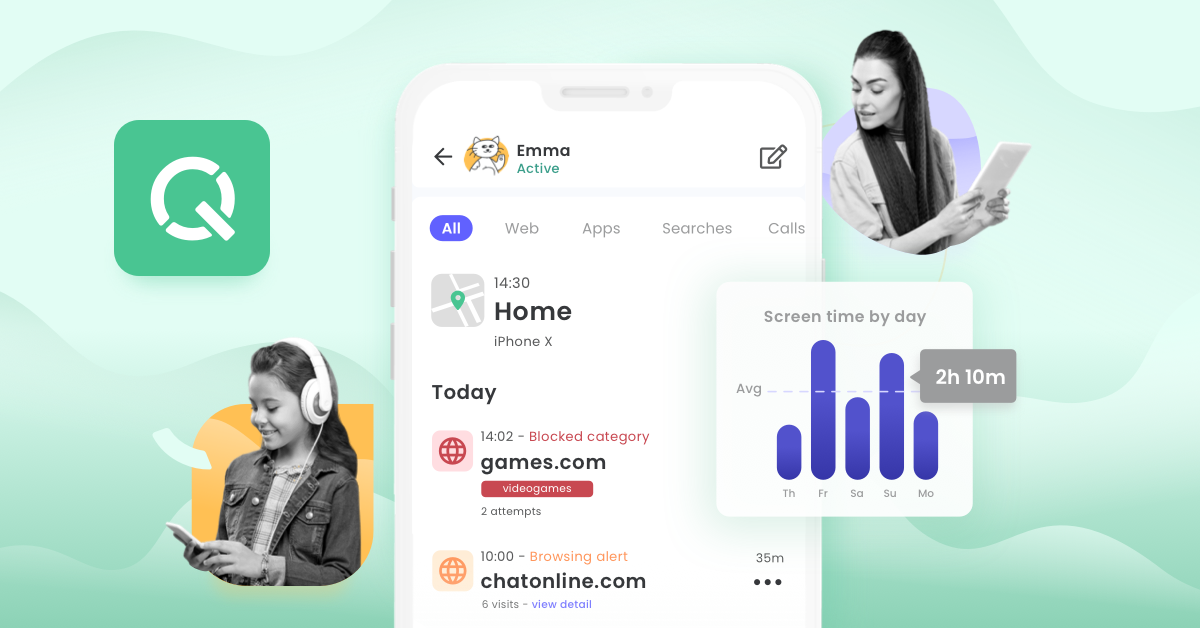
Mobicip is a parental control app that lets parents manage screen time, filter web content, block apps, and monitor social media activity across their children's devices from a single dashboard. It also includes family location tracking with geofencing and an emergency SOS button, and runs across phones, tablets, and computers.
- Free with no hidden fees
- Works on both Android and iOS
- Easy to set up and manage
- Provides detailed usage reports
- Works across iOS, Android, Mac, Windows, and Chromebook
- Clear tiered pricing based on number of devices
- Combines content filtering with location tracking and SOS alerts
- 7-day free trial and 30-day money-back guarantee
- Limited to Google ecosystem
- Cannot control non‑Google apps fully
- Remote lock may not work on some locked devices
- All tiers share the same feature set, so upgrading only adds device capacity
- Requires ongoing subscription with no permanently free tier
- Custom quotes needed for households with more than 20 devices
More alternatives & similar tools
Alternatives to Google Family Link
View all →

Alternatives to Mobicip
View all →The Verdict
AI-generated from listing dataGoogle Family Link is a free, basic solution limited to Google’s ecosystem, while Mobicip offers a richer, cross‑platform suite but requires a subscription.
Key differences
- •Free vs paid subscription model
- •Cross‑platform coverage (Mobicip includes macOS, Windows, Chromebook; Family Link only Android & iOS)
- •Content filtering of web sites (Mobicip) vs none in Family Link
- •Location tracking with geofencing and SOS alerts (Mobicip) vs basic device map (Family Link)
- •Device‑capacity scaling (Mobicip adds devices with higher tiers; Family Link unlimited within a Google Family)
Pricing & value
Family Link is free with no hidden fees; Mobicip requires a paid subscription.
Ease of use / learning curve
Family Link is described as easy to set up and manage; Mobicip has more features that may need setup.
Features & depth
Mobicip provides content filtering, geofencing, SOS alerts, and multi‑device support; Family Link lacks web filtering and advanced alerts.
Integrations & ecosystem
Family Link works within Google ecosystem; Mobicip works across iOS, Android, macOS, Windows, Chromebook.
Collaboration
Mobicip allows multiple parents/guardians to manage settings together; Family Link does not mention multi‑user collaboration.
Scalability
Mobicip scales by adding device slots per tier; Family Link limited to Google Family accounts but no explicit device cap.
Support
Family Link offers Email and Help Center; Mobicip’s support options not specified.
Choose Google Family Link if…
Parents who need a simple, free tool for basic screen‑time limits on Android/iOS within Google accounts.
Choose Mobicip if…
Parents who want comprehensive cross‑platform controls, web filtering, location geofencing, and are willing to pay.
Common questions
Is there any cost to use Google Family Link?
No, Family Link is free with no hidden fees.
Can Mobicip filter web content on a child's device?
Yes, it includes internet content filtering that blocks adult and inappropriate websites.
Does Family Link work on Windows or macOS computers?
No, Family Link only supports Android and iOS devices.